Bold shifts in workflow rarely happen by accident. Project managers across European tech companies recognize that boosting team productivity demands a clear understanding of what drives each member and how tasks are distributed. Clearly defined goals and an honest assessment of team needs are essential for identifying gaps and prioritizing improvements. This guide reveals practical steps to map your workflow, automate processes, and foster collaboration using proven strategies and cutting-edge tools.
Table of Contents
- Step 1: Assess Team Needs And Workflow Goals
- Step 2: Configure Automation And Integration Tools
- Step 3: Assign Roles And Optimize Task Distribution
- Step 4: Implement Real-Time Collaboration Practices
- Step 5: Verify Workflow Efficiency And Iterate
Step 1: Assess Team Needs and Workflow Goals
Successfully transforming your team’s productivity starts with a thorough understanding of your current workflow landscape. This step will help you map out precise organizational objectives and identify critical improvement areas.
Begin by conducting a comprehensive team assessment using strategic frameworks like the team performance mapping tools. Gather input from every team member through structured interviews, anonymous surveys, and collaborative workshops. Focus on understanding individual roles, current pain points, communication bottlenecks, and individual perspectives on team effectiveness. Pay special attention to how tasks are currently distributed and where potential inefficiencies exist.
The key is developing a nuanced view of your team’s capabilities and challenges. Team charters and accountability matrices can help clarify responsibilities and create transparent expectations. Document your findings meticulously, creating a baseline that will inform your workflow optimization strategy.
Pro Tip: Schedule a dedicated 90-minute team mapping session where everyone contributes openly and honestly about current workflow challenges and potential improvements.
Step 2: Configure Automation and Integration Tools
Transforming your team’s workflow requires strategically implementing smart automation and integration tools that seamlessly connect your existing systems. This step will help you select and configure the right technologies to boost productivity and reduce manual workload.
Start by analyzing robotic process automation solutions that can streamline repetitive tasks across your organization. Look for platforms that offer robust integration capabilities and can connect multiple software systems effortlessly. Pay close attention to tools supporting workflow automation, data synchronization, and cross platform communication. Focus on solutions that provide intuitive interfaces and support your specific team needs.
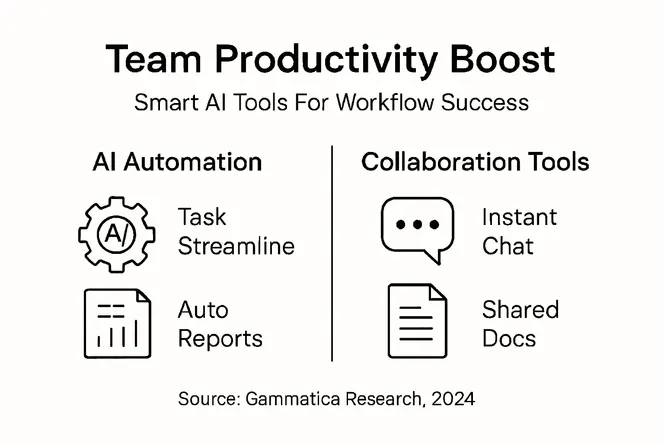
Importantly, prioritize platforms that enable AI driven workflow integration with minimal technical complexity. Map out your current workflow processes and identify specific areas where automation can reduce manual intervention. Select integration tools that offer visual workflow builders, pre built connectors, and flexible API connections. Test potential solutions with small pilot projects to validate their effectiveness before full implementation.
Pro Tip: Schedule a 30-minute weekly review of your automation tools performance to continually optimize and refine your workflow integration strategy.
Here’s a summary of essential automation tool features and their business benefits:
| Automation Feature | Business Benefit | Example Use Case |
|---|---|---|
| Workflow Integration | Reduces manual work | Automated data transfer between systems |
| Visual Workflow Builders | Simplifies setup | Drag-and-drop automation design |
| Pre-Built Connectors | Accelerates implementation | One-click connection to apps and services |
| AI Process Mapping | Enhances scalability | Adaptive task routing using AI |
Step 3: Assign Roles and Optimize Task Distribution
Successfully transforming team productivity requires strategic role assignment and intelligent task distribution that aligns individual strengths with organizational goals. This critical step will help you create a balanced and efficient workflow that maximizes each team members potential.
Begin by conducting a comprehensive skills assessment that maps individual capabilities, work preferences, and expertise levels. Evaluate each team members past performance, current skill sets, and demonstrated strengths. Consider not just technical abilities but also soft skills like communication, adaptability, and collaboration. Create detailed profiles that capture both quantitative performance metrics and qualitative personality insights.

Develop a dynamic task allocation matrix that distributes responsibilities based on individual capabilities and team objectives. Balance workloads by matching complex tasks with highly skilled team members while providing growth opportunities for less experienced colleagues. Implement a transparent rotation system that prevents burnout and encourages skill development. Use data driven insights to continuously refine your role assignment strategy, ensuring that every team member is positioned to contribute most effectively.
Pro Tip: Schedule quarterly skill reassessment sessions to keep your task distribution strategy adaptive and responsive to evolving team dynamics.
Step 4: Implement Real-Time Collaboration Practices
Building a high performance team requires creating seamless communication channels that enable instant knowledge sharing and collective problem solving. This step will transform your team interactions by establishing robust real-time collaboration mechanisms that break down traditional workflow barriers.
Start by implementing boundary-spanning collaboration strategies that encourage transparent and immediate communication across different team segments. Select collaborative platforms that support synchronous interactions such as shared document editing, instant messaging, video conferencing, and real-time project tracking. Prioritize tools that allow multiple team members to work simultaneously on shared projects, providing visibility into each others progress and enabling quick feedback loops.
Foster a collaborative culture by establishing clear communication protocols that define expectations for response times, meeting frequency, and information sharing. Create dedicated virtual spaces for different types of interactions short quick check ins, strategic planning sessions, and informal team building. Implement a rotating facilitation model where team members take turns leading collaborative sessions ensuring everyone has an opportunity to contribute and no single person dominates discussions.
Pro Tip: Designate specific time blocks for synchronous collaboration while maintaining flexible asynchronous communication channels to accommodate diverse working styles and time zones.
The following table compares real-time versus asynchronous collaboration practices:
| Collaboration Practice | Typical Application | Strengths | Limitations |
|---|---|---|---|
| Real-Time (Synchronous) | Live editing, meetings | Immediate feedback | Scheduling challenges |
| Asynchronous | Email, shared docs | Flexibility for teams | Slower response times |
Step 5: Verify Workflow Efficiency and Iterate
Continuous improvement is the cornerstone of exceptional team performance. This final step focuses on systematically evaluating your newly implemented workflow to ensure it delivers the productivity and collaboration gains you designed.
Begin by implementing rigorous workflow monitoring techniques that capture comprehensive performance metrics. Track key indicators such as task completion rates, communication response times, and overall team productivity. Utilize both quantitative data from your collaboration tools and qualitative feedback from team members. Pay special attention to bottlenecks, unexpected friction points, and areas where team members experience frustration or reduced efficiency.
Adopt a structured approach to multilayered quality control validation that allows for continuous refinement. Schedule monthly review sessions where you analyze performance data, gather team insights, and make incremental adjustments. Create a transparent feedback mechanism that encourages team members to share their experiences and suggestions. Treat your workflow as a living system that requires ongoing tuning rather than a static blueprint.
Pro Tip: Develop a simple scoring system that rates workflow efficiency each quarter, allowing you to track improvement trends and identify specific areas needing optimization.
Unlock Your Team’s Full Productivity Potential with AI-Driven Workflow Solutions
The article highlights the challenge of boosting team productivity through seamless automation, clear role assignment, and efficient real-time collaboration. Many teams struggle with manual task distribution, communication bottlenecks, and limited automation that slow progress and drain energy. Concepts like AI process mapping, task allocation based on individual strengths, and continuous workflow monitoring are critical for transforming how your team works and grows.
At Gammatica, we understand these pain points and offer an all-in-one AI-powered platform built to solve them. Our tools provide intelligent task management, automation of repetitive processes, and collaborative features such as online meetings and shared checklists. By integrating AI suggestions and workflow templates, you can eliminate manual overhead and free up precious time to focus on what matters most — driving results and fostering innovation.

Ready to revolutionize your team’s workflow and save up to 16 hours per week? Explore how Gammatica’s AI-driven platform empowers you with smart automation, clear role assignment, and real-time collaboration capabilities. Take control now and experience smoother project execution through our intuitive interface and powerful integrations like Make.com. Start optimizing your workflow today at https://gammatica.com.
Frequently Asked Questions
How can I assess my team’s productivity needs before implementing AI tools?
Begin by conducting a comprehensive team assessment using structured interviews and surveys to gather input from all team members. Identify current workflow challenges, pain points, and areas for improvement, ensuring you understand how tasks are distributed and where inefficiencies exist.
What types of automation tools should I consider for improving workflow productivity?
Focus on automation tools that facilitate workflow integration, such as platforms that offer visual workflow builders and pre-built connectors. Select tools that can streamline repetitive tasks and reduce manual workload, enabling your team to focus on higher-value activities within 30–60 days.
How can I optimize task distribution among team members effectively?
Conduct a skills assessment to understand each member’s strengths, expertise, and work preferences. Use this information to create a dynamic task allocation matrix that balances workloads and encourages professional development while matching tasks to individual capabilities.
What are effective practices for real-time collaboration in a team?
Implement collaborative platforms that support synchronous communication, such as instant messaging and shared document editing. Establish clear communication protocols to facilitate knowledge sharing and ensure that team members can easily connect and collaborate on projects.
How do I verify the efficiency of my new workflow after implementing AI tools?
Implement monitoring techniques to track key performance metrics, such as task completion rates and communication response times. Schedule monthly review sessions to analyze data, gather team feedback, and make necessary adjustments to continuously improve workflow efficiency.