Managing multiple projects at once can leave even the most organized teams tangled in spreadsheets and endless status updates. For project managers juggling distributed teams and shifting priorities, building a robust project workspace is the anchor that holds everything steady. Following global best practices, you will find clear steps to create transparent workflows, leverage AI tools, and automate routine tasks so your team stays focused, connected, and efficient.
Table of Contents
- Step 1: Set Up Your Project Workspace
- Step 2: Configure Task Boards and Automations
- Step 3: Assign Responsibilities and Deadlines
- Step 4: Leverage AI Suggestions and Templates
- Step 5: Verify Progress and Optimize Workflow
Step 1: Set Up Your Project Workspace
Creating a robust project workspace is your first critical step towards successful project management. You will establish a digital environment that supports collaboration, tracks progress, and keeps your team aligned using structured tools and strategic organization.
Start by selecting a project management platform that allows comprehensive task tracking. Professional standards recommend establishing clear governance frameworks that support adaptable project approaches. Consider platforms offering Kanban boards, resource allocation features, and integrated communication channels. Your workspace should include sections for task assignment, progress tracking, document storage, and team communication.
Ensure your workspace includes clear permission controls so team members can access relevant information without overwhelming them with unnecessary details. Create standardized templates for recurring project types to streamline setup and maintain consistency across different initiatives. Group tasks logically using categories like priority, department, or project phase to enhance visibility and reduce administrative overhead.
Pro tip: Spend 30 minutes configuring your initial workspace carefully to save hours of future reorganization and confusion.
Here’s a quick comparison of project workspace platforms and their benefits:
| Platform Type | Collaboration Tools | Progress Tracking Features | Business Impact |
|---|---|---|---|
| Kanban-Based | Visual boards, comments | Status columns, drag-and-drop | Enhances team coordination |
| Resource Allocation | Role assignments, charts | Workload balancing, time tracking | Optimizes resource usage |
| Integrated Channels | Messaging, file sharing | Notification systems, dashboards | Reduces communication silos |
Step 2: Configure Task Boards and Automations
In this step, you will transform your project workspace into a dynamic environment that automates workflows and provides real-time visibility into team progress. Configuring task boards and automation rules will help you streamline communication and reduce manual administrative work.
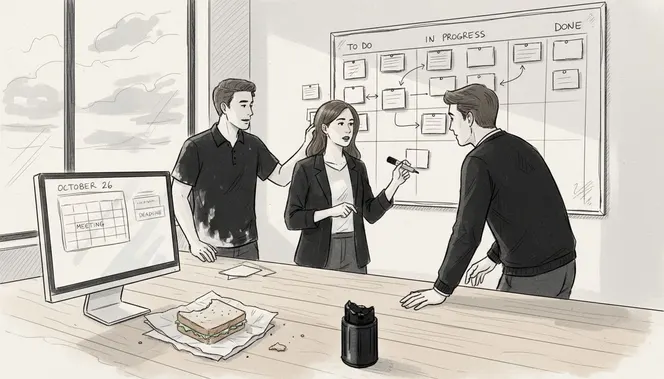
Agile practice standards recommend creating flexible workflow configurations that support iterative progress tracking. Begin by mapping out your project stages using a Kanban board approach. Break down each project phase into distinct columns representing status categories like “Not Started,” “In Progress,” “Review,” and “Completed.” Configure automated rules that trigger notifications when tasks move between columns or when specific milestones are reached.
Customize your automation settings to match your team’s unique workflow. Set up rules that automatically assign tasks based on team member skills, redistribute workloads when someone is overloaded, and send reminder notifications for approaching deadlines. Integrate your task board with communication channels to ensure seamless updates and reduce communication gaps.
Pro tip: Test your automation rules with a small project first to identify and refine configurations before implementing them across larger initiatives.
Step 3: Assign Responsibilities and Deadlines
You are about to create a clear roadmap of team roles and project timelines that ensures every team member understands their specific responsibilities and expected delivery dates. This critical step transforms project planning from abstract concepts into actionable assignments.
Professional development courses recommend using structured accountability tools like RACI charts to define team member roles precisely. Begin by mapping out each project task and identifying who will be Responsible, Accountable, Consulted, and Informed for every deliverable. When assigning responsibilities, consider individual team member strengths, current workload, and skill sets to create balanced task distributions.
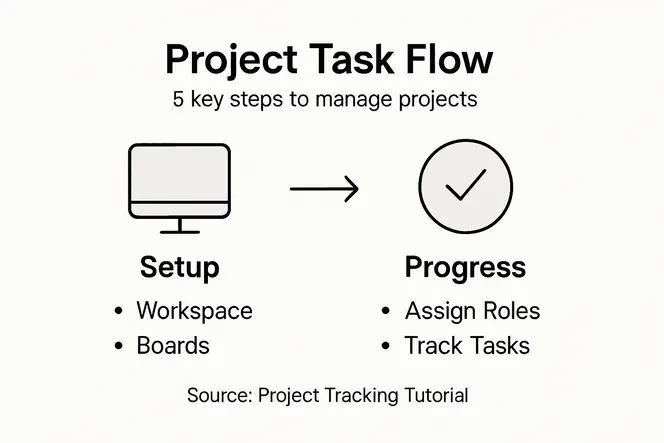
Summary of key accountability roles in a project team:
| Role | Main Responsibility | Impact on Project Delivery |
|---|---|---|
| Responsible | Executes the assigned task | Directly contributes to task completion |
| Accountable | Ultimately answers for the result | Ensures project standards are met |
| Consulted | Provides expertise or input | Improves decision quality |
| Informed | Receives updates on progress | Increases transparency |
Align deadlines with project milestones and create buffer time for potential complications. Use data from previous similar projects to estimate realistic timeframes. Communicate expectations clearly with each team member. Schedule brief individual meetings to discuss assignments, answer questions, and confirm understanding. Ensure each responsibility comes with specific success metrics and clear deliverable descriptions to eliminate ambiguity and potential misunderstandings about task requirements.
Pro tip: Always schedule a 10 percent time buffer for unexpected challenges when setting project deadlines to maintain flexibility and reduce stress.
Step 4: Leverage AI Suggestions and Templates
You are about to unlock powerful artificial intelligence capabilities that will transform your project management approach. By implementing AI-driven tools, you can dramatically reduce manual work and increase project efficiency across every stage of planning and execution.
Free online courses demonstrate how to integrate AI suggestions for predictive analytics and automated workflows. Start by exploring AI templates for critical project areas like risk assessment, resource allocation, and scheduling. Configure the AI system to analyze your historical project data and generate intelligent recommendations tailored to your team’s unique workflow. Look for features that can predict potential bottlenecks, suggest optimal resource distributions, and highlight potential risks before they become problematic.
Import existing project templates and allow AI to customize them based on your organization’s specific requirements. Pay attention to the system’s predictive insights and use them to refine your project strategy. Train your team to review and validate AI suggestions rather than blindly accepting them. The goal is to use AI as an intelligent assistant that enhances human decision making, not as a replacement for strategic thinking.
Pro tip: Review AI generated suggestions with your team in collaborative sessions to build trust and gradually improve the accuracy of machine learning algorithms.
Step 5: Verify Progress and Optimize Workflow
In this critical phase, you will transform raw project data into actionable insights that drive continuous improvement and ensure your team remains on track. By implementing systematic progress verification techniques, you can proactively identify potential bottlenecks and optimize your workflow in real time.
Project management frameworks recommend comparing actual performance against established baselines using earned value management techniques. Begin by scheduling regular checkpoint meetings where team members report on task completion, challenges encountered, and potential roadblocks. Use your project management dashboard to visualize key performance indicators, tracking metrics like task completion rates, time spent on specific activities, and resource utilization. Pay close attention to variations between planned and actual progress, analyzing the root causes of any discrepancies.
Implement a continuous improvement cycle by conducting brief retrospective sessions after each project milestone. Encourage open and constructive feedback from team members about workflow inefficiencies, communication gaps, and potential optimization strategies. Use these insights to refine your processes, redistribute workloads, and adjust project timelines dynamically. Remember that workflow optimization is an iterative process requiring ongoing attention and collaborative input from your entire team.
Pro tip: Create a simple quarterly workflow improvement template that captures lessons learned and specific optimization recommendations to build institutional knowledge over time.
Unlock Seamless Project Tracking With Smart Automation
Struggling to maintain clear task assignments and optimize workflow as described in the “Project Tracking Tutorial” can drain your team’s energy and waste precious time. The challenges of configuring task boards, assigning responsibilities, and verifying progress require a tool that simplifies these processes while boosting productivity. Key pain points such as managing Kanban boards, automating notifications, and leveraging AI insights are exactly what many project leaders wrestle with daily.
Gammatica.com offers a powerful SaaS-based AI-driven platform designed to address these exact challenges. With features like automated task management, AI-powered suggestions, and easy-to-configure Kanban boards, you can finally reduce administrative overload and free up to 16 hours weekly. It supports resource allocation, team collaboration, and permission controls that align perfectly with the structured accountability roles and workflow optimizations highlighted in the tutorial. Experience intuitive calendar coordination and integrations with tools like Make.com that bring all your project elements under one roof.
Ready to transform your task management journey right now
 Discover how Gammatica can help you master task management with ease. Visit Gammatica.com to start streamlining your projects today and take the guesswork out of progress tracking and workflow optimization.
Frequently Asked Questions
How do I set up my project workspace for effective tracking?
To set up your project workspace effectively, choose a project management tool that supports task tracking. Create sections for task assignments, progress monitoring, and document storage, ensuring clear permission controls for team members.
What are the best practices for configuring task boards and automation?
Start by mapping out project stages on a Kanban board and setting up automation rules to trigger tasks and notifications. This will streamline your workflow and improve communication, helping your team focus on what’s important.
How can I assign responsibilities and deadlines to my team?
Assign responsibilities by using a RACI chart to clearly define who is Responsible, Accountable, Consulted, and Informed for each task. Set realistic deadlines by analyzing previous project data and allow for a buffer to accommodate unexpected issues.
How can I make the most of AI suggestions in project management?
Leverage AI tools to streamline tasks by integrating predictive analytics and automated workflows. Begin by configuring AI systems to analyze historical project data, which can help you anticipate challenges and optimize resource distribution.
What steps should I take to verify progress and optimize workflow?
Schedule regular checkpoint meetings to review task completion and identify any roadblocks your team encounters. Use visual dashboards to track key performance metrics, then adjust workflows based on retrospective feedback to continuously improve project efficiency.