Managing multiple teams across different European cities often means lost details and mounting busywork. Every Project Manager wants their crew focused on real results, not just juggling spreadsheets or chasing updates. With clear roles, task assignment, and automated workflows powered by AI, your team can keep projects on target and cut distractions. This guide breaks down practical steps for building a foundation that streamlines permissions, tracks real progress, and delivers projects that matter.
Table of Contents
- Step 1: Set Up Project Structure and Permissions
- Step 2: Define and Assign Actionable Tasks
- Step 3: Automate Workflows and Integrate Tools
- Step 4: Track Progress and Analyze Performance
- Step 5: Validate Results and Optimize Processes
Step 1: Set Up Project Structure and Permissions
Before your team starts working together, you need a solid foundation. The right project structure and permission settings ensure everyone knows their role, can access what they need, and nothing falls through the cracks.
Start by mapping out your team structure clearly. Who’s leading the project? Who handles specific tasks? Who needs to approve deliverables? Clear roles and responsibilities are foundational for any successful team project, whether your team is distributed across offices or working in person.
Next, define what different team members can do. Not everyone needs access to everything. Consider these permission levels:
- Admin: Full access, can manage settings and team members
- Project Manager: Can create tasks, assign work, and view reporting
- Team Member: Can update their own tasks and see project progress
- Stakeholder: Read-only access to track progress without making changes
When setting permissions, think about your actual workflow. Does your financial controller need to approve expenses? Give them permission to review and sign off. Does a junior developer need to edit code but not delete the entire repository? Adjust their access accordingly.
Protect sensitive information by restricting visibility. Customer data, financial details, or confidential strategies should only be visible to people who genuinely need them. This isn’t just about security—it reduces noise and keeps team members focused on what matters for their role.
Start simple and adjust as you go. You can always tighten permissions if something feels too open, or loosen them if people are blocked from doing their work. The key is being intentional rather than defaulting everything to full access.
Set permissions based on actual job responsibilities, not seniority or proximity to leadership.
Pro tip: Document your permission structure in writing so new team members can be onboarded quickly, and everyone understands why they have access to certain areas and not others.
Here’s how common project roles compare in access and responsibility:
| Role | Key Permissions | Typical Responsibilities |
|---|---|---|
| Admin | Full settings, member management | Oversee system, support other roles |
| Project Manager | Task creation, reporting, assigning | Allocate work, manage project status |
| Team Member | Update own tasks, view progress | Complete assigned tasks, track goals |
| Stakeholder | Read-only access, view progress | Review outcomes, provide feedback |
Step 2: Define and Assign Actionable Tasks
Vague tasks kill productivity. When team members don’t know exactly what they’re supposed to do, deadlines slip and confusion spreads. This step is about turning big goals into clear, assignable work.
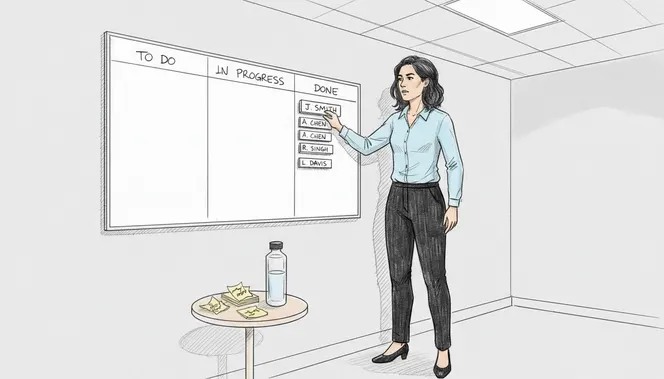
Break your project into specific tasks that someone can actually complete. Instead of “improve the website,” you need “update homepage hero image by Friday” or “fix login button responsiveness on mobile devices.” Planning and organizing concrete tasks is what separates projects that succeed from those that stall.
When defining tasks, make sure each one has these elements:
- Clear outcome: What does done actually look like?
- Assigned owner: One person responsible, not a group
- Due date: A specific deadline, not “sometime soon”
- Dependencies: What other tasks must finish first?
- Effort estimate: How long should this realistically take?
Assign tasks to people based on their skills and current workload. Your strongest developer might be great at complex backend work, but that doesn’t mean they should do everything technical. Spread responsibility. Give people tasks that match their strengths while also building their capabilities.
Be specific about expectations. “Write documentation” is too loose. “Create API documentation for the payment module with code examples and error handling explanations” tells someone exactly what you need. Include acceptance criteria so both you and the person doing the work know when it’s finished.
Consider task dependencies carefully. Some work can’t start until other work finishes. Others can run in parallel. Map this out so you avoid bottlenecks where people are sitting idle waiting for upstream tasks.
Tasks without clear ownership get pushed to the back burner. Always assign to a specific person.
Pro tip: Use time tracking within your task assignments so you can see whether your effort estimates match reality, and adjust future estimates accordingly.
Step 3: Automate Workflows and Integrate Tools
Manual repetitive work drains your team’s time and energy. This step shows you how to reclaim those hours by automating routine processes and connecting your tools so they work together seamlessly.
Start by identifying tasks that happen the same way every time. Status updates, task assignments, notifications, approval routing—these are prime automation candidates. AI can automate intelligent scheduling and workflow routing, which means less time spent on busywork and more time on actual work that matters.
Think about your most common workflows. When someone submits a task for review, does someone manually notify the reviewer? Automate that. When a deadline passes, do you manually create a follow-up task? Set up automation instead. When a project status changes, should stakeholders get notified? Build that workflow once and let it run.
Here are workflows worth automating:
- Task creation based on templates or triggers
- Automatic notifications when deadlines approach
- Status updates flowing to relevant team members
- Approval routing to the right people without manual assignment
- Time tracking reminders for billable work
- Report generation on a set schedule
Integration is just as critical. Your project management tool should talk to your calendar, chat platform, email, and any other systems your team uses daily. When tools are disconnected, people spend time copying information between platforms. Integration eliminates that friction. AI integration helps with real-time monitoring and streamlined collaboration, keeping everyone synchronized without extra effort.
Start with your highest-friction integrations first. If your team constantly switches between your project tool and your communication platform, integrate those two. If time tracking is a pain point, connect it to your task management system.
Automation isn’t about removing humans from decisions. It’s about removing humans from repetitive data entry and routing.
Pro tip: Begin with one or two simple automations, test them thoroughly, then expand gradually—jumping into complex automation setups often leads to broken workflows that confuse your team.
Step 4: Track Progress and Analyze Performance
Without visibility into what’s actually happening, you’re making decisions blind. This step teaches you how to monitor progress meaningfully and use data to drive better outcomes.
Tracking isn’t just about collecting numbers. It’s about understanding whether your project is moving in the right direction and at what speed. Key metrics like task completion, budget adherence, and schedule efficiency give you clear signals about project health.
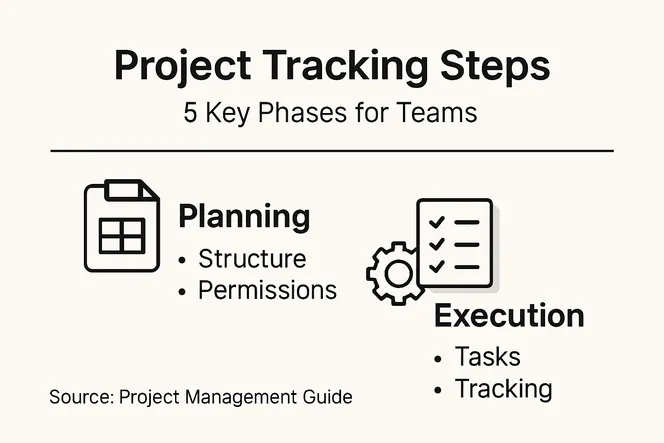
Start by defining what success looks like for your specific project. Don’t just track activity for activity’s sake. Track what matters to your goals. If you’re managing a software release, track code commits, test coverage, and bug resolution rates. If you’re managing a marketing campaign, track content completion, review cycles, and approval times.
Key metrics to monitor include:
- Task completion rate: Percentage of tasks finished on time
- Schedule performance: Are you ahead, on track, or behind?
- Resource utilization: Is your team at capacity, overloaded, or underutilized?
- Quality metrics: Defects, rework, or revision cycles
- Budget tracking: Spending versus budget projections
SMART goals and diverse metrics help you measure schedule, cost, quality, and stakeholder satisfaction consistently. Pick metrics that align with what actually matters to your business and your team’s success.
Review your data regularly, not just at project completion. Weekly or bi-weekly check-ins let you catch problems early when you can still fix them. If your schedule is slipping, you’ll see it in the data before anyone panics. If certain team members are consistently overloaded, the numbers will show it.
Look for patterns, not just snapshots. One late task means nothing. Three consecutive late tasks suggests a real problem—maybe the estimates are wrong, or the person needs support. Use data to have informed conversations with your team about what’s actually happening.
Numbers without context are just noise. Always ask why the data looks the way it does.
Pro tip: Set up automated dashboards that pull data directly from your project management system so everyone can see real-time progress without needing to run manual reports.
Step 5: Validate Results and Optimize Processes
Completing tasks isn’t the same as delivering value. This step shows you how to verify your work meets requirements and then use those lessons to improve future projects.
Validation means checking that what you’ve delivered actually solves the problem. Verification confirms correctness to specifications through testing, while validation ensures the product fulfills intended use under real conditions. These aren’t optional polish—they’re essential to making sure stakeholders get what they actually need.
Start with verification. Does the deliverable match the requirements you agreed to? If you promised a mobile app that works on iOS and Android, test it on both. If you committed to API documentation with code examples, verify the examples actually run. This catches problems before stakeholders see them.
Next comes validation. Put the deliverable in the hands of real users or stakeholders. Does it solve their actual problem? Sometimes a perfectly specified solution doesn’t work in practice. Maybe the interface confuses users, or the workflow doesn’t match how people actually work. Validation surfaces these gaps.
Common validation approaches include:
This summary shows popular validation methods and when to use them:
| Method | Best For | Key Benefit |
|---|---|---|
| User Testing | Usability evaluation | Identify real user pain points |
| Pilot Launch | Controlled release | Spot issues early in rollout |
| Stakeholder Review | Requirement alignment | Confirm goals are met |
| Surveys & Feedback | Gathering user insights | Uncover improvement areas |
- User testing with actual end users
- Stakeholder reviews and sign-offs
- Pilot launches in limited environments
- Feedback sessions and surveys
- Real-world performance monitoring
Once you’ve validated results, look at what worked and what didn’t. Quality assessment identifies areas needing improvement and understanding impacts on overall success. If your timeline slipped, why? If a specific team struggled, what support could have helped? If communication broke down, how can you structure it differently?
Capture these insights before the project ends. Document what went well and what to change. Maybe you’ll standardize a process that worked beautifully. Maybe you’ll adjust your estimation approach based on what you learned. Maybe you’ll assign certain people to certain roles because you discovered they excel at them.
Validation without improvement is just going through motions. Use what you learn to make next time better.
Pro tip: Create a simple retrospective checklist that covers timeline, budget, quality, team satisfaction, and stakeholder happiness—then track how your improvements actually impact these metrics on the next project.
Elevate Your Team’s Project Tracking with Gammatica
Mastering project tracking means overcoming unclear task ownership, disjointed workflows, and limited visibility into real progress. This article highlights how setting clear permissions, defining actionable tasks, automating repetitive work, and validating outcomes form the foundation of successful project management. If you are striving to translate these critical steps into everyday wins, Gammatica.com’s AI-driven platform is built to transform your team’s productivity.

Experience how Gammatica simplifies permission controls, supports detailed task management with AI suggestions, and connects your workflows effortlessly through powerful automation and integrations. You can reduce administrative burdens, boost collaboration, and track performance in real time. Don’t wait until project delays or data noise slow you down. Visit Gammatica.com now to discover how our intuitive platform lets you regain up to 16 hours every week while keeping your team aligned and efficient. Take the first step to mastering project tracking today with Gammatica task management and start designing automated workflows that work for you.
Frequently Asked Questions
What is the first step in mastering project tracking for teams?
Begin by setting up a solid project structure and defining clear roles and permissions. Outline who is responsible for each aspect of the project to ensure accountability and streamline collaboration.
How can I ensure that tasks are clearly defined for my team?
Define tasks with specific outcomes, assigned owners, due dates, dependencies, and effort estimates. This clarity helps team members understand their responsibilities and enables efficient tracking of progress.
What types of workflows should I consider automating in project tracking?
Focus on automating routine tasks such as status updates, notifications, and approval routing. Automating these workflows can save your team hours of repetitive work and enhance overall productivity.
How do I track progress effectively during the project?
Track critical metrics such as task completion rates, schedule performance, and resource utilization. By monitoring these key indicators regularly, you can identify potential issues early and adjust your strategy accordingly.
What is the importance of validating results in project tracking?
Validation ensures that your deliverables meet the agreed requirements and actually solve the intended problems. Conduct thorough testing and gather feedback from real users to improve each project’s quality before the final review.
How can I improve my project tracking processes for future projects?
After validating results, capture lessons learned and identify areas for process improvement. Document these insights so you can refine your approach in upcoming projects, potentially improving your timelines and team satisfaction.