Managing remote teams across different European offices often means struggling with inconsistent work hours and unclear project visibility. Choosing the right time tracking tools lays the groundwork for better alignment, helps reduce distractions, and supports accurate scheduling even when your team members work in multiple time zones. This guide shows you how to set up, configure, and get the most value from time tracking solutions that fit your workflow and deliver real productivity improvements.
Table of Contents
- Step 1: Set Up Time Tracking Tools
- Step 2: Configure Project and Team Settings
- Step 3: Track and Review Work Hours
- Step 4: Analyze Productivity and Validate Data
Step 1: Set Up Time Tracking Tools
Choosing the right time tracking tools is your foundation for visibility across your team’s workday. This step involves selecting software that aligns with your team’s workflow, whether that’s a dedicated time tracking app, project management platform, or integrated solution.
Start by identifying what you actually need to track. Are you monitoring billable hours for client projects, measuring productivity on internal tasks, or managing distributed team availability across time zones? Your answer shapes which tool works best. Most modern platforms combine time tracking with task management, so you can record hours while viewing project progress simultaneously.
Here’s what to consider when evaluating tools:
- Accuracy and syncing: Ensure accurate time synchronization across teams globally, especially if your team spans multiple regions
- User interface: Your team needs something intuitive; complicated tools create friction and won’t get used consistently
- Integration capability: The tool should connect with your existing calendar, project management software, or communication platform
- Reporting features: Look for customizable dashboards that show real-time data and historical trends
- Mobile access: Remote and hybrid teams need mobile apps for tracking time on the go
Once you’ve narrowed your options, start with a pilot implementation. Bring in 3-5 team members to test the tool for a week or two. This reveals usability issues before full rollout and gives you real feedback on whether it actually works for your workflow.
To help you choose the best time tracking tool, here’s a comparison of popular platform types and their typical benefits:
| Platform Type | Ideal Use Case | Key Benefit | Typical Limitation |
|---|---|---|---|
| Dedicated App | Freelancers, small teams | Precise manual tracking | Limited integration options |
| Project Platform | Large teams, agencies | Unified task and time view | Complex setup required |
| Integrated Solution | Distributed teams | Syncs with calendar and chat | Sometimes costly |
After selection, configure the tool properly. Set up project codes or task categories that match your organization’s structure. Create team workspaces, assign user permissions, and establish tracking templates. Using digital project management software helps facilitate this organization and supports your team’s scheduling strategies from day one.
Make sure time zones are set correctly across all accounts. This sounds simple but matters enormously when comparing time entries across European offices or managing asynchronous handoffs.
Spending 30 minutes on proper setup now prevents weeks of messy data cleanup later.
Pro tip: Start with manual time entry rather than automatic tracking. This teaches your team the discipline of logging work intentionally, creating better awareness of how time actually gets spent before automation becomes the default.
Step 2: Configure Project and Team Settings
Proper configuration transforms your time tracking tool from a data collector into a strategic asset for your team. This step involves defining how projects are structured, assigning roles, and establishing the communication framework that makes time data actionable.

Begin by mapping your project structure within the tool. List all active projects your team manages, then break each into phases or milestones. This organization helps team members log time accurately and gives you granular visibility into where hours are actually spent. If you’re running three parallel client projects plus internal maintenance work, create separate project codes for each.
Next, assign team members to projects and define their roles. This is where permissions matter. Project managers need full visibility and editing rights, while individual contributors might only track their own time and view team summaries. Aligning project roles and resources ensures everyone understands their responsibilities and access levels from day one.
Here’s what to configure for each project:
- Project codes and naming: Use clear, consistent naming so entries are instantly recognizable
- Team member assignments: Specify who works on what, including backup coverage
- Time categories or task types: Define billable versus non-billable hours, or internal task categories
- Budget or hour allocations: Set expected hours per team member to enable capacity planning
- Approval workflows: Establish whether timesheets need manager sign-off before finalization
- Notification preferences: Decide who gets alerts when hours exceed budgets or deadlines approach
Set realistic default working hours for your team. European tech companies often work standard 40-hour weeks, but some teams operate differently. Configure the tool to match your actual expectations, whether that’s core hours for remote teams or full-day presence requirements.
Now establish communication norms. Will time entries be reviewed weekly or monthly? Who analyzes the data? How will teams receive feedback on their time tracking? Clear expectations prevent confusion later.
Your configuration today determines whether managers see actionable insights or just raw numbers tomorrow.
Pro tip: Create a project template with standard settings, then duplicate it for new projects instead of configuring from scratch every time. This ensures consistency and cuts setup time dramatically.
Step 3: Track and Review Work Hours
Now comes the daily rhythm of time tracking. This step teaches your team how to log hours consistently and how you’ll review that data to spot patterns and optimize workflows.
Start by establishing a tracking routine. The best time to log hours is immediately after completing a task or at the end of each day while memory is fresh. Waiting until Friday to reconstruct the week creates inaccuracies and frustration. Encourage your team to spend just two minutes daily entering their time entries.
Here’s how to build a sustainable tracking practice:
- Log hours daily, not weekly: Entries made same-day are 90% more accurate than weekly reconstructions
- Be specific about tasks: Instead of “client work,” write “backend API integration for Project X”
- Include context notes: Brief descriptions help you understand time allocation patterns later
- Note interruptions and blockers: If someone spent two hours waiting on another team, that matters for analysis
- Round appropriately: Five-minute increments are standard; don’t obsess over seconds
Creating weekly schedules and setting daily goals helps teams understand realistic workloads and maintain focus during the week. Once your team has tracked hours for a full week, begin your review process.
Schedule a brief weekly review, ideally on Friday afternoon. Check for incomplete entries, unusual patterns, or hours that exceed budget. Monitoring work hours actively and assessing productivity regularly reveals whether team members are overwhelmed, underutilized, or distracted by unplanned work.
Look beyond raw numbers. If a developer logs 55 hours but a project took three weeks to ship, dig deeper. Are they blocked by dependencies? Perfectionist about code reviews? Context transforms data into insight.
Raw time data means nothing. Context turns it into decisions.
Pro tip: Review time entries on Friday before the weekend, then discuss findings briefly in Monday standups. This keeps the conversation fresh and lets teams address issues while context is still vivid.
Step 4: Analyze Productivity and Validate Data
With weeks of time tracking data collected, it’s time to extract meaningful insights. This step involves validating your data for accuracy and analyzing productivity patterns to inform better team management decisions.
Begin by cleaning your dataset. Look for obvious errors like duplicate entries, impossible timestamps, or entries missing context. A developer who logged 16 hours on a single task probably made a data entry mistake. Flag these inconsistencies and ask team members to correct them before analysis begins.
Next, validate completeness. Did everyone submit their hours? Are there unexplained gaps? A Friday with zero entries suggests either a day off that wasn’t marked or forgotten logging. Aim for at least 95% data completeness before drawing conclusions.
Once your data is clean, focus on measurement methodology. Understanding how productivity is calculated using output-to-input ratios helps you establish consistent metrics across your team. Define what “output” means for your organization. For developers, that might be features shipped or bugs fixed. For designers, completed mockups or design systems improved.
Here’s how to analyze your cleaned data:
- Calculate billable versus non-billable ratios: Track what percentage of time goes to client work versus internal tasks
- Identify time allocation patterns: See where hours actually flow across projects and people
- Spot anomalies: Find team members significantly above or below average hours to investigate capacity issues
- Measure project efficiency: Compare estimated versus actual hours to improve future forecasting
- Assess team utilization: Determine if resources are balanced or if someone is consistently overloaded
Using detailed productivity reports and disaggregating data by project or team reveals where improvements are possible. Don’t just look at totals—slice the data by project, person, week, and task type.
Share findings transparently with your team. If analysis shows that meetings consume 40% of development time, that’s valuable information worth discussing openly. Data without transparency breeds distrust.
Numbers alone tell you what happened. Context tells you why and what to do about it.
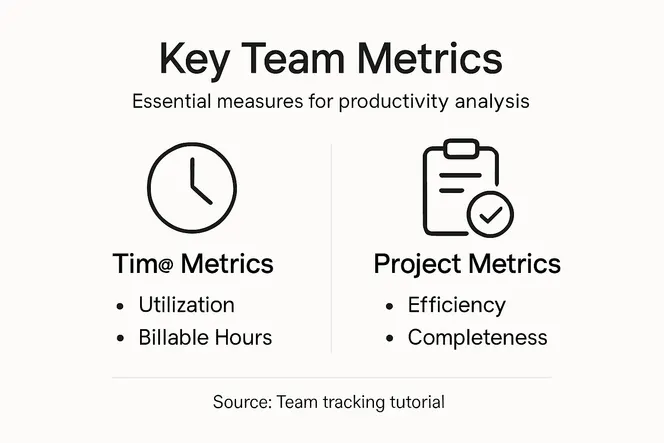
Pro tip: Create a monthly dashboard showing key metrics like utilization rate, billable hours percentage, and project efficiency trends. Share it during all-hands meetings so everyone sees how time translates to outcomes.
Here’s a summary of metrics you should monitor for actionable productivity analysis:
| Metric | What It Shows | When to Analyze |
|---|---|---|
| Utilization Rate | Team workload balance | End of each month |
| Billable Percent | Revenue-driving effort | Weekly, then monthly |
| Project Efficiency | Forecasting accuracy | After project completion |
| Non-billable Trend | Internal focus shift | Quarterly review |
Unlock True Team Efficiency with Smart Time Tracking Solutions
Struggling to maintain accurate and actionable time tracking across your projects can leave your team overwhelmed with data but starved for insights. The challenges of configuring project roles, ensuring timely logging, and analyzing productivity demand a streamlined approach that cuts through complexity and fosters real results. Gammatica.com offers an all-in-one AI-driven platform that simplifies time tracking while enhancing task management and team collaboration, so you never lose sight of what really matters.

Experience how automated workflows, customizable templates, and intuitive interfaces make daily time logging effortless. With centralized project structures and role-based permissions, your managers gain real-time visibility without drowning in raw data. Act now to transform your team’s work hours into powerful productivity insights. Visit Gammatica.com to explore how you can reduce administrative overhead and reclaim up to 16 hours every week. Start optimizing your time tracking today by checking out our platform features and embrace smarter project and team management.
Frequently Asked Questions
How do I choose the right time tracking tool for my team?
Choosing the right time tracking tool involves assessing your team’s specific needs, such as whether you’re tracking billable hours, productivity on tasks, or team availability. Start by evaluating dedicated time tracking apps, project management platforms, and integrated solutions to find one that aligns with your workflow and objectives.
What should I configure in my time tracking tool after selection?
After selecting a time tracking tool, configure project codes, roles, and communication frameworks to ensure accurate data collection. Set up project structures, team member assignments, and approval workflows to clarify responsibilities and streamline tracking.
How can I ensure my team tracks their hours consistently?
To encourage consistent hour tracking, establish a routine that promotes logging hours immediately after completing tasks or at the end of each day. Reinforce this habit by reminding your team to enter their time daily for more accurate records rather than waiting until the week’s end.
What steps should I take to analyze productivity from tracked hours?
To analyze productivity, start by cleaning your data to remove errors and ensure completeness. Next, calculate key metrics like billable versus non-billable hours, and assess project efficiency to identify trends and areas for improvement.
How often should I review time tracking data with my team?
Review time tracking data at least weekly, ideally during a brief Friday afternoon meeting. This regular check allows you to spot incomplete entries and unusual patterns, helping you address workload issues promptly and maintain transparency among the team.
Why is including context important in time tracking entries?
Including context in time tracking entries is crucial for understanding how time is allocated and identifying areas for improvement. Encourage your team to add notes about tasks and any interruptions, as this information helps transform raw data into actionable insights.