Business templates save managers up to 16 hours weekly on repetitive tasks, yet many avoid them fearing creativity loss. This misconception costs teams valuable productivity gains. Templates are customizable frameworks that standardize workflows while allowing personalization. This article explains what business templates are, explores different types, quantifies their benefits, examines AI integration, debunks common myths, and provides practical guidance for selecting and implementing templates to enhance your project management efficiency.
Table of Contents
- Understanding Business Templates: Definitions And Core Functions
- Types Of Business Templates Used In Project Management
- Quantifiable Benefits Of Using Business Templates
- Integration Of Business Templates With Ai-Driven Platforms
- Common Misconceptions About Business Templates
- Framework For Selecting And Customizing Business Templates
- Practical Application: Implementing Business Templates In Your Team
- Optimize Your Project Management With Gammatica Solutions
- What Is A Business Template? Frequently Asked Questions
Key Takeaways
| Point | Details |
|---|---|
| Standardization reduces errors | Business templates create consistent workflows that minimize mistakes and improve quality control across projects. |
| Average 20% faster completion | Projects using templates finish significantly quicker by eliminating repetitive setup and decision-making tasks. |
| AI automation cuts admin by 35% | Integrating AI with templates automates routine tasks, freeing teams to focus on strategic work. |
| Customization preserves creativity | 80% of users tailor templates to their needs, proving flexibility supports rather than restricts innovation. |
| Strategic selection matters | Choosing templates aligned with project complexity impacts on-time delivery by up to 25%. |
Understanding Business Templates: Definitions and Core Functions
A business template is a structured, reusable document that standardizes workflows across teams and projects. Think of templates as customizable blueprints rather than rigid instructions. They provide consistent frameworks while allowing you to adapt details to specific situations.
Core components include predefined fields, clear instructions, and established workflow steps. These elements work together to reduce decision fatigue and ensure nothing gets overlooked. When your team uses a standardized meeting agenda template, everyone knows what information to prepare beforehand, making discussions more productive.
Templates dramatically reduce errors by eliminating the need to recreate processes from scratch each time. Your team follows proven sequences, catching potential issues before they become problems. Common examples include project kickoff checklists, sprint planning documents, client onboarding forms, and status report formats.
The beauty of templates lies in their flexibility. You can start with a basic structure and modify it as your project evolves. A product launch template might include standard phases like research, development, testing, and release, but you adjust timelines and deliverables based on your specific product. This approach combines consistency with adaptability, giving you the best of both worlds.
Pro Tip: Start with simple templates for repetitive tasks before tackling complex workflows. Master the basics first, then expand to more sophisticated applications.
Types of Business Templates Used in Project Management
Different project scenarios require distinct template approaches. Understanding which type fits your needs saves time and prevents frustration.
Checklists work perfectly for straightforward, repeatable tasks. Use them for employee onboarding, quality assurance reviews, or pre-launch verifications. Their simplicity makes them ideal for smaller projects or routine processes where you need to ensure nothing gets missed.
Gantt charts visualize complex timelines with dependencies and milestones. These templates suit large projects involving multiple teams and sequential tasks. You can see how delays in one area affect downstream deliverables, enabling proactive adjustments.
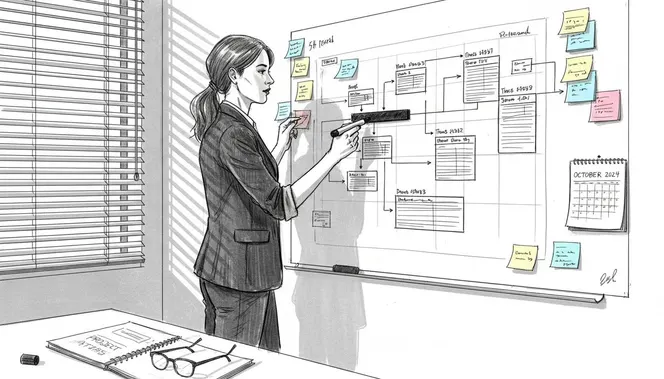
Kanban boards facilitate agile workflows by showing work in progress across different stages. Teams use these templates to prioritize tasks, identify bottlenecks, and maintain steady progress. They excel in environments where priorities shift frequently and visual workflow management helps coordination.
CRM forms capture and organize client information that connects directly to project requirements. These templates ensure sales and delivery teams share consistent data, reducing miscommunication and improving customer experiences.
| Template Type | Best For | Key Advantage |
|---|---|---|
| Checklists | Routine tasks, small projects | Simple implementation, zero learning curve |
| Gantt Charts | Complex projects with dependencies | Clear timeline visualization |
| Kanban Boards | Agile teams, changing priorities | Real-time workflow visibility |
| CRM Forms | Client-facing projects | Consistent data capture |
Your choice depends on project size, team structure, and workflow stage. Small teams handling straightforward deliverables benefit from checklists, while enterprise initiatives require more sophisticated templates like Gantt charts. Match the tool to your actual needs rather than choosing based on popularity.
Quantifiable Benefits of Using Business Templates
The productivity gains from templates aren’t just theoretical. Real data shows substantial improvements across multiple metrics.
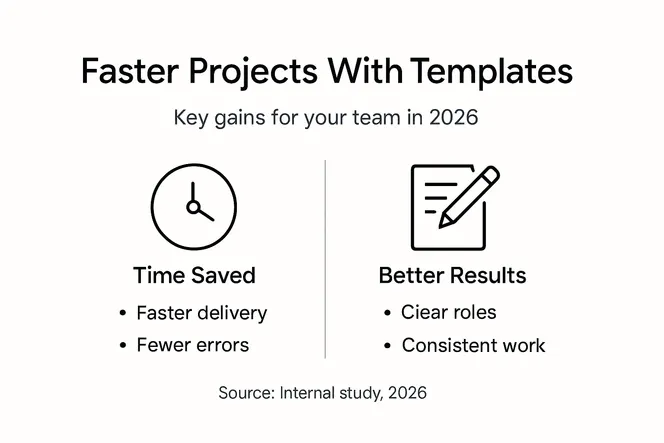
Templates eliminate up to 16 hours weekly of administrative work per team member. Instead of recreating documents or remembering process steps, your team focuses on actual deliverables. This time savings compounds across larger teams, creating massive efficiency gains.
Projects complete 20% faster on average when teams use standardized templates. Faster doesn’t mean rushed. Templates remove setup friction and decision paralysis, letting teams maintain momentum from kickoff to completion. You spend less time figuring out what to do next and more time actually doing it.
| Metric | Improvement | Impact |
|---|---|---|
| Admin time saved | 16 hours/week | More capacity for strategic work |
| Project completion speed | 20% faster | Earlier delivery, satisfied stakeholders |
| Communication delays | 30% reduction | Fewer misunderstandings, clearer expectations |
| Compliance accuracy | 25% improvement | Reduced audit risks, better documentation |
Communication clarity improves dramatically with templates. When everyone uses the same status report format, stakeholders know exactly where to find critical information. This consistency reduces back-and-forth clarifications by 30%, keeping projects moving forward smoothly.
In regulated industries, templates improve audit compliance by 25% by ensuring required documentation follows consistent standards. You create complete audit trails automatically rather than scrambling to reconstruct activities after the fact.
Pro Tip: Track your team’s key performance indicators before and after implementing templates. Measure metrics like average project duration, rework frequency, and time spent on administrative tasks. Concrete data helps you optimize template usage and demonstrate value to leadership.
“Templates transform chaotic workflows into predictable, manageable processes. The consistency they provide becomes your competitive advantage.”
Integration of Business Templates with AI-Driven Platforms
Artificial intelligence takes template effectiveness to the next level by automating routine decisions and suggesting optimizations.
AI-powered platforms analyze your workflow patterns and automatically populate template fields based on context. When you start a new project, the system suggests relevant tasks, realistic timelines, and appropriate team members based on similar past projects. This reduces setup time while improving accuracy.
Administrative workload drops by up to 35% when AI handles template-based tasks. The system can automatically update status reports, send reminders for approaching deadlines, and flag inconsistencies in project data. Your team reviews and approves rather than manually entering information.
Process compliance improves because AI catches deviations from established templates in real time. If someone skips a required approval step or forgets mandatory documentation, the system alerts them immediately. This prevents small oversights from becoming major compliance issues.
AI-enhanced templates adapt to your team’s working style. The system learns which template variations work best for different project types and team compositions. Over time, suggestions become increasingly tailored to your specific needs rather than generic best practices.
- Automated task suggestions based on project type and historical data
- Smart field population using contextual information from related projects
- Proactive deadline reminders and bottleneck identification
- Compliance monitoring with real-time deviation alerts
- Continuous template optimization through machine learning
Pro Tip: When selecting an AI-powered platform, verify it supports importing your existing templates rather than forcing you to rebuild everything. The best systems enhance what you already have rather than requiring you to start from scratch.
Common Misconceptions About Business Templates
Several myths prevent teams from realizing template benefits. Let’s address the most persistent misunderstandings.
Many believe templates restrict creativity and force cookie-cutter solutions. Reality tells a different story. 80% of users customize templates to suit their specific workflows. Templates provide starting points, not finishing lines. You maintain creative control while eliminating repetitive setup work.
The “one-size-fits-all” fear also misses the mark. Effective template libraries include multiple options for different scenarios. You wouldn’t use the same template for a two-week website update and a six-month product development cycle. Smart teams maintain diverse template collections matched to various project types.
Some managers assume templates only benefit large enterprises with complex processes. Small and medium businesses actually gain proportionally more value. When you have limited resources, eliminating waste through standardization creates immediate competitive advantages. A five-person team saving 16 hours weekly gains the equivalent of nearly half a full-time employee.
The key lies in viewing templates as flexible frameworks requiring thoughtful customization. Treating them as rigid, unchangeable procedures guarantees disappointment. Successful template users regularly refine their documents based on team feedback and changing business needs.
- Templates support rather than restrict creative problem-solving
- Customization is expected, not exceptional
- Small teams gain proportionally larger efficiency benefits
- Regular updates keep templates relevant and useful
- Flexibility distinguishes effective templates from bureaucratic forms
Avoid the trap of implementing templates without explaining their purpose. When team members understand how templates save them time and reduce frustration, adoption becomes natural rather than forced.
Framework for Selecting and Customizing Business Templates
Choosing the right template requires systematic evaluation of your specific needs and constraints.
Start by assessing project complexity and team size. A three-person team handling straightforward deliverables needs different tools than a cross-functional group managing interdependent workstreams. Match template sophistication to actual requirements rather than aspirational complexity.
Template selection impacts on-time delivery by up to 25%, making this decision strategically important. Consider which workflow stages create the most friction currently. If project kickoffs consistently take too long, prioritize templates that streamline initiation. If status reporting consumes excessive time, focus there first.
- Evaluate current pain points: Identify which processes cause the most delays, errors, or frustration for your team.
- Match templates to workflow stages: Select templates that address your specific bottlenecks rather than generic solutions.
- Gather team input: Ask team members which repetitive tasks they find most tedious and time-consuming.
- Customize based on feedback: Adapt standard templates to reflect your team’s actual working style and preferences.
- Integrate with existing tools: Ensure new templates connect smoothly with your current project management platform and communication systems.
Customization transforms generic templates into powerful productivity tools. Add or remove fields based on the information your team actually needs. Adjust approval workflows to match your organizational structure. Include links to relevant resources and examples.
Integration with existing systems prevents templates from becoming isolated documents. When templates connect to your task management platform, calendar system, and communication tools, they become seamless parts of your workflow rather than additional overhead.
Pro Tip: Schedule quarterly template reviews with your team. Discuss what works well, what creates friction, and what needs updating. Treating templates as living documents rather than static forms ensures they remain valuable as your projects and team evolve.
Practical Application: Implementing Business Templates in Your Team
Successful implementation requires more than distributing documents. Follow these steps to ensure templates actually improve your team’s productivity.
-
Identify high-impact opportunities: Start with processes your team repeats frequently that currently lack standardization. Client onboarding, sprint planning, and status reporting typically offer quick wins.
-
Assess readiness and provide training: Don’t assume team members automatically understand how to use templates effectively. Brief training sessions explaining the purpose and demonstrating proper usage prevent confusion and resistance.
-
Integrate with your project management platform: Templates work best when embedded in the tools your team already uses daily. Load them into your existing software rather than maintaining separate documents.
-
Monitor performance metrics: Track specific indicators like task completion time, error rates, and team satisfaction before and after template implementation. Quantifiable data guides optimization efforts.
-
Gather ongoing feedback: Create channels for team members to share template experiences. Quick surveys, brief retrospective discussions, or dedicated feedback sessions reveal what works and what needs adjustment.
-
Iterate based on real usage: Treat your first template versions as prototypes. Refine them based on actual team experiences rather than theoretical best practices. Remove fields nobody uses, add information people consistently need, and streamline workflows that create friction.
Implementation succeeds when you focus on solving real problems rather than checking boxes. If a template doesn’t make someone’s work easier, it needs revision or replacement. The goal is practical productivity improvement, not template collection.
Start small with one or two high-value templates rather than overwhelming your team with dozens simultaneously. Build confidence and demonstrate value before expanding. Success breeds enthusiasm for additional standardization.
Optimize Your Project Management with Gammatica Solutions
Transforming template concepts into productivity gains requires the right platform and support. Gammatica combines AI-powered automation with customizable templates designed for real-world project management challenges.
Our platform integrates task management, workflow automation, and team collaboration in one intuitive system. You get pre-built templates for common scenarios plus the flexibility to create custom frameworks matching your unique processes. AI suggestions help you optimize workflows continuously based on your team’s actual performance patterns.

Reduce administrative burdens while improving project outcomes. Gammatica’s checklist creation, Kanban boards, and calendar coordination tools work together seamlessly, eliminating the friction of disconnected systems. Whether you manage a small team or coordinate across departments, our scalable solutions adapt to your needs.
Explore how smart AI tools enhance team productivity through intelligent automation and standardized workflows. Learn practical strategies for optimizing project management workflows that drive measurable results. Discover how the right combination of templates and technology transforms project execution from chaotic to consistently successful.
What Is a Business Template? Frequently Asked Questions
How do business templates differ from regular documents?
Business templates include predefined structure, standardized fields, and reusable workflows designed for repeated use across multiple projects. Regular documents are typically created from scratch for one-time purposes without standardized elements. Templates save time by providing proven frameworks you customize rather than recreating entire documents repeatedly.
Do templates limit creative problem-solving?
No, templates provide flexible frameworks that actually enhance creativity by eliminating repetitive setup work. You spend mental energy on strategic decisions and innovative solutions rather than administrative tasks. Most users customize templates significantly, adapting them to unique project requirements while maintaining efficient core processes.
How long does it take to customize a template properly?
Initial customization typically requires 30 minutes to 2 hours depending on template complexity and your specific needs. This upfront investment pays back immediately through time saved on every subsequent use. Simple checklists need minimal adjustment, while complex project plans require more thorough tailoring to your workflow.
How often should we review and update our templates?
Review templates quarterly or whenever you complete major projects that revealed process improvements. Regular updates ensure templates reflect current best practices and team preferences. If team members consistently work around a template rather than using it as designed, that signals needed revisions.
What technical requirements exist for using business templates?
Most templates work with standard office software or cloud-based project management platforms you likely already use. Basic templates need only document editors, while advanced options integrate with specialized project management tools. Choose templates compatible with your existing technology stack to avoid implementation friction and additional costs.
Can small teams benefit from templates as much as large organizations?
Small teams often gain proportionally greater benefits because efficiency improvements have larger relative impact. When a five-person team saves 16 hours weekly through templates, that represents significant capacity gains. Templates level the playing field, giving smaller organizations enterprise-level process efficiency without enterprise budgets.