Gammatica and Make.com (Step-by-step Guide)
You can easily connect your Gammatica account with your Make.com account by following these steps:
- Log in to app.gammatica.com.
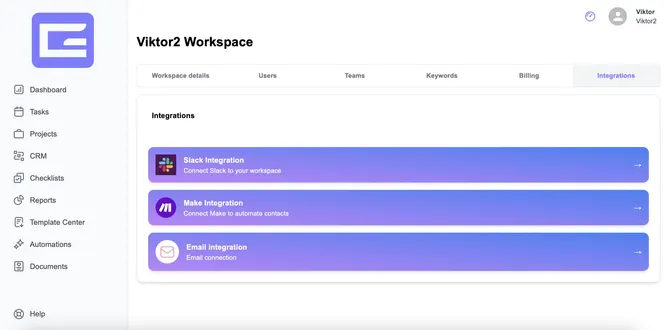
- Click on your name in the top right corner and open Edit Workspace.
- Click on the Integrations tab.
- Select the Make.com option.
- Click on Create New Key.
- Give your key a name.
- Copy the generated API key by clicking the Copy button or manually copying it if the button is not available. Save it somewhere safe (e.g., in your Notes).
- Go to Make.com.
- Create a new Scenario.
- Add Gammatica as an integration.
- Paste the API key you saved earlier.
- From now on, you can connect your Gammatica account with over 2,000+ apps!