Small and medium enterprises waste an average of 16 hours weekly on manual administrative tasks that productivity software could automate. This dramatic time sink costs SMEs both money and competitive advantage in fast-moving markets. Understanding what productivity software truly offers and how to implement it strategically can transform your team’s operational efficiency and collaboration capabilities.
Table of Contents
- Introduction: Defining Productivity Software
- Core Components And Features Of Productivity Software
- How Productivity Software Enhances Team Collaboration And Business Workflows
- Quantifiable Business Impact Of Productivity Software For SMEs
- Addressing Common Misconceptions About Productivity Software
- Comparative Framework For Selecting The Right Productivity Software
- Real-World SME Use Cases And Benefits Of Productivity Software
- Implementation Best Practices And Common Pitfalls
- Enhance Your SME’s Productivity With Tailored Software Solutions
- Frequently Asked Questions
Key Takeaways
| Point | Details |
|---|---|
| Definition | Productivity software is integrated business tooling for task management, automation, CRM, and collaboration that streamlines SME workflows. |
| Collaboration Impact | Centralized communication and real-time project visibility reduce email overload and cross-team silos significantly. |
| Quantifiable ROI | SMEs report over 30% reduction in administrative burden and up to 16 hours weekly time savings through automation. |
| Selection Criteria | Match software features to specific workflow needs, prioritize integration capabilities, and ensure scalability for growth. |
| Implementation Success | Strategic training and gradual feature adoption prevent common pitfalls like feature overload and user resistance. |
Introduction: Defining Productivity Software
Productivity software represents a category of integrated business applications designed to help SMEs manage operations more efficiently. Unlike consumer-focused productivity apps, business productivity platforms combine multiple operational functions into unified systems.
For SMEs specifically, productivity software addresses core operational challenges. These platforms centralize task management, customer relationship tracking, workflow automation, and team collaboration in ways that eliminate scattered tools and disconnected processes.
The defining characteristics of SME-focused productivity software include:
- Task and project management systems with visual workflow boards
- Customer relationship management tools for sales pipeline tracking
- Automation capabilities that reduce repetitive administrative work
- Collaboration features enabling real-time team communication
- Integration frameworks connecting existing business tools
- Calendar coordination and meeting scheduling functionality
- Document management and knowledge base systems
These components work together to create operational continuity. When your team uses disconnected tools for different functions, information silos emerge and workflows break down. Productivity software solves this by creating a single source of truth where all operational data lives and flows between functions automatically.
The practical impact for SMEs is substantial. Rather than switching between email, spreadsheets, separate project trackers, and standalone CRM systems, teams access everything through one interface. This consolidation eliminates context switching costs and ensures everyone sees the same real-time information.
Core Components and Features of Productivity Software
Modern productivity platforms for SMEs typically bundle several essential feature categories. Understanding these components helps you evaluate what your business actually needs versus what vendors market as essential.
Task tracking and project management form the operational backbone. These tools let teams visualize work through Kanban boards, assign responsibilities with clear ownership, set deadlines with automated reminders, and track progress against milestones. The visual nature of these systems makes bottlenecks obvious and keeps everyone aligned on priorities.

Automation and AI-driven features represent the biggest efficiency multipliers. These capabilities include workflow triggers that move tasks between stages automatically, AI suggestions for task prioritization and resource allocation, template libraries for recurring project types, and automated status reporting that eliminates manual updates. The time savings from automation alone often justify the entire software investment.
Collaboration and communication modules reduce email dependency dramatically. Built-in messaging keeps conversations contextual to specific projects, comment threads on tasks eliminate status update meetings, document sharing with version control prevents file confusion, and @mentions ensure the right people see important updates immediately.
Integration with third-party platforms amplifies productivity software value significantly. The BonusQR restaurant management software guide demonstrates how platform connections multiply software effectiveness across operations. Native connections to email, calendar systems, video conferencing tools, accounting software, and specialized industry applications create seamless workflows where data flows automatically between systems.
Pro Tip: Start with core task management and automation features before exploring advanced capabilities. Many SMEs overwhelm teams by activating every feature immediately, which creates confusion and resistance. Build adoption gradually as teams master each component.
How Productivity Software Enhances Team Collaboration and Business Workflows
The collaboration improvements from productivity software go far beyond simple communication tools. These platforms fundamentally restructure how information flows through SME operations.
Centralized communication transforms how teams interact. Instead of important decisions and updates getting lost in email threads, everything lives in context. Project discussions happen directly on task cards, client information stays attached to CRM records, and team members can catch up on any conversation thread without asking for forwards or summaries. According to Singleclic on business process automation benefits, this centralization reduces email reliance while improving cross-functional visibility substantially.
Real-time project updates create operational transparency that email and spreadsheets cannot match. When team members update task status, complete checklist items, or upload deliverables, everyone with relevant permissions sees changes immediately. This visibility eliminates the status meeting cycle where managers spend hours gathering progress reports that are outdated before the meeting ends.
Automated reminders and task prioritization keep work moving without manual oversight. The software tracks deadlines, sends notifications before tasks become overdue, escalates blocked items to managers automatically, and surfaces high-priority work at the top of each team member’s queue. This systematic approach to workflow management means nothing falls through cracks.
Cross-team visibility breaks down departmental silos that plague SME growth. Sales teams see what delivery capacity exists before promising timelines, operations teams understand customer commitments without separate briefings, and leadership gains real-time insight into all workstreams without constant status requests.
“The single biggest benefit we saw was eliminating the constant ‘where are we on this?’ questions. Everyone can see project status themselves, which freed up hours of management time weekly.”
Quantifiable Business Impact of Productivity Software for SMEs
The business case for productivity software becomes compelling when you examine actual performance data from SME implementations. These aren’t theoretical benefits but measured improvements.
Time savings from automation represent the most immediate impact. SMEs report recovering between 12 to 16 hours per week per team member through automated workflows, eliminating repetitive data entry, reducing meeting time requirements, and decreasing time spent searching for information. For a 10-person team, this translates to an entire full-time position worth of capacity gained.
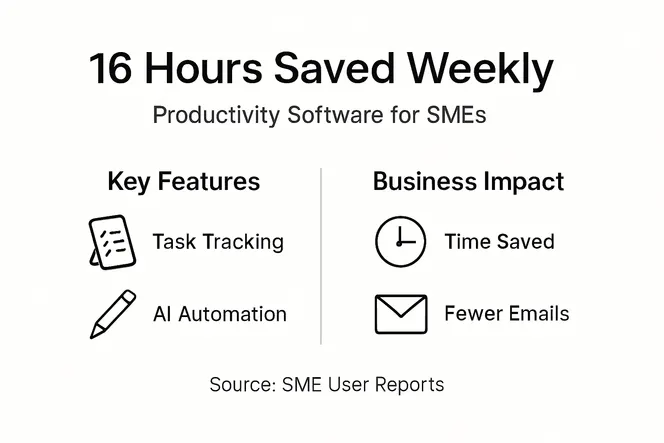
Administrative burden reduction shows up clearly in operational metrics. According to Brainiac Media website performance ROI guide, organizations experience over 30% reduction in administrative tasks alongside notable project delivery speed-ups. Manual reporting, status updates, and coordination overhead drop dramatically when software handles these functions automatically.
| Metric | Before Software | After Implementation | Improvement |
|---|---|---|---|
| Weekly admin hours per person | 18 hours | 6 hours | 67% reduction |
| Average project delivery time | 8 weeks | 5.5 weeks | 31% faster |
| Status meeting hours weekly | 12 hours | 3 hours | 75% reduction |
| On-time delivery rate | 68% | 89% | 21 points higher |
Project milestone tracking accuracy improves substantially with structured software systems. Manual tracking in spreadsheets or email leads to outdated information and missed deadlines. Productivity platforms provide always-current visibility where actual progress updates the system automatically and deadline risks surface immediately.
Faster project delivery emerges from better coordination and reduced friction. When handoffs between team members happen smoothly, when blockers get resolved quickly, and when everyone works from the same information, projects simply move faster. Case studies show SMEs reducing average project timelines by 25 to 35% after implementing productivity software properly.
Addressing Common Misconceptions About Productivity Software
Several persistent myths about productivity software lead SMEs to either avoid adoption entirely or implement ineffectively. Clearing up these misconceptions improves your chances of successful deployment.
The biggest misconception is that software alone fixes operational inefficiencies. Technology cannot overcome broken processes or unclear responsibilities. If your workflows are poorly designed, productivity software will simply digitize the dysfunction faster. The software provides infrastructure, but you must first clarify processes, define ownership, and establish clear workflows that the platform can then support and automate.
Many SME leaders underestimate the importance of strategic training and adoption planning. Buying software and expecting teams to figure it out rarely works. Successful implementations include structured onboarding, role-specific training, gradual feature rollout, and designated internal champions who help colleagues learn the system. Without this investment, you get low adoption and wasted licensing costs.
Mismatched features cause implementation failure more often than software quality issues. A platform perfect for enterprise companies might overwhelm a 15-person SME with unnecessary complexity. Conversely, simple task lists might lack the automation and integration capabilities growing SMEs need. The key is matching feature sophistication to your actual operational requirements, not choosing based on what seems impressive in demos.
The difference between personal productivity tools and business productivity software matters significantly. Consumer apps like to-do lists or note-taking apps serve individual work styles. Business productivity platforms coordinate team workflows, provide shared visibility, enforce process consistency, and integrate with other business systems. Trying to run SME operations on personal productivity apps creates the same information silos and coordination problems you are trying to solve.
Pro Tip: Before evaluating any software, document your three biggest operational pain points specifically. Use these as evaluation criteria rather than getting distracted by impressive features you do not actually need.
Comparative Framework for Selecting the Right Productivity Software
Choosing productivity software requires a structured evaluation approach. This framework helps you compare options systematically rather than getting overwhelmed by feature lists and vendor claims.
Start by categorizing must-have versus nice-to-have capabilities:
- Core workflow automation that eliminates your specific repetitive tasks
- Task management complexity matching your project types
- CRM depth appropriate for your sales process
- Collaboration features supporting your team’s working style
- Integration connections to your existing critical tools
- Reporting capabilities providing the metrics you actually track
| Feature Category | Basic Tier | Professional Tier | Enterprise Tier | SME Sweet Spot |
|---|---|---|---|---|
| Task Management | Simple lists | Kanban boards, dependencies | Resource allocation, portfolios | Professional |
| Automation | Email notifications | Workflow triggers, templates | AI suggestions, complex rules | Professional |
| CRM Capability | Contact database | Pipeline tracking, deals | Marketing automation, forecasting | Professional |
| Collaboration | Comments, file sharing | Real-time editing, meetings | Advanced permissions, wikis | Professional |
| Integrations | 5-10 apps | 50+ apps, API access | Custom integrations, webhooks | Professional |
Adoption impact correlates strongly with feature set appropriateness. Too few features and teams outgrow the platform quickly. Too many features and the complexity overwhelms users who abandon the system. Most SMEs find the professional tier provides the right balance.
Scalability and multilingual support become critical for growing SMEs. Can the platform handle twice your current team size without performance degradation? Does pricing scale reasonably as you add users? If you operate internationally or plan to, does the software support multiple languages natively?
Integration capabilities and ease of use often conflict. Powerful platforms with extensive integration options sometimes sacrifice intuitive interfaces. The best SME solutions balance these by providing deep integration capabilities through simple configuration rather than requiring technical expertise. Look for platforms offering pre-built integration templates for common tools rather than requiring custom API work.
Real-World SME Use Cases and Benefits of Productivity Software
Examining how similar SMEs actually use productivity software provides practical insight beyond feature specifications and vendor promises.
AI-driven efficiency improvements have become particularly impactful for European SMEs. Companies report that AI-powered task prioritization helps teams focus on high-value work, automated project timeline suggestions improve planning accuracy, intelligent workload balancing prevents team burnout, and predictive analytics flag project risks early. These AI capabilities move beyond simple automation into genuine operational intelligence.
Project delivery acceleration shows up consistently across industries. Marketing agencies report reducing campaign launch timelines by 40%, software development teams ship features 30% faster with better quality, professional services firms handle 25% more client projects simultaneously, and construction companies improve subcontractor coordination cutting project delays significantly.
Multilingual support proves essential for SMEs serving international markets. Platforms offering English, German, French, and other European languages see higher adoption rates in multinational teams, enable better client communication across borders, support compliance with local documentation requirements, and reduce translation overhead in day-to-day operations.
Integration with meeting platforms creates workflow continuity that isolated tools cannot match:
- Automatic meeting summaries posted to relevant project tasks
- Action items from video calls converted to tracked tasks instantly
- Calendar integration preventing scheduling conflicts with project deadlines
- Screen sharing and recording linked directly to project documentation
These integrations eliminate the manual work of translating meeting discussions into actionable next steps, ensuring nothing discussed gets forgotten or lost.
Implementation Best Practices and Common Pitfalls
Successful productivity software deployment requires more than purchasing licenses and sending login credentials. Follow these practices while avoiding frequent mistakes.
-
Start with a pilot team using the software for one complete project cycle before company-wide rollout. This reveals implementation issues and builds internal expertise.
-
Map existing workflows explicitly before configuring the software. Document current processes, identify pain points, and design improved workflows that leverage software capabilities.
-
Designate internal champions who receive deep training and can support colleagues. Relying solely on vendor support creates delays and frustration.
-
Configure core features thoroughly before activating advanced capabilities. A well-configured basic system beats a poorly-configured complex one.
-
Establish data migration plans if replacing existing systems. Clean, accurate data transfer prevents adoption resistance from lost information.
-
Create team-specific views and dashboards so each role sees relevant information without clutter. Generic interfaces overwhelm users.
-
Schedule regular check-ins during the first 90 days to address confusion, adjust configurations, and reinforce proper usage.
Use integrations strategically by connecting only the tools your team uses daily. Every integration adds complexity, so focus on high-value connections that eliminate manual data transfer or duplicate entry. Common high-value integrations include email and calendar systems, existing CRM or accounting software, file storage platforms, and video conferencing tools.
Avoid feature overload by resisting the temptation to activate everything immediately. Many platforms offer dozens of features, but your team needs time to master core capabilities before adding complexity. Roll out advanced features quarterly based on demonstrated mastery of existing functionality.
Keep focus on strategic objectives rather than getting distracted by metrics that do not matter. Choose three to five key performance indicators that reflect your actual business goals, configure dashboards showing these metrics, and ignore vanity metrics that look impressive but drive no decisions.
Enhance Your SME’s Productivity with Tailored Software Solutions
The importance of task management becomes clear once you understand how dramatically the right software improves SME operations. Gammatica offers AI-driven project and team management specifically designed for businesses seeking to reclaim time and streamline workflows.

Our platform combines task management, CRM, automation, and collaboration in one intuitive system. With pre-built templates and Make.com integrations, you can start automating workflows immediately. Teams typically save up to 16 hours weekly by eliminating administrative overhead.
Explore our task tracking best practices guide to see how proper tracking transforms project delivery. Ready to implement automation across your operations? Our automation strategies for small businesses resource provides actionable approaches you can start using today.
Frequently Asked Questions
What is productivity software?
Productivity software refers to integrated business platforms that streamline task management, automate workflows, manage customer relationships, and enable team collaboration. For SMEs, these tools consolidate multiple operational functions into unified systems that reduce administrative burden and improve efficiency. The focus is on business-wide coordination rather than individual productivity.
How does productivity software improve team collaboration in SMEs?
Centralized communication keeps all project discussions, decisions, and updates in context rather than scattered across email threads. Real-time visibility into project status, task ownership, and deadlines eliminates constant status meetings. Automated notifications ensure the right people see important updates immediately, while shared dashboards give everyone access to the same current information, reducing silos and improving coordination.
What are common pitfalls when implementing productivity software?
Ignoring user training and change management leads to low adoption and wasted investment. Activating too many features simultaneously overwhelms teams who abandon the system. Choosing software based on impressive demos rather than actual workflow needs creates mismatches. Neglecting data migration planning causes lost information that undermines trust. Strategic planning, gradual adoption, and role-specific training dramatically improve success rates.