Managing projects and teams has never felt more unpredictable. With new technology reshaping how businesses organize tasks, communicate, and automate repetitive routines, choosing the right platform can make all the difference. Some tools promise easier onboarding while others offer deep analytics and automation that quietly save hours every week. Every platform has its own way of turning complex teamwork and client management into something more focused and productive. Want to know which solutions deliver practical results and which features might change how your business operates? Get ready to uncover the details that separate ordinary tools from those built for real efficiency.
Table of Contents
Gammatica
At a Glance
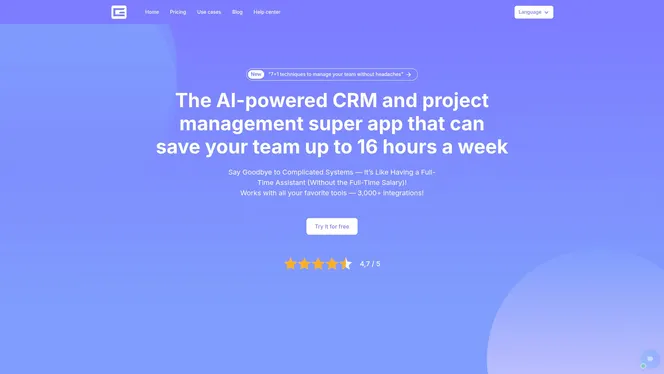
Gammatica is a SaaS-based, AI-driven project and team management platform designed to enhance productivity and streamline business operations. It combines task management, CRM, automation, calendar coordination, checklists, and team collaboration into a single workspace, and it claims users can free up to 16 hours weekly through AI suggestions and pre-made templates. You can start with a 14-day full trial that requires no credit card. For project managers in mid-sized tech companies, Gammatica strikes a strong balance between automation depth and day-to-day usability.
Core Features
Gammatica’s core capabilities center on AI-powered project and task management plus CRM functionality with unlimited customer journeys. The platform supports Kanban boards, calendar and activity tracking with real-time updates and history logs, time tracking, and AI coaching for efficiency. Built-in automations and integrations with 3,000+ apps (including Make.com) let you connect business processes across tools. Pre-made workflows, checklists, and templates accelerate onboarding and recurring work. Additional enterprise-focused features include permission controls, a company wiki, and online meeting integrations with Zoom or Google Meet, while multilingual support (English and Hungarian) targets international teams.
Pros
- Gammatica offers a comprehensive feature set—including CRM, checklists, automation, and integrations—which reduces the need to stitch multiple tools together.
- The user-friendly interface and ready-made templates speed setup and cut administrative overhead for teams moving from manual processes.
- The platform scales from freelancers to agencies handling hundreds or thousands of clients, making it suitable across organizational sizes.
- A 14-day full trial without a credit card lowers the barrier for evaluation and pilot projects.
- Multilingual support in English and Hungarian helps distributed teams adopt a single platform quickly.
- Mobile app development is underway, showing commitment to a fuller mobile experience while the web app remains feature rich.
Who It’s For
Gammatica is ideal for business managers, project managers, team leaders, agency owners, and freelancers who need to streamline operations and automate workflows. If you manage cross-functional teams, juggle client pipelines, or require traceable activity logs and permission controls, Gammatica gives you the tools to reduce manual work and increase delivery predictability. In short: if your goal is organized, automated, and scalable management, this platform was built for you.
Unique Value Proposition
Gammatica’s edge is the fusion of AI-driven task intelligence with enterprise workflow features in one SaaS platform. By combining AI suggestions, time tracking, and AI coaching with unlimited CRM journeys, Kanban boards, and 3,000+ integrations (including Make.com), it replaces brittle tool chains with an integrated operational backbone. The pre-made templates and automation library are designed to shave hours from repetitive work—claiming up to 16 hours saved weekly—so managers can focus on strategy, not status updates. Design choices such as prioritizing a robust web experience and extensive integrations before finalizing the mobile app reflect a roadmap focused on core productivity gains for teams at scale.
Real World Use Case
A digital marketing agency used Gammatica to automate client onboarding, synchronize campaign timelines across creative, paid, and analytics teams, and centralize client communication. The result was a 20% increase in efficiency and consistently faster project delivery thanks to fewer manual handoffs and clearer accountability.
Pricing
There is a 14-day full trial with no credit card required. Gammatica Pro is $15 per month per user, or $120 per user per year when billed annually. An Enterprise plan is announced as coming soon.
Website: https://gammatica.com
Monday.com
At a Glance
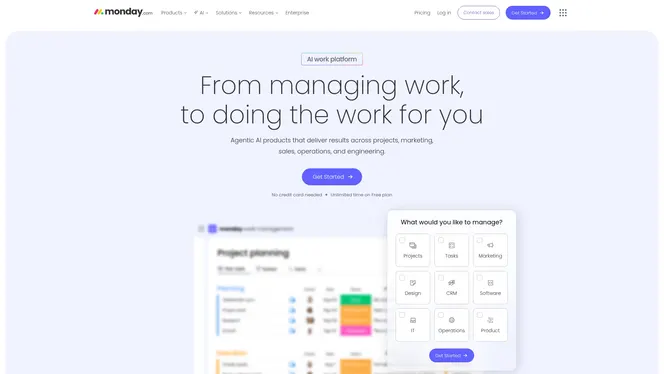
Monday.com is an AI work platform built to unify project, CRM, campaign, development, and service workflows into a single customizable workspace. For mid-sized tech organizations, it delivers strong automation and AI-powered insights that reduce routine work and surface risks in real time. It can scale to enterprise needs, but that breadth brings complexity that smaller teams may find heavy.
Core Features
The platform focuses on work management, CRM capabilities, Gantt and timeline charts for project visualization, automation of repetitive tasks, and AI-driven insights and risk detection. Those features combine to create configurable workflows that span sales, marketing, development, and service operations, enabling teams to centralize status, dependencies, and customer lifecycle data in one place.
Pros
- Comprehensive, integrated platform for multiple business functions: It combines project management, CRM, and campaign tools so you can avoid stitching together separate point solutions. This reduces context switching across teams.
- Highly customizable with no-code tools: You can tailor boards, workflows, and automations without developer support, which speeds up organizational adoption and reduces IT backlog.
- Strong automation and AI capabilities: Built-in automation cuts repetitive steps and AI-powered insights help detect risks and surface actionable recommendations for project managers.
- Supports large teams and enterprise-level needs: The platform scales to complex organizational structures, providing permission controls and features suited for multi-team coordination.
- User-friendly interface and onboarding for teams: The interface emphasizes clarity, which helps new users get productive quickly and shortens onboarding time.
Cons
- Complexity might be overwhelming for small teams or single users: The platform’s breadth can create unnecessary configuration overhead when you only need a lightweight tool. It’s powerful, but that power requires thoughtful setup.
- Pricing can be high for enterprise features: Advanced automation, AI insights, and enterprise controls typically sit behind higher-tier plans, which can push overall seat costs above simpler alternatives.
- Some users report a learning curve for advanced features: Mastering deeper automation, conditional logic, and AI risk detection can take time and may require dedicated configuration effort.
Who It’s For
Monday.com fits mid-sized to large organizations that need an all-in-one work management solution with advanced automation and AI. If you manage cross-functional programs, track customer lifecycles, and require consolidated reporting across marketing, sales, and development, this platform is designed for your context.
Unique Value Proposition
The platform’s strength is its combination of broad functional coverage and no-code customization, augmented by automation and AI. That mix lets organizations centralize processes and gain real-time insights without building custom tooling from scratch.
Real World Use Case
A marketing team uses Monday.com to plan campaigns, automate task assignments, monitor project progress with timeline charts, and generate real-time performance reports. The result: fewer manual updates, faster campaign delivery, and clearer handoffs between creative, analytics, and ops.
Pricing
Pricing starts with a free plan with limited features and then progresses through Standard, Pro, and Enterprise tiers. Costs range from about $12 per seat per month up to custom enterprise quotes, typically billed annually, with monthly billing also available as an option.
Website: https://monday.com
Asana
At a Glance
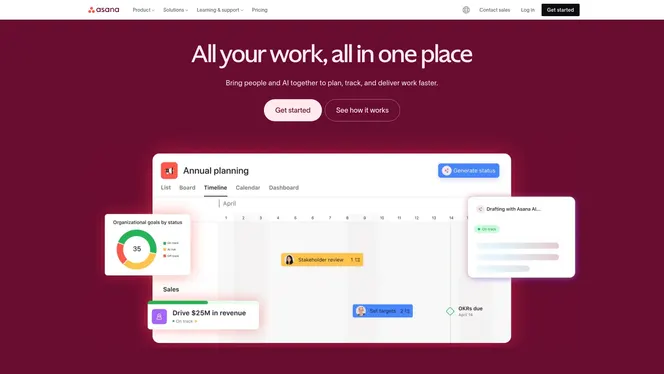
Asana is a full-featured work management platform that helps teams coordinate tasks, projects, and cross-functional workflows. It combines multiple task views, a no-code automation builder, and AI-powered tools to reduce repetitive work and surface insights. For mid-sized tech teams, Asana delivers enterprise-grade security and deep integrations, though advanced capabilities can increase cost and require time to master.
Core Features
Asana’s core capabilities include flexible task management with list, board, calendar, timeline, and Gantt views; project and portfolio oversight; and a no-code workflow automation builder that automates routine steps. The platform also offers goals and reporting tools, resource management with workload visualization, AI-powered automation and insights, and integrations with enterprise tools such as Salesforce, Tableau, and Slack. Advanced security and compliance features—data encryption, audit logs, and single sign-on (SSO)—round out its enterprise readiness.
Pros
- Flexible plans for different team sizes and needs: Asana provides a free basic tier plus scalable paid plans so teams can adopt the platform without an immediate large investment.
- Comprehensive project and task management features: Multiple views and portfolio-level controls let you manage work from a single place, making it easier to track timelines, dependencies, and priorities.
- Strong integration ecosystem: Native connections to core enterprise systems like Salesforce, Tableau, and Slack centralize data and reduce context switching across tools.
- AI features to enhance productivity: Built-in AI and automation reduce manual steps for routine work and surface insights, helping teams free up time for higher-value tasks.
- Widely trusted by major companies for enterprise-grade security: Encryption, audit logs, and SSO help you maintain compliance and control across larger, distributed teams.
Cons
- Pricing can be high for larger teams or enterprise features: Advanced capabilities and enterprise security often move teams into higher-priced tiers that increase per-user costs.
- Learning curve for new users due to extensive features: The breadth of capabilities means onboarding takes deliberate time and dedicated training to avoid feature overload.
- Some users report that advanced features require a steep learning curve: Configuring automations, portfolios, and sophisticated reports can be powerful but demands administrator skill and setup time.
Who It’s For
Asana is ideal for mid-sized tech companies and project managers who need consolidated visibility across product roadmaps, marketing campaigns, and operational projects. If your team requires portfolio reporting, resource balancing, and enterprise-level security while integrating with CRM and analytics tools, Asana fits well—provided you plan for onboarding and potential licensing costs.
Unique Value Proposition
Asana’s strength is the combination of multi-view task management, no-code automation, and AI-driven productivity features within a secure, integration-friendly platform. That mix lets teams standardize workflows, reduce manual work, and scale governance as projects move from small initiatives to company-wide portfolios.
Real World Use Case
A marketing team uses Asana to plan and execute campaign launches by mapping tasks on timelines, balancing workloads across specialists, and automating recurring checklist steps. Integrations with their CRM and communication channels keep stakeholder updates and lead data synchronized without duplicate effort.
Pricing
Asana offers a free tier for basic features; paid plans start at $10.99 per user per month billed annually for the Starter plan, with custom enterprise pricing available for larger organizations.
Website: https://asana.com
ClickUp
At a Glance
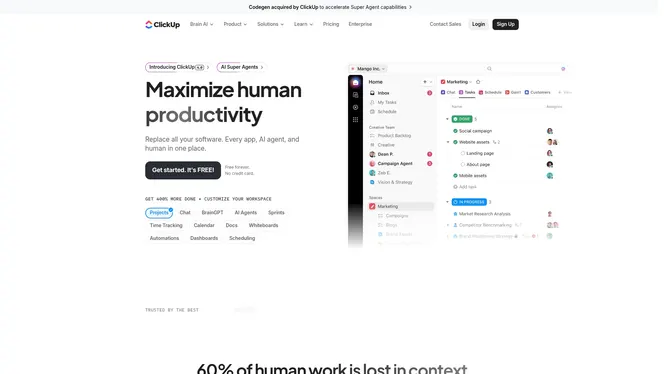
ClickUp is a consolidated productivity platform built to maximize human productivity by bringing project management, AI, automation, and communication into one place. For project managers in mid-sized tech companies, it reduces tool fragmentation and centralizes work in a single workspace. The platform’s strong AI assistants, extensive automations, and over 50 app integrations accelerate routine work and surface actionable insights. Expect a meaningful productivity lift, but plan for onboarding time to unlock advanced capabilities.
Core Features
ClickUp’s core capabilities cover task and project organization, time tracking, reporting, and document management including wikis and whiteboards. The platform embeds AI assistants and super agents for automated suggestions and task-level support, and offers customizable views, fields, goals, portfolios, and advanced permission controls. Automation tools and integrations with over 50 apps let you centralize workflows and replace multiple point solutions, while built-in chat and security features support cross-functional collaboration and compliance.
Short, sharp reality check.
Pros
- Comprehensive all-in-one platform reduces the need for multiple apps, which simplifies vendor management and cuts context switching for teams.
- Powerful AI integrations and automation capabilities enable repetitive tasks to be automated and give project managers timely suggestions for prioritization.
- Flexible customization lets you tailor views, custom fields, and workflows to engineering sprints, product roadmaps, or marketing campaigns.
- High security standards and compliance certifications help protect sensitive project data and support enterprise governance requirements.
- A strong user base with documented ROI and efficiency gains indicates the platform scales effectively as teams grow.
Cons
- Pricing can become costly for larger teams or enterprise plans, which may erode the savings from consolidating tools.
- There is a measurable learning curve to master the full feature set, so expect training time for project managers and team leads.
- Some advanced features and automations may require technical setup or administrative expertise to implement effectively.
Not perfect. But close.
Who It’s For
ClickUp fits teams and organizations seeking an all-in-one productivity platform with robust automation and AI, especially mid-sized tech companies that want to consolidate tools and scale processes. If you lead cross-functional teams, manage multiple product tracks, or need portfolio visibility, ClickUp is built to support those needs while enabling tighter operational control.
Unique Value Proposition
ClickUp’s unique value is its breadth: AI assistants plus deep automation in the same workspace where you plan, execute, and document work. That convergence lets you reduce tool sprawl, automate recurring workflows, and surface AI-driven recommendations directly where work happens—saving time and reducing administrative overhead.
Real World Use Case
A marketing team coordinates campaigns in ClickUp, automates recurring publishing tasks, and uses AI suggestions to optimize campaign schedules and content priorities. The result: fewer manual handoffs, clearer accountability, and faster delivery of campaign milestones.
Pricing
ClickUp offers a Free Forever plan, with paid plans starting at $7 per user/month billed annually for the Basic plan; higher tiers unlock more features and AI capabilities and enterprise pricing scales with needs.
Website: https://clickup.com
Wrike
At a Glance
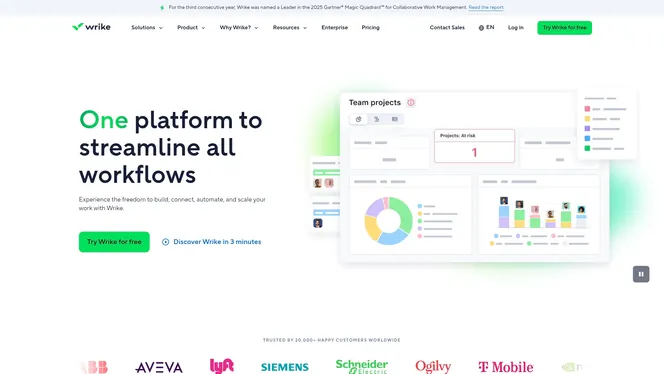
Wrike is an AI-powered enterprise work management platform built to centralize planning, collaboration, and resource planning across large teams. For mid-sized tech companies, it offers robust automation and multiple visualization options that surface bottlenecks and keep stakeholders aligned. It can feel feature-dense at first, but its ability to integrate with hundreds of apps and enforce security standards makes it a strong contender when you need scale and control.
Core Features
Wrike combines work management and collaboration tools with AI-powered analytics and automation to reduce manual coordination. You get Gantt charts, Kanban boards, and table views to visualize timelines and dependencies, plus custom workflows and fields to model your unique processes. Resource and capacity planning features help forecast team load, while integrations with over 400 apps let you connect code repositories, communication tools, and file stores. The platform also emphasizes security and compliance, which matters when you coordinate cross-regional development and external vendors.
Not perfect.
Pros
- Comprehensive work management: Wrike consolidates task tracking, scheduling, and approvals so your project data lives in a single system rather than scattered spreadsheets.
- Strong AI and automation: Built-in AI analytics and automation reduce repetitive work and accelerate status reporting, saving time for technical leads and program managers.
- Highly customizable: You can design custom workflows, fields, and templates that map to your product development lifecycle and release trains.
- Robust security and compliance: Enterprise-grade controls and compliance features make Wrike suitable for regulated projects and multi-region teams.
- Wide range of integrations and templates: With hundreds of prebuilt integrations and templates, Wrike connects to existing developer and business tools to minimize context switching.
Cons
- Complexity for new users: The breadth of features can overwhelm teams that need only basic task management, increasing onboarding time.
- Pricing can be high for larger teams: As you scale to enterprise plans, licensing and add-on costs may exceed budgets for mid-sized organizations.
- Steep learning curve for smaller teams: Teams without a dedicated admin or project ops role may struggle to configure advanced automation and reporting.
Who It’s For
Wrike is best suited for medium to large engineering and product organizations that require structured, auditable processes and cross-functional coordination. If you manage multiple release tracks, regional marketing integrations, or professional services delivery, Wrike gives you the controls and visibility you need. If your team is small and prefers minimal setup, expect a heavier lift.
Unique Value Proposition
Wrike’s strength lies in blending enterprise-grade governance with AI-driven automation and extensive integrations. That combination lets you scale process standardization without sacrificing flexibility, turning fragmented status updates into actionable dashboards and predictable resource forecasts.
Real World Use Case
A global marketing and product organization uses Wrike to synchronize campaign planning, asset management, and approval workflows across regions. Teams reduce handoffs, accelerate approvals, and maintain one source of truth for timelines and creative assets, improving on-time delivery and cross-team visibility.
Pricing
Pricing ranges from a limited free tier to enterprise plans; the Team Essential plan starts at $10 per user per month, while higher-tier and enterprise pricing is customized based on requirements.
Website: https://wrike.com
Atlassian
At a Glance
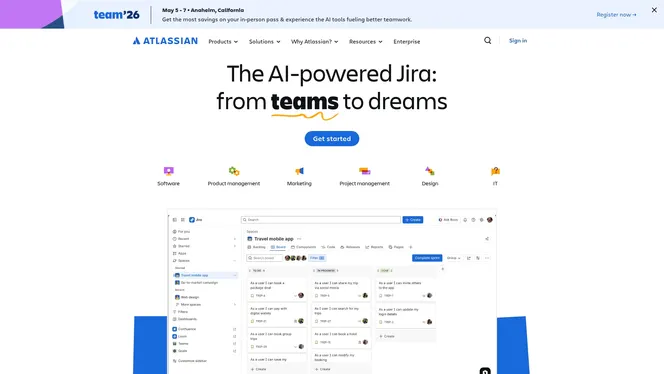
Atlassian offers a broad collaboration platform that helps software, IT, and business teams plan, track, and deliver work with AI-augmented capabilities. It bundles familiar products like Jira and Confluence into an integrated ecosystem suited for teams that need structure plus flexibility. For mid-sized tech organizations, it’s powerful but can feel dense at first; expect an onboarding investment to unlock its full value.
Core Features
Atlassian’s core centers on AI-powered project management tools, deep integration across Jira, Confluence, and other Atlassian products, and customizable workflows for development and operations teams. It adds AI-powered video messaging and explicit product discovery and idea management via Jira Product Discovery. The platform emphasizes automation and service delivery, so teams can centralize documentation, incident handling, and product ideation in a single environment.
Pros
- Adopted by large enterprises: Being widely used by Fortune 500 companies demonstrates enterprise-grade stability and trust, which reduces vendor risk for your organization.
- Comprehensive toolset: The suite covers project tracking, documentation, service management, and product discovery, so you can standardize processes across teams.
- Automation and workflow efficiency: Built-in automation capabilities help you reduce repetitive administrative work and speed up delivery cycles.
- Designed for remote and asynchronous work: Features support distributed teams, enabling documentation and handoffs without synchronous meetings.
- Strong security and compliance posture: The platform includes security controls and compliance features important for regulated environments.
Cons
- Can be complex to navigate for new users: The breadth of features and configuration options creates a steep learning curve that can slow initial adoption.
- Pricing details are not specified publicly: Lack of transparent pricing means procurement will likely require direct inquiry, adding a negotiation step to adoption.
- Some capabilities require premium tiers: Advanced features such as certain automation or enterprise integrations may only be available on higher-cost plans.
Who It’s For
Atlassian is best for medium to large enterprises, software and IT teams, product managers, and project managers who need a single, extensible platform to run engineering, support, and product workflows. If your teams require traceability, centralized documentation, and strong integration between planning and execution, Atlassian fits well—especially when you can dedicate resources to configure and maintain the system.
Unique Value Proposition
Atlassian’s unique advantage is its integrated ecosystem: planning, documentation, service management, and product discovery live together and share context. That reduces tool friction, preserves historical knowledge, and enables automation across handoffs—helping teams deliver more reliably without cobbling together disparate apps.
Real World Use Case
Organizations use Atlassian to increase throughput and reduce operational costs by automating ticket routing, consolidating runbooks in Confluence, and running product discovery sessions within Jira Product Discovery—resulting in clearer priorities and fewer manual status updates.
Pricing
Pricing information is not specified on the website; interested users should contact Atlassian for detailed plans and enterprise quotes.
Website: https://atlassian.com
Project and Team Management Tools Comparison
Below you can find a concise comparison of leading project and team management platforms, highlighting core features, target users, pricing, and unique pros and cons to assist in selecting the right tool for your organization.
| Platform | Key Features | Pros | Cons | Pricing |
|---|---|---|---|---|
| Gammatica | AI-powered task and CRM management, Kanban, automations, and multilingual support | Comprehensive tools reduce tool reliance, user-friendly UI, free trial without credit card, scalable | Limited mobile application development | 14-day free trial, Gammatica Pro from $15/user/month billed annually |
| Monday.com | AI insights, Gantt/timeline charts, customizable no-code workflows | Integrated platform for diverse business needs, strong automation, scalable for enterprise | Complexity for small teams, enterprise features require high-tier pricing | Free tier with paid plans starting at $12/user/month billed annually |
| Asana | Task views (list, board, calendar), AI workflows, resource management | Flexible plans, secure integrations, AI-powered task management | High pricing for enterprise features, a learning curve for new teams | Free tier with Starter plans starting at $10.99/user/month billed annually |
| ClickUp | Centralized workspace, customizable views, AI assistants | All-in-one platform reduces complexity, strong automation, detailed customization | Steep learning curve for advanced features | Free plan, Paid plans from $7/user/month billed annually |
| Wrike | AI analytics, Gantt/Kanban views, comprehensive integrations | Strong AI-driven insights, customizable workflows, robust security | Complexity for simplicity-focused teams, high pricing for enterprise plans | Free tier with commercial plans starting at $10/user/month billed annually |
| Atlassian | Integrated ecosystem (Jira, Confluence), service management | Trusted by enterprises, automation efficiency, robust remote work support | Dense for new users, advanced features mostly in premium tiers | Contact for pricing, no public rates available |
Choose Smarter Project Management Between Waterfall and Agile with Gammatica
Understanding the differences between waterfall and agile software development tools can be a challenge when you need the right platform to boost your team’s efficiency and adapt to evolving project demands. Many teams struggle with juggling multiple tools, manual task tracking, and disconnected workflows that slow down delivery and increase administrative burdens. Key goals include seamless task management, clear visibility into progress, and the ability to automate routine steps without losing control.
Gammatica’s AI-driven project and team management platform is designed to help you overcome these challenges. With powerful features like AI suggestions, automation, Kanban boards, and customer journey management all in a single intuitive workspace, it adapts to both waterfall and agile methodologies. Whether you need strict timelines or flexible sprints, Gammatica saves up to 16 hours per week by reducing manual work and enabling better collaboration. You can explore all these advantages by visiting Gammatica’s main site and see how it can transform your project workflows.

Ready to ditch tool overload and ramp up your team’s productivity? Start your free trial today at Gammatica.com and discover the future of automated project management. Learn how our platform’s task automation and pre-made templates can support your next waterfall or agile project with ease. Don’t wait to streamline your operations and reclaim valuable time.
Frequently Asked Questions
What is the difference between waterfall and agile software development methodologies?
Waterfall is a linear approach where each phase must be completed before moving on, while agile is iterative and allows for adjustments throughout the development process. To decide which method to use, assess your project requirements and team structure.
How do I choose the best software development tool for my project?
Evaluate your project needs, team size, and preferred methodology (waterfall or agile). Consider conducting a brief trial of a few tools to see which aligns best with your workflow within a couple of weeks.
What are the key features to look for in a waterfall software development tool?
Look for tools that offer comprehensive planning, documentation, and tracking features, as these are crucial in a waterfall approach. Create a checklist of needed functionalities such as Gantt charts and status reports for effective evaluations.
How can agile tools improve team collaboration?
Agile tools facilitate real-time communication, task assignment, and progress tracking, which can enhance collaboration significantly. Implement daily stand-up meetings using these tools to keep everyone aligned and informed, ideally within each sprint.
Are there specific tools better suited for large teams versus small teams?
Yes, large teams may benefit from tools with advanced features like resource management and reporting, while small teams might prefer simplified interfaces and lower-cost options. Determine your team’s specific needs and test the tools to find suitable solutions before making a long-term commitment.
How can I ensure a smooth transition from waterfall to agile tools?
Start by providing training and support for your team to familiarize them with agile practices and the new tools. Plan small pilot projects using agile methodologies to gradually integrate agile practices, aiming to see improvements in project delivery over the next few months.