TL;DR:
- Choosing the wrong CRM can lead to missed sales, disconnected experiences, and customer churn in retail. Retail CRM uniquely integrates omnichannel data, POS, loyalty, and inventory to personalize customer interactions at scale. Effective deployment depends on seamless real-time integrations, workflow alignment, and strategic system selection to maximize ROI and improve customer loyalty.
Choosing the wrong CRM can quietly cost your retail business thousands of dollars in missed sales, lost loyalty points, and disconnected customer experiences. Generic contact management tools were built for B2B sales pipelines, not the fast-moving, transaction-heavy world of retail. If you have ever wondered why your CRM feels like it is working against you rather than for you, this guide is exactly what you need. We are going to break down what makes retail CRM different, which integrations actually matter, how to read ROI claims honestly, and how to build a stack that drives real loyalty and revenue.
Key Takeaways
| Point | Details |
|---|---|
| Retail CRM advantage | Retail CRM delivers more personalized customer interactions and efficient sales processes than generic solutions. |
| Integration is critical | Real-time integration between CRM, POS, and e-commerce is vital for seamless retail operations. |
| ROI varies widely | ROI from retail CRM depends on vendor, channel coverage, and measurement approach. |
| Choose the right stack | Understanding CRM, CDP, and hybrid models helps build the best retail tech stack. |
| Drive loyalty and engagement | Modern retail CRM platforms enable customized journeys and loyalty programs that boost sales. |
What is retail CRM and how does it differ from generic CRM?
Let’s start at the foundation. Retail CRM is an approach and software category focused on unifying customer, sales, marketing, and service interactions specifically for retailers. It goes far beyond storing contacts or logging calls. It personalizes experiences, coordinates omnichannel journeys, and connects directly to the tools retailers actually use every day, like point-of-sale (POS) systems, loyalty platforms, and e-commerce storefronts.
Generic CRM platforms are designed to manage leads and close deals in a B2B context. They track follow-ups, manage pipelines, and store client history. That is genuinely useful for a sales team chasing contracts. But in retail, the dynamics are completely different. You have thousands of customers making rapid purchase decisions, both online and in-store. You need real-time visibility, loyalty segmentation, and instant personalization at scale. Generic CRM simply was not built for that.
Here is a side-by-side look at the core differences:
| Feature | Retail CRM | Generic CRM |
|---|---|---|
| POS integration | Real-time sync | Rarely supported |
| Loyalty segmentation | Built-in, automated | Manual workarounds |
| Omnichannel coordination | Core capability | Limited or add-on |
| Purchase history tracking | Automatic, per transaction | Manual data entry |
| Inventory visibility | Direct integration available | Not standard |
| Personalization engine | Native or deeply integrated | Basic or absent |
| E-commerce sync | Native or API-driven | Often requires custom build |
The benefits of choosing a purpose-built retail CRM are significant:
- Higher repeat purchase rates through automated loyalty rewards tied to real shopping behavior
- More relevant marketing using purchase history and segment-based targeting
- Better in-store service when associates can see a customer’s full history at the register
- Reduced churn because personalized follow-ups keep customers engaged between visits
- Improved omnichannel consistency when online and offline data live in the same system
If your CRM cannot tell you what a customer bought last week in-store while they are browsing your website right now, it is not doing its job for retail.
Key integrations: unlocking real-time retail operations
Now that we have compared retail CRM with generic options, integration is where the rubber meets the road. Let’s dive into how the right connections enable retail-specific advantages that generic platforms simply cannot deliver.
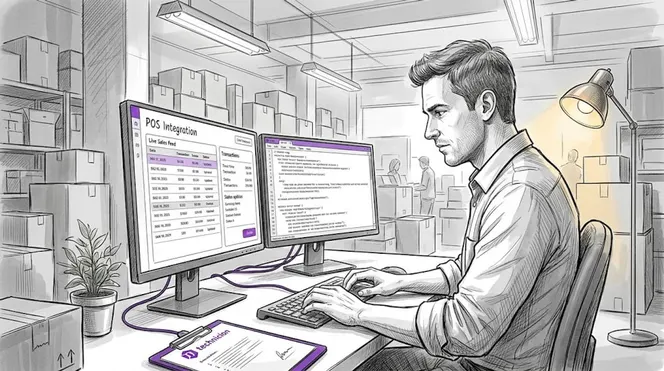
The effectiveness of a retail CRM depends almost entirely on the quality of its integrations. Real-time integration with POS, e-commerce, and inventory or order management systems ensures that customer profiles and actions update across all channels the moment a transaction occurs. Without this, your CRM is working with stale data, and stale data leads to poor decisions.
Here is a practical look at how integrations translate into business outcomes:
| Integration | Use case | Business outcome |
|---|---|---|
| POS system | Real-time purchase capture | Accurate loyalty point updates, instant upsell prompts |
| E-commerce platform | Online cart and order sync | Unified customer profiles, abandoned cart recovery |
| Inventory management | Stock level visibility | Prevent over-promising, improve fulfillment |
| Loyalty platform | Reward tracking and redemption | Higher engagement, increased visit frequency |
| Returns/refunds system | Refund history linked to profile | Better service, reduced fraud risk |
To implement retail CRM integrations effectively, follow this sequence:
- Audit your current tech stack. List every system your team uses daily, from POS to email marketing. Identify where customer data currently lives and where gaps exist.
- Prioritize real-time data flows. Determine which integrations need live sync (POS and e-commerce) versus periodic updates (reporting tools). Not all data needs to move instantly, but transactional data absolutely does.
- Choose a CRM with proven retail connectors. Look for native integrations with the specific platforms you already use. Custom API builds are expensive and fragile.
- Test in a controlled environment first. Run a pilot with one store location or one product line before going organization-wide. This limits risk and surfaces issues early.
- Train your team on the unified view. Integration only pays off if your associates and managers actually use the connected data in their daily workflows.
Pro Tip: When evaluating CRM vendors, ask specifically about latency in their POS integration. Some vendors claim “real-time” but actually sync data in batches every 15 to 30 minutes. For loyalty programs and personalized in-store experiences, that delay kills the value. Demand proof of true real-time capability before you sign anything.
Measuring ROI: what can your retail CRM really deliver?
With integrations in place, measuring impact is next. Here is how ROI benchmarks can guide you, but also mislead you if you are not careful.
One of the most common mistakes retailers make is applying headline ROI numbers from CRM case studies directly to their own expectations. The reality is more nuanced. Case-study benchmarks in retail CRM and customer experience implementations often report impressive ROI and productivity impacts, but results vary significantly by vendor, scope, and measurement approach. A 300% ROI figure from one retailer’s customer service transformation may have little relevance to a mid-sized boutique deploying CRM for the first time.
Factors that heavily influence your actual CRM ROI include:
- Scope of deployment: Implementing CRM for just email marketing delivers different returns than deploying it across POS, loyalty, and service channels simultaneously.
- Baseline customer data quality: If your existing customer data is fragmented or outdated, your CRM will spend time cleaning records before it can drive revenue.
- Attribution methodology: Did the vendor attribute all revenue gains to CRM, or did they account for other simultaneous changes like a store redesign or promotional campaign?
- Channel breadth: The more channels your CRM connects (online, in-store, mobile app, call center), the more impact it can demonstrate, but also the more complex the measurement becomes.
- Time to adoption: Teams that adopt CRM slowly or inconsistently will see much lower returns, even from a best-in-class platform.
“Reported ROI from retail CRM deployments is commonly tied to broader customer experience and omnichannel changes, including customer service tooling, lifecycle marketing, segmentation, and loyalty programs. Scope and attribution should always be clarified before treating any published figures as a universal benchmark.”
This is exactly why reading client reviews from businesses comparable to yours in size and structure is far more valuable than reading vendor-published case studies. A beauty retailer’s omnichannel transformation tells you very little about what a single-location gift shop can expect. Additionally, some lifecycle marketing results tied to CRM are driven by sophisticated segmentation and automation layers that take months to build and optimize. Factor that ramp-up time into your projections.
The honest takeaway: retail CRM delivers measurable returns, but your results depend on your starting point, your integration depth, and how well your team uses the system every day.
CRM, CDP, or hybrid? Picking the right stack for retail
ROI aside, stack selection is where retail ambitions either scale or stall. Let’s look at what you actually need.
A common point of confusion for retail managers is the difference between a CRM (Customer Relationship Management system) and a CDP (Customer Data Platform). Vendors often blur this line, marketing CRM-like capabilities without delivering true cross-channel identity resolution and real-time behavioral data unification. Understanding the difference protects you from expensive mistakes.
| System | Primary function | Best for | Limitation |
|---|---|---|---|
| CRM | Relationship and interaction management | Known customers, follow-ups, loyalty workflows | Often channel-centric, weak on anonymous data |
| CDP | Cross-channel identity resolution and data unification | Combining POS, web, app, and loyalty data | Less focused on direct relationship workflows |
| Hybrid/combined | Unification plus relationship activation | Retailers needing full personalization at scale | Higher cost, more complex to implement |
To evaluate which stack fits your retail operation, work through these steps:
- Define your data sources. Are you operating across multiple channels (in-store, website, app, catalog)? The more channels you have, the stronger the case for a CDP layer.
- Assess your personalization ambitions. If you want truly real-time, behavior-triggered personalization (for example, showing a customer a relevant offer the moment they walk into your store), a CRM alone may not be sufficient.
- Evaluate your team’s technical capacity. CDPs often require more technical setup and ongoing data management. If your team is small, a well-integrated retail CRM may deliver 80% of the benefit with far less complexity.
- Ask vendors hard questions about identity resolution. Can the platform link an anonymous website visitor to a loyalty program member when they make their first in-store purchase? This is a core CDP function that many CRM platforms cannot perform.
Pro Tip: Watch out for vendors who use “unified profile” and “single customer view” language to describe what is essentially just a contact record with some purchase history attached. True unification means resolving customer identity across channels, including anonymous behavior, not just storing known transaction data in one place.
Personalization and loyalty: how modern retail CRM powers engagement
Stack architecture set, the most visible impact of retail CRM comes from how it drives personalized engagement and loyalty. This is where customers feel the difference, even if they cannot name what changed.
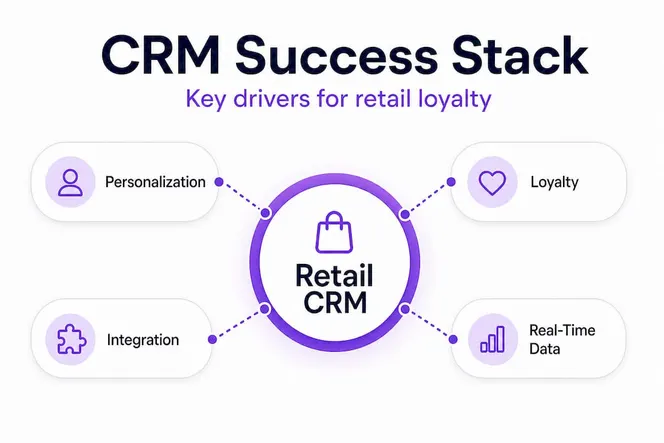
Modern retail CRM platforms combine personalized customer journeys with loyalty mechanics to create what the industry increasingly calls “clienteling,” meaning giving every customer the experience of a dedicated personal shopper. This is not just a premium retail concept anymore. It is becoming a baseline expectation across all retail segments.
Real-world examples of how retail CRM powers engagement:
- Birthday and milestone triggers: A customer’s profile flags their upcoming birthday, automatically issuing a personalized discount sent via email and visible to store associates at the register
- POS-linked loyalty points: Every in-store purchase instantly updates loyalty balances, with associates able to see tier status and reward eligibility in real time
- Personalized product recommendations: Based on purchase history, a customer browsing online is shown items that complement their previous in-store purchases, not just trending products
- Lapsed customer reactivation: Customers who have not purchased in 60 days receive a targeted win-back campaign with an offer matched to their historical category preferences
- VIP tier visibility: Store associates can see a customer’s loyalty tier the moment they check in or are identified at the register, enabling appropriately elevated service
Retailers who invest in personalization and loyalty mechanics through their CRM consistently report meaningful lifts in repeat purchase rates and average order value. Some engagement platforms report that connected clienteling tools drive measurable sales gains of 15% to 30% in stores where associates actively use real-time customer data. The stores that see the biggest gains are not the ones with the fanciest technology. They are the ones where managers trained their teams to actually use the customer data available to them every single shift.
Why most retailers get CRM wrong—and how to get it right
Here is the perspective most CRM guides skip over entirely, and it is something retailers genuinely need to hear.
Most retailers who struggle with CRM are not struggling because they chose the wrong software. They are struggling because they treated CRM as a data storage project rather than a workflow transformation. They migrated their contact lists, ran a few email campaigns, and called it done. The real value of retail CRM never ships until your workflows, your team behaviors, and your system integrations are aligned around a shared goal: knowing your customer better than your competition does.
Generic CRM misapplication is an expensive problem. When a retailer runs a loyalty program through a disconnected platform while managing customer service in a separate inbox and recording purchases in a POS that never talks to either system, they are generating data siloes that actively prevent the personalization their customers expect. The revenue cost is real. Customers who feel unknown churn faster. Customers who feel recognized return more often and spend more per visit.
The retailers who get it right share a common approach. They map their customer journey before they choose a platform. They know exactly which touchpoints matter, which data needs to flow between systems, and which team members need visibility into what. Then they choose a retail CRM that fits those defined workflows, not the other way around.
The most important advice we can give you is this: invest serious time in workflow mapping before you evaluate a single vendor. Document how a customer moves from first visit to loyal repeat buyer in your specific context. Then ask every CRM vendor you speak with to show you exactly how their platform supports each stage of that journey in real time. If they cannot show you, move on.
Pro Tip: Do not let a vendor demo drive your requirements. Let your mapped workflows drive the demo. Give vendors a real scenario from your business and ask them to walk through it live. You will learn far more from that exercise than from any pre-built slide deck.
Take your retail CRM to the next level with Gammatica
For retailers looking to act on these insights, here is how Gammatica can help you advance your CRM journey.
Building an effective retail CRM strategy requires more than the right software. It requires organized workflows, team alignment, and smart automation. Gammatica brings all of that together in one AI-driven platform designed to reduce admin work and free up your team to focus on what actually matters: serving customers and driving growth.

Gammatica’s CRM and automation tools help retail managers track customer journeys, manage follow-ups, and automate routine tasks so nothing falls through the cracks. Whether you are a founder building your first retail operation or a sales manager scaling an established team, Gammatica for founders and Gammatica sales solutions are built to meet you where you are and grow with you. Explore how Gammatica can help your retail business operate with more precision, less chaos, and a whole lot more customer loyalty.
Frequently asked questions
What features should a retail CRM include for maximum impact?
A retail CRM should enable real-time POS integration, e-commerce sync, inventory visibility, personalization engines, and loyalty segmentation for maximum impact across all customer touchpoints.
How does retail CRM integration improve customer experience?
CRM integration ensures customer profiles and actions update seamlessly across channels, enabling unified omnichannel experiences and faster, more personalized service at every interaction point.
How reliable are reported ROI figures from retail CRM implementations?
Reported ROI varies significantly by vendor, measurement scope, and channel integration depth, so always clarify attribution methodology and compare against businesses similar in size and structure to yours.
Do I need both a CRM and a CDP for true personalization?
For real-time cross-channel identity resolution, many retailers benefit from a CDP alongside CRM. As noted in research, CRM handles relationship management while CDP delivers the cross-channel intelligence layer needed for true behavioral personalization.
How does a retail CRM support loyalty programs?
Retail CRM systems link loyalty mechanics to real-time purchase behavior and associate visibility at the point of sale, enabling personalized rewards, tier recognition, and engagement triggers that keep customers coming back.