Managing a team in a fast-paced tech environment often means juggling shifting priorities while trying to keep accurate track of every hour worked. The path from scattered time entries to organized, actionable data starts with choosing the right project management platforms that fit seamlessly into your workflow. Taking the right first steps with setup, structure, and routine ensures cleaner data, fewer questions from stakeholders, and a smoother experience for everyone on your team.
Table of Contents
- Step 1: Set Up Your Time Tracking Tools
- Step 2: Customize Tracking Categories And Tasks
- Step 3: Implement Daily Time Logging Routines
- Step 4: Monitor And Analyze Team Activity
- Step 5: Review And Optimize Tracking Results
Step 1: Set Up Your Time Tracking Tools
You’re about to simplify how your team logs and accounts for their work hours. The right setup prevents confusion and ensures accurate data from day one.
Start by selecting a time tracking tool that integrates with your existing workflow. Many project management platforms like task management tools with tracking capabilities offer built-in time logging features alongside task creation and deadline setting. Look for solutions that match your team’s size and complexity—don’t overcomplicate things if you’re just starting out.
Here’s what to configure first:
- Account permissions so team members can only see their own time entries and appropriate project data
- Project categories that mirror your actual workflow and client structures
- Time entry formats (hourly, daily, or by task) based on how your team naturally works
- Integration settings to connect with calendars, task managers, or other tools your team already uses
Next, establish your naming conventions for projects and tasks. If one person calls a client “ABC Corp” and another calls it “ABC Company,” your reporting becomes messy fast. Create a simple style guide and share it with everyone.
Test the system yourself before rolling it out. Log a full day of work using the tool exactly as you’ll ask your team to use it. You’ll spot friction points immediately. Does it take 30 seconds or three minutes to log a task? Friction matters when people repeat this action dozens of times weekly.
Make sure your team can access the tool from their phones and desktops. Mobile access prevents the excuse “I’ll log my time later” at 6 p.m. when everyone’s already left the office.
The first 48 hours of tool setup determines whether your team adopts it smoothly or abandons it quietly.
Pro tip: Set a 15-minute daily reminder (usually at 4:30 p.m.) for your team to log incomplete time entries before they forget what they worked on. Accuracy matters more than perfection.
Step 2: Customize Tracking Categories and Tasks
Now that your tool is running, you need to build a structure that actually matches how your team works. Generic defaults won’t cut it for tracking real projects.
Start by listing every type of work your team does. Are you building features, fixing bugs, attending client calls, writing documentation, or managing meetings? Each activity should have its own tracking category. This prevents the “miscellaneous” pile where time disappears and you can’t explain where your developers spent their week.
Here’s how to organize your categories:
- Client or project names at the top level for billing and accountability
- Work types underneath (development, design, support, administrative)
- Task specificity that your team can recognize instantly without thinking
Next, define your task naming standards. If someone logs “Worked on thing,” you’ve learned nothing. Instead, require entries like “Built user authentication module” or “Fixed database connection timeout.” Specificity takes five extra seconds but saves hours during reporting.
Consider how task management tools offer customizable features for different team needs. Your categories should reflect your actual workflow, not some textbook version of what work looks like.
Create a tiered structure with 3 to 5 main categories, then 2 to 3 subcategories under each. Too many options overwhelm people. Too few and everything becomes vague. Your team should scroll through the list and find their task in under 10 seconds.
Test this structure with your team before finalizing it. Ask them to log yesterday’s work using your new categories. If they struggle or complain, you’ve caught problems early.
Clear categories don’t just improve tracking—they reveal where your team actually spends time versus where you think they do.
Pro tip: Add a catch-all “Other” category with a mandatory comment field so when work doesn’t fit your structure, you still capture what happened and can adjust your categories next week.
Step 3: Implement Daily Time Logging Routines
Your team won’t log time consistently unless it becomes a habit, not an afterthought. Building a daily routine transforms time tracking from a chore into an automatic behavior.

Start by anchoring time logging to an existing daily event. Many teams find success with end-of-day logging—right before standup, lunch, or the final meeting. Pick a specific time, same every day. Consistency is what makes this work.
Research shows that daily routines help develop working memory and self-monitoring, which directly improves how accurately your team tracks their efforts. When logging becomes predictable, people stop forgetting entire projects.
Set up your routine this way:
- Choose a fixed time each day when everyone logs their work (recommend 4:30 p.m. or end of core hours)
- Send a gentle reminder 10 minutes before via Slack, email, or calendar notification
- Make it a team ritual so one person logging prompts others to do the same
- Review incomplete entries together once weekly to catch gaps
Next, address the resistance you’ll face. Some developers will say they’re “too busy to log time.” This means your categories are too granular or your process is clunky. Simplify until logging takes under two minutes.
Model the behavior yourself. Log your own time visibly. When your team sees you treating time tracking as non-negotiable, they follow suit.
Start with a two-week trial period. Tell your team this is temporary while you refine the process. That psychological permission to iterate removes the pressure of “getting it right” immediately.
Routines stick because they require zero willpower once established—they become automatic, like checking email.
Pro tip: Create a weekly “time logging wins” celebration where you publicly acknowledge the team member with the most complete entries that week—it reinforces the behavior without punishment.
Step 4: Monitor and Analyze Team Activity
Raw time data means nothing without analysis. You now have visibility into where your team spends hours—it’s time to turn that information into actionable insights.
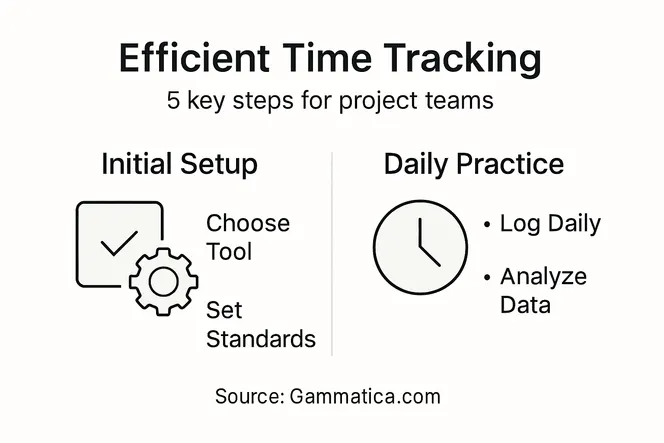
Start by reviewing your data weekly, not monthly. Weekly reviews catch problems early. Monthly reviews hide trends until it’s too late to adjust course.
Here’s a quick comparison of daily and weekly time tracking review methods:
| Review Frequency | Pros | Cons | Best For |
|---|---|---|---|
| Daily | Catches errors immediately | Can feel repetitive | Large teams with dynamic workloads |
| Weekly | Identifies trends early | May miss daily gaps | Small teams or stable projects |
This helps clarify which review method suits different team setups best.
Focus on three core metrics first. Don’t overwhelm yourself with dashboards full of numbers you don’t understand. Track billable versus non-billable time, time by project, and individual productivity patterns. These three tell you almost everything you need to know.
Here’s what to look for:
- Projects consuming more time than budgeted—investigate whether scope crept or estimates were wrong
- Team members consistently logging less than expected—check if they’re working off the clock or if workload is misaligned
- Time categories with vague entries—return to your team and ask for specificity
- Patterns in when work gets done—mornings versus afternoons, weekdays versus late nights
Ongoing monitoring combined with team feedback facilitates informed improvements and enhances project effectiveness. Ask your team what the data shows them about their own work patterns. They notice things dashboards don’t.
Create a simple weekly report showing top projects, estimated versus actual hours, and any anomalies. Share this with stakeholders and your team. Transparency builds trust and surfaces issues early.
Use your insights to adjust future planning. If a project consistently runs 20 percent over budget, factor that into the next estimate. If someone excels at a particular task type, assign more of that work to them.
Set a monthly review meeting where you discuss trends as a team. This isn’t about criticism—it’s about understanding reality versus assumptions.
Data without action is just noise. Analysis transforms numbers into better decisions.
Pro tip: Create a simple one-page monthly summary highlighting three wins and one area for improvement, distributed to the team and leadership—this keeps everyone aligned on progress without creating administrative overhead.
Step 5: Review and Optimize Tracking Results
You’ve collected weeks of data and identified patterns. Now comes the critical step: turning insights into lasting changes. Without optimization, time tracking becomes just another administrative task.
Start by conducting a comprehensive quarterly review. Pull your time tracking data and compare it against initial projections, budget allocations, and team capacity. Where did reality diverge from expectations?
Comprehensive evaluation of outcomes and emerging trends with external benchmarking helps identify what’s working and what needs adjustment. Look beyond your own numbers. Compare your team’s productivity rates against industry standards or previous projects.
Ask these specific questions:
- Are estimates becoming more accurate over time, or are you still off by significant margins?
- Which projects or task types consistently run over or under budget?
- Did your team reduce time spent on administrative work after implementing tracking?
- Are individual workloads balanced, or are some people consistently overallocated?
Next, identify your top three optimization opportunities. Don’t try fixing everything at once. Choose the changes that will have the biggest impact on productivity or accuracy.
Common optimizations include simplifying your category structure, adjusting how you schedule sprints, or redistributing work based on where people excel. Share proposed changes with your team before implementing them. They’ll spot implementation problems you missed.
Set specific, measurable goals for your next quarter. Instead of “improve tracking accuracy,” target “reduce unaccounted-for time from 12 percent to 5 percent.” Specific goals keep you focused.
Review these goals monthly. Progress builds momentum. Lack of visible progress kills adoption.
Below is a summary of key optimization goals and their business impact:
| Optimization Goal | Example Metric | Business Impact |
|---|---|---|
| Reduce unaccounted-for time | Lower from 12% to 5% | Improves project profitability |
| Balance team workloads | Even task distribution | Boosts team morale, prevents burnout |
| Refine estimate accuracy | <2% error margin | Increases client trust, fewer overruns |
These goals guide effective time tracking improvements.
Optimization isn’t a one-time event—it’s a continuous cycle of measurement, analysis, and refinement.
Pro tip: Celebrate wins publicly when optimization efforts pay off—whether it’s improved estimates, better workload distribution, or freed-up hours—so your team sees that tracking data actually improves their work life.
Maximize Your Team’s Efficiency with Smarter Time Tracking Solutions
The article highlights the challenges of setting up effective time tracking systems, from choosing the right tools to building consistent daily routines and analyzing data for continuous improvement. You know how frustrating it can be when logging time feels like a chore or when unclear task categories obscure your team’s real productivity. These pain points slow down your projects and cloud decision-making.
With Gammatica.com, you can eliminate these obstacles by using an AI-driven platform that seamlessly integrates task management, automated reminders, and detailed time tracking into one intuitive solution. Say goodbye to fragmented workflows, manual errors, and time lost to administration. Enjoy customizable categories, easy mobile access, and insightful reporting that helps you spot bottlenecks early.

Ready to transform your team’s time tracking from a burden into a powerful productivity driver Use Gammatica.com to simplify your processes and free up to 16 hours weekly. Explore how our platform’s automation and AI suggestions help build habits and optimize project outcomes. Don’t wait Let discover more about our platform and start turning time data into actionable insights today.
Frequently Asked Questions
How do I set up time tracking tools for my project team?
Start by selecting a time tracking tool that integrates well with your team’s existing workflow. Configure account permissions, project categories, and time entry formats accordingly, ensuring that the system aligns with how your team naturally works.
What categories should I use for effective time tracking?
Create categories that reflect the specific types of work your team does, such as development, design, and support. This structure helps to avoid vague entries and ensures that all activities are easily identifiable within a few seconds.
How can I encourage my team to log their time daily?
Implement a fixed time for daily logging, such as every day at 4:30 p.m., and send out gentle reminders beforehand. Making this logging a consistent ritual will help establish it as a habit, reducing the likelihood of missed entries.
What key metrics should I monitor in my time tracking analysis?
Focus on metrics like billable versus non-billable time, time spent by project, and individual productivity patterns. These insights will help you identify where adjustments are needed and improve overall project efficiency.
How can I optimize my time tracking process after analyzing data?
Conduct a comprehensive review every quarter to compare actual time with initial projections. Then, set specific, measurable goals for improvements, such as reducing unaccounted-for time by 20% in the next quarter.
What should I do if my team struggles with the time tracking process?
Simplify the tracking categories and ensure that the logging process takes under two minutes. Openly address any resistance by gathering feedback from your team and adjusting the process to better suit their needs.