Managing teams and organizing work can look very different from one workplace to another. Some tools make it easy to create schedules and keep everyone on track while others promise to cut back on paperwork and connect everything from meetings to payroll. Jobs that run on shift work have their own challenges and so do those with field crews who need fast updates wherever they are. With so many platforms out there claiming to save time and help teams stay organized it is not always clear which will actually fit your needs. Each solution brings something unique to the table whether it is powerful automations, deep reporting, or simple scheduling that just works. The right choice could mean less back and forth for everyone and more time spent on what matters most.
Table of Contents
Gammatica
At a Glance
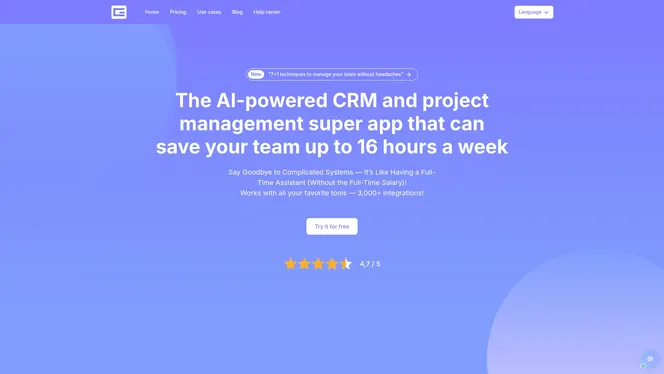
Gammatica is a SaaS-based, AI-driven project and team management platform that centralizes task management, CRM, automation, calendar coordination, checklists, and team collaboration into a single interface. It emphasizes reducing administrative burdens and even claims users can free up to 16 hours weekly by leveraging AI suggestions, pre-made templates, and deep integrations. Expect a powerful, enterprise-ready toolkit delivered through an approachable interface — though the breadth of capabilities means there’s a learning curve for teams adopting every feature.
Core Features
Gammatica blends AI-powered task and project management with CRM functionality and customizable workflows. Key capabilities include automations and in-app workflows, a library of pre-made professional templates, Kanban boards, time tracking and reporting, activity history and project evolution tracking, calendar and activity coordination, and a company wiki (Gammatica Docs). Integrations exceed 3,000 connectors, including Make.com, plus online meeting hooks for Zoom and Google Meet and permission controls for secure team management. An AI coach offers productivity suggestions while checklists and templates standardize repeatable processes.
Pros
- User-friendly interface: The dashboard and workflow builders are intuitive, allowing managers to onboard teams quickly without extensive training.
- Massive integration ecosystem: With over 3,000 integrations, Gammatica connects your existing tools and automations to keep work in one place.
- AI-driven productivity features: AI suggestions and an AI coach help prioritize tasks and automate routine decisions, reducing manual follow-up.
- Comprehensive project and client management: Built-in CRM, customer journey tracking, and project evolution history let you manage both delivery and client relationships in one system.
- Customizable workflows and templates: Pre-made templates and editable workflows speed rollout across sales, HR, marketing, and operations.
- Risk-free trial: A free trial that requires no credit card makes it easy to validate fit before committing.
Who It’s For
Gammatica is ideal for business teams, project managers, sales and marketing teams, HR departments, agencies, and freelancers who need an integrated, AI-augmented productivity platform. If you manage multiple client journeys, automate repetitive work, or require cross-functional visibility across projects and CRM, Gammatica scales from small teams to enterprise operations. Smaller teams should note the platform’s depth; it’s optimized for organizations that want to centralize many processes rather than a single-purpose lightweight tool.
Unique Value Proposition
Gammatica’s unique value lies in combining an enterprise-grade integration ecosystem (3,000+ connectors) with AI-first automation and a unified super app approach. Unlike single-focus scheduling or CRM tools, Gammatica consolidates task management, CRM, automations, time tracking, meeting integrations, and a company wiki into one customizable workspace. The AI coach and pre-made templates accelerate adoption and decision-making, while permission controls and activity history support governance and auditability. In practice, that means fewer context switches, faster onboarding of new projects, and measurable time savings — all supported by automation pathways through Make.com and native in-app automations. This comprehensive bundling makes Gammatica a superior choice for leaders who want to reduce administrative overhead and scale organized, automated processes across teams.
Real World Use Case
A marketing agency uses Gammatica to run client campaigns end-to-end: campaign templates standardize launch checklists, automations trigger follow-ups, the CRM tracks client touchpoints, and Kanban boards visualize creative work. The result: fewer missed deadlines, automated client updates, and more time for strategy and creative thinking.
Pricing
Gammatica offers a 14-day full trial with no credit card; paid seats are $15.00 per month per user, or $120 per user per year when billed annually. AI credits are billed separately, with a free daily allowance included.
Website: https://gammatica.com
When I Work
At a Glance
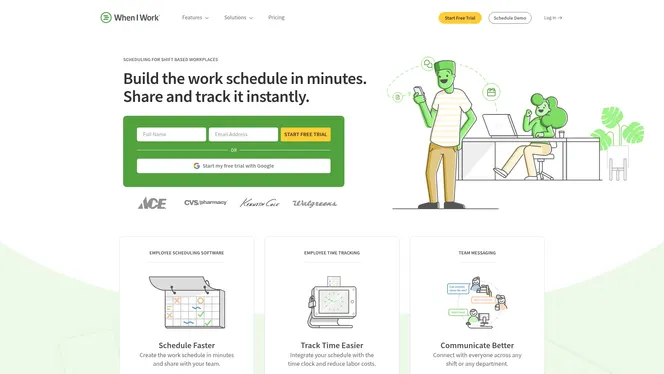
When I Work is a focused scheduling, time-tracking, and team communication tool built for shift-based workplaces. It speeds up schedule creation, simplifies shift swaps via mobile, and offers attendance tracking that feeds payroll processes. Trusted by over 200,000 workplaces, it’s strong on usability and mobile access, though some advanced labor forecasting and reporting features are restricted to higher-tier plans.
Core Features
When I Work provides employee scheduling with auto-scheduling options, integrated time tracking and attendance management, shift swapping and shift confirmation workflows, team messaging, and labor forecasting and reporting available in Pro and Premium plans. The platform supports both mobile and desktop access so managers and frontline staff can view and confirm shifts, communicate in real time, and export attendance data for payroll reconciliation.
Pros
- User-friendly interface: The layout and workflows are intuitive, letting managers build or edit schedules quickly without extensive training.
- Quick setup and easy to learn: You can onboard a small team within hours and start running shifts the same day.
- Mobile app accessibility for team members: Employees can swap shifts, confirm availability, and receive messages on the go, reducing no-shows and last-minute calls.
- Integrations with payroll and POS systems: The platform connects to common payroll and point-of-sale systems, streamlining hours-to-payroll handoff.
- Helps reduce labor costs and absenteeism: Built-in forecasting and attendance controls help managers spot overtime and staffing gaps before they blow budgets.
Cons
- Pricing may be high for very small teams or startups: At scale, features justify the cost, but solo owners or tiny teams might find the per-user model expensive.
- Advanced features require higher-tier plans and additional costs: Labor forecasting and detailed reporting sit behind Pro and Premium tiers, which raises total cost for full functionality.
- Limited details on customer support options in the description: The available product information does not clearly state support response times or dedicated account services.
Who It’s For
When I Work is ideal for managers and operators running shift-based teams—restaurants, retail stores, healthcare units, and educational institutions—who need a dependable way to automate schedules, reduce manual roster juggling, and keep teams connected. If you oversee multiple locations or frequent shift changes, this tool helps you regain hours each week.
Unique Value Proposition
When I Work combines straightforward scheduling with mobile-first communication and time tracking in a single package, emphasizing ease of use and quick deployment. Its value comes from reducing administrative overhead and turning schedule chaos into predictable operations.
Real World Use Case
A multi-shift restaurant can automate weekly schedules, allow staff to request swaps via the mobile app, track clock-ins for payroll, and send urgent service updates to the entire team—cutting manager scheduling time by hours and lowering missed shifts.
Pricing
Plans start at $2.50 per user per month for Essentials, $5.00 per user per month for Pro, and $8.00 per user per month for Premium, with optional add-ons and monthly or annual billing options.
Website: https://wheniwork.com
Deputy
At a Glance
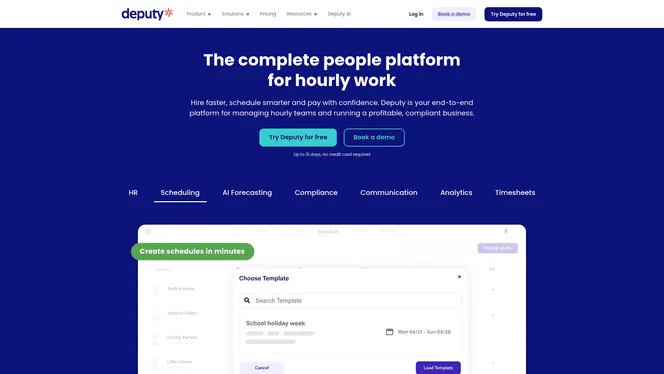
Deputy is an end-to-end workforce management platform focused on hourly teams, offering scheduling, time tracking, and compliance tools in a single package. It shines where multi-location coordination and AI forecasting matter, helping managers reduce manual scheduling and improve shift coverage. That said, costs can climb as you add HR modules, messaging credits, or advanced analytics—so budget planning is important. Overall, Deputy is a strong choice for businesses that need a full-featured, mobile-friendly workforce tool.
Core Features
Deputy combines employee scheduling, AI forecasting, compliance automation, and time clock functionality into a unified system. The platform supports shift planning, shift swapping, micro-scheduling, timesheets, leave and document management, and performance tracking while offering workplace communication via built-in messaging and a mobile app. Analytics and reporting let managers monitor labor costs and productivity, and integrations extend payroll and HR workflows. The feature set targets hourly workforces across multiple locations and aims to automate routine admin tasks.
Pros
- Comprehensive end-to-end platform: Deputy provides scheduling, time tracking, HR-adjacent tools, and reporting in one system, reducing the need to stitch multiple apps together.
- Suitable for a range of business sizes and industries: The platform supports small shops up to multi-location enterprises in retail, hospitality, healthcare, manufacturing, and logistics.
- AI-powered scheduling optimization: Forecasting helps predict demand and suggests smarter rosters, which can lower understaffing and overstaffing risks.
- Automation for compliance and labor management: Built-in compliance tools and automation reduce manual policy enforcement and help maintain labor law adherence.
- User-friendly interface with mobile support: Managers and hourly staff can access schedules, swap shifts, and track time from the mobile app, which increases on-the-go flexibility.
Cons
- Pricing can increase with add-ons and larger teams: Base plans are affordable, but total cost often rises once you add HR modules, messaging, or analytics.
- Advanced features limited to higher tiers: Some of the more powerful capabilities, such as deeper HR functionality and advanced analytics, are gated behind upper-tier plans.
- Charges can accumulate with add-ons and SMS: If your operation relies heavily on paid messaging or multiple optional modules, monthly bills may grow faster than expected.
Who It’s For
Deputy is ideal for businesses that manage hourly workers across multiple locations—think retail chains, restaurants, clinics, warehouses, and manufacturing sites. You should consider Deputy if you need automated scheduling, reliable timekeeping, and compliance safeguards, and if you plan to scale scheduling complexity without adding proportional admin overhead.
Unique Value Proposition
Deputy’s strength is its unified approach: scheduling, time tracking, communication, and compliance live in one platform, enhanced by AI forecasting. That reduces administrative burden and helps teams maintain consistent coverage while staying compliant with labor rules.
Real World Use Case
A retail chain uses Deputy to schedule staff across multiple stores, automate shift swapping when coverage gaps appear, and enforce local labor rules—freeing store managers from repetitive roster edits and lowering payroll errors.
Pricing
Plans start at $5 per user per month for the Lite plan, $6.50 for the Core plan, and $9 for the Pro plan, with additional charges for add-ons like HR, messaging, and analytics.
Website: https://deputy.com
Shiftboard
At a Glance
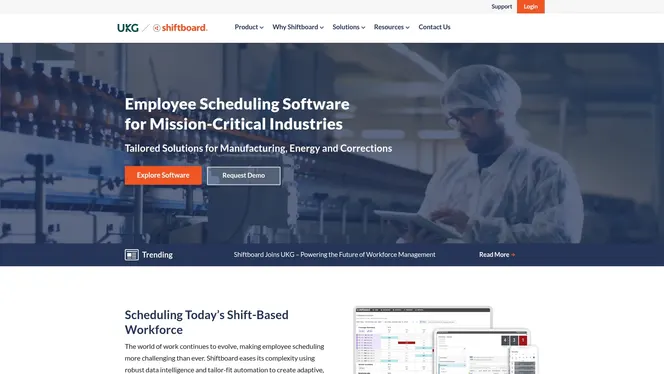
Shiftboard is purpose-built employee scheduling software that streamlines shift management for industries with complex workforce needs. It emphasizes automation, configurable rules, and mobile self-service to reduce administrative burden and improve shift coverage. For organizations that run multiple sites or need compliance-aware scheduling, Shiftboard offers the depth and reporting required to scale operations efficiently.
Core Features
Shiftboard automates schedule creation using rules like qualifications, location, availability, and seniority, reducing manual assignment work. It sends automated notifications and reminders via text or email and supports configurable shift details so every assignment includes the right instructions. The platform provides native iOS and Android apps for employee self-service — including time-off requests, clocking in/out, and optional geofencing — and offers multiple language support for English, French Canadian, and Latin-American Spanish.
Pros
- Improves coverage and satisfaction: Automated matching of qualifications and availability helps close coverage gaps and tends to increase workforce satisfaction.
- Lowers labor costs through efficiency: By streamlining assignment and notification workflows, Shiftboard can reduce the hours managers spend on scheduling and help control overtime spend.
- Highly configurable for industries: Its configurable rules make it adaptable to manufacturing, energy, corrections, and other shift-driven environments.
- Scales across sites with reporting: Support for multiple sites and consolidated reporting lets you monitor staffing and compliance across a distributed operation.
- Strong automation and communication tools: Automated notifications, reminders, and configurable shift details reduce missed shifts and confusion on the floor.
Cons
- Implementation and subscription fees may apply: Organizations should budget for initial setup and ongoing subscription costs that can increase total cost of ownership.
- Some advanced features require extra charges: Certain premium mobile services and integrations appear to carry additional fees beyond the baseline subscription.
- Complexity for smaller teams: The platform’s depth and configurability may be excessive for small organizations or teams with low technical bandwidth.
Who It’s For
Shiftboard is best suited for large to enterprise organizations in manufacturing, energy, corrections, or any operation running regular shift-based work. If you manage multiple sites, require compliance-aware scheduling, or need automation to enforce qualifications and seniority rules, Shiftboard is built for your environment.
Unique Value Proposition
Shiftboard’s strength lies in combining rule-driven auto-scheduling with native mobile self-service and multi-site reporting. That blend makes it easier to enforce compliance, maintain consistent coverage, and keep frontline employees informed — all while reducing manual scheduling effort.
Real World Use Case
A real example: Daisy Brand used Shiftboard to improve schedule visibility and flexibility, which led to better workforce satisfaction and more efficient operations. Managers spent less time firefighting schedules, and employees gained clearer access to their shifts and time-off workflows.
Pricing
Minimum subscription fees apply, and implementation fees may be charged. Discounts are available for non-profits, while additional charges can apply for premium mobile services and integrations. Budget planning should account for these possible extra costs.
Website: https://shiftboard.com
Connecteam
At a Glance
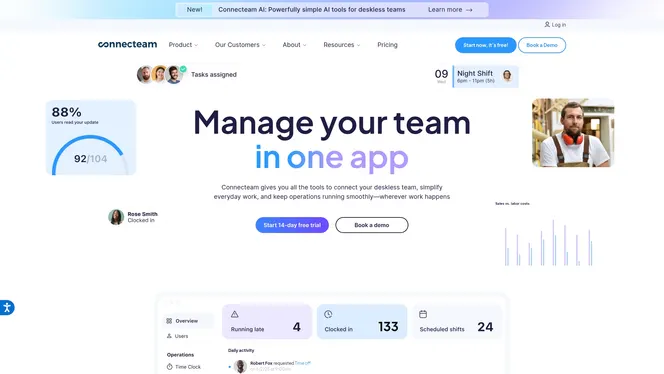
Connecteam is a mobile-first, all-in-one employee management app built for deskless teams in industries like construction, healthcare, retail, and logistics. It centralizes scheduling, time tracking, communication, HR, and training into a single platform to reduce admin overhead and improve field visibility. The app includes AI-powered tools and integrations to automate routine tasks, but larger teams may find advanced plans costly. Overall, it’s a practical choice when you need a unified, mobile-ready solution for shift-based operations.
Core Features
Connecteam provides employee scheduling, accurate time tracking, and daily operations management through forms, checklists, and tasks that you can distribute to field staff. It supports internal communication with instant messaging and company updates, and it delivers training and knowledge via courses, quizzes, and document sharing. The platform also offers integrations and AI-powered helpers to automate workflows and connect to payroll or automation tools.
Pros
- All-in-one platform combines multiple management tools: You can manage scheduling, timekeeping, communication, training, and basic HR from one interface instead of juggling separate apps.
- User-friendly interface tailored for deskless teams: The mobile-first design and straightforward workflows make it easy for field workers to clock in, read updates, and follow checklists on their smartphones.
- Highly customizable for different industries and team sizes: Templates, configurable hubs, and modular features allow you to adapt the app to retail, construction, healthcare, or logistics workflows.
- Improves compliance and real-time visibility: Checklists, forms, and tracking features help enforce policies and provide managers with on-the-ground status updates.
- Supports integrations with payroll and automation tools: Built-in connections to tools like Gusto and Zapier make it easier to move data to payroll or trigger downstream automations.
Cons
- Pricing can become expensive for large teams or advanced plans: Costs increase once you exceed the free management tier for up to 10 employees and when you add specialized hubs or higher feature tiers.
- Some features require technical setup or have a learning curve: Advanced automations, integrations, or custom workflows may need time or technical resources to configure effectively.
- Limited offline capabilities for some features: Certain functions rely on connectivity, which can impede usage in remote areas without reliable mobile data.
Who It’s For
Connecteam is aimed at small to large organizations that run deskless, field-based teams and need a single app to handle scheduling, time tracking, compliance, and frontline communication. If you manage shift workers or mobile staff and want to reduce administrative complexity while keeping employees connected, this platform fits well.
Unique Value Proposition
Connecteam’s strength is its breadth: a mobile-first suite that replaces several point solutions with one adaptable platform. For teams that prioritize on-the-go access, compliance, and reduced administrative handoffs, Connecteam offers a consolidated, configurable approach with automation and integrations to streamline payroll and operations.
Real World Use Case
A logistics company uses Connecteam to schedule drivers’ shifts, capture precise work hours, broadcast route or policy updates via in-app messages, and deliver compliance checklists and training modules that drivers view on their phones.
Pricing
Pricing starts with a free plan that covers management for up to 10 employees, then moves to paid plans with per-user fees. Plans are grouped by functional hubs (Operations, Communications, HR & Skills), and Connecteam offers monthly and annual billing with discounts for annual subscriptions.
Website: https://connecteam.com
ZoomShift
At a Glance
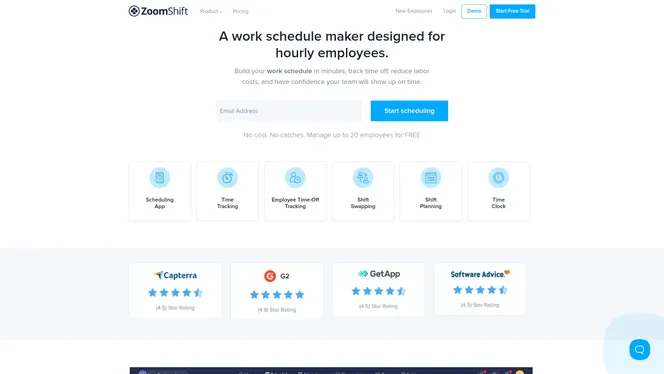
ZoomShift is a practical schedule maker and time clock app built for hourly teams, offering a genuinely useful free tier for small businesses. For up to 20 employees you get scheduling templates, drag-and-drop roster building, basic time tracking, and team communication without direct cost. It’s fast to adopt and reduces common payroll and attendance headaches. But expect added subscription costs and some limits as your team scales.
Core Features
ZoomShift centralizes schedule creation and attendance tracking with a focus on hourly workforces. Core capabilities include free scheduling and time clock management for teams up to 20, quick schedule building with templates and a drag-and-drop interface, time-off request handling and PTO tracking, online timesheets with export options, and mobile time tracking with GPS and IP whitelisting to improve accuracy. The app also supports shift swapping, automated reminders and notifications, and basic payroll report automation to reduce manual calculations.
Pros
- No cost for managing up to 20 employees makes it an affordable entry point for small teams and independent stores.
- Drag-and-drop scheduling and ready-made templates let managers build weekly rosters in minutes rather than hours.
- Integrated time tracking with GPS features helps ensure clock-ins are accurate on mobile devices.
- Automated shift reminders and notifications reduce no-shows and last-minute confusion for frontline staff.
- Accessible both via web and mobile apps, so managers and employees can view schedules and request changes on the go.
- Wide industry applicability means retail, hospitality, healthcare, and education teams can all adopt a familiar scheduling workflow.
- Automated payroll report generation and time-off management reduce administrative overhead during payroll runs.
Cons
- The free plan caps management at 20 employees, which constrains growing teams that need no-cost options.
- Larger organizations must pay subscription fees, which start low but add up per active team member as the workforce expands.
- ZoomShift depends on internet connectivity for real-time updates, so offline or remote worksites with poor connectivity may face limitations.
- Some businesses may require deeper customization or additional third-party integrations than ZoomShift currently provides.
Who It’s For
ZoomShift is ideal for small to medium-sized businesses that need a simple, low-cost way to manage hourly schedules, track attendance, and streamline basic payroll reporting. If you run a small retail shop, cafe, clinic, or school department and want a fast setup with mobile clock-ins, ZoomShift fits well. It’s also a smart starter solution for managers who prioritize ease of use over complex workforce management features.
Unique Value Proposition
ZoomShift’s standout value is its free access for up to 20 employees combined with scheduling speed and mobile-friendly time tracking. That mix lets small employers cut labor-related admin work immediately while preserving essential features like PTO management, shift swaps, and GPS-based clock-ins.
Real World Use Case
A small retail store uses ZoomShift to publish weekly schedules, accept time-off requests, allow shift swaps, and collect mobile clock-ins with GPS. The owner exports timesheets at the end of the pay period to generate payroll reports, reducing errors and paper timesheets.
Pricing
Free for up to 20 employees; paid plans start at $2 per active team member per month for basic features, with higher plans at $4–$5 per member per month for advanced workforce management.
Website: https://zoomshift.com
Productivity and Team Management Tools Comparison
Compare key features, pros, cons, pricing, and ideal users of leading productivity and team management platforms to make an informed decision.
| Product | Key Features | Pros | Cons | Pricing |
|---|---|---|---|---|
| Gammatica | AI-driven project management, CRM, 3,000+ integrations | User-friendly, massive integrations, AI productivity features | Learning curve for small teams | 14-day trial, $15 per user |
| When I Work | Scheduling, time tracking, mobile team communication | Quick setup, mobile accessibility, payroll integrations | High cost for small teams, some features locked in higher tiers | $2.50+ per user |
| Deputy | Scheduling, time tracking, compliance, AI forecasting | Comprehensive platform, AI scheduling, automation for compliance | Price increases with add-ons, advanced features in upper tiers | $5+ per user |
| Shiftboard | Rule-driven scheduling, notifications, multi-site support | Improves coverage, configurable for industries | Initial setup fees, some features carry extra charges | Subscription fees vary |
| Connecteam | Mobile-first platform integrating scheduling, time tracking, HR, communication | All-in-one platform, customizable, improves compliance | Pricing for large teams, some features require technical setup | Free for up to 10, then fees |
| ZoomShift | Schedule maker, time clock, mobile tracking | Free for small teams, drag-and-drop scheduling, GPS time tracking | Capped at 20 employees for free, depends on connectivity | Free for 20, $2+ per user |
Optimize Your Staff Scheduling with AI-Driven Templates from Gammatica
Managing staff schedules can quickly become overwhelming, especially when juggling multiple shifts, locations, and last-minute changes. The article “Best 6 Staff Scheduling Templates – Expert Comparison 2025” highlights the challenge teams face in maintaining organized, flexible, and efficient scheduling processes. Common pain points include time-consuming manual edits, missed shifts, and the need for repeatable templates that adapt to evolving business needs.
Gammatica.com offers a powerful solution to these challenges by combining AI-powered automation with customizable scheduling templates that simplify workforce management. Free yourself from tedious administrative tasks by using Gammatica’s pre-made templates, AI suggestions, and deep integrations through Make.com to streamline your workflow. Whether you need calendar coordination, checklist creation, or real-time team collaboration, Gammatica’s unified platform supports both project and staff scheduling with precision and ease. Discover how our AI coach and automated workflows can save you up to 16 hours each week and help you maintain smooth operations with less stress.
Take the next step to revolutionize your scheduling strategy now.

Experience seamless team management with Gammatica’s AI-driven platform. Explore how you can build smarter schedules, automate routine tasks, and improve productivity today. Visit Gammatica.com and see why managers trust us for organized, automated, and scalable business operations.
Frequently Asked Questions
What are staff scheduling templates?
Staff scheduling templates are pre-designed frameworks that help managers organize and allocate work shifts for employees efficiently. Use these templates to save time and ensure coverage across all shifts by customizing them to suit your team’s specific needs.
How do I choose the best staff scheduling template for my needs?
To choose the best template, assess your team’s size, industry requirements, and specific scheduling needs like shift types or employee availability. Review your options and select a template that allows for scalability and flexibility to adapt as your business grows.
Can I customize staff scheduling templates?
Yes, most staff scheduling templates are customizable. Modify them to include specific shift patterns, employee roles, and other criteria that suit your organization’s unique requirements.
How do staff scheduling templates improve efficiency?
Staff scheduling templates streamline the scheduling process, reducing time spent on manual scheduling tasks. By implementing a template, you can minimize scheduling errors and maximize employee satisfaction, often reducing administrative time by up to 30%.
Is it easy to implement a staff scheduling template in my organization?
Implementing a staff scheduling template is typically straightforward, especially if it is user-friendly. Start by training your team on the new system and integrating it into your existing workflows for a smoother transition, which can take as little as a week to set up effectively.
What features should I look for in a staff scheduling template?
Look for features like shift tracking, employee availability, automated notifications, and reporting capabilities in a staff scheduling template. These features enhance your scheduling process and keep your team informed and engaged.