Project managers in Hungary’s tech sector often feel overwhelmed as project demands grow and teams juggle several tools at once. Staying ahead requires more than good intentions—it calls for smarter collaboration and efficient task management. By harnessing AI-driven project automation, you can reduce repetitive work and empower your team to focus on meaningful progress, saving time and minimizing stress. This guide reveals exactly how to configure, automate, and optimize your workflows for real results.
Table of Contents
- Step 1: Set Up AI-Driven Project Workspaces
- Step 2: Automate Task and Workflow Management
- Step 3: Integrate Communication and Collaboration Tools
- Step 4: Monitor Progress and Optimize Workflows
- Step 5: Verify Performance and Improve Outcomes
Step 1: Set Up AI-Driven Project Workspaces
Setting up AI-driven workspaces transforms how your team collaborates and manages tasks. In this step, you’ll configure your workspace environment to leverage AI automation, ensuring everyone works smarter from day one.
Start by accessing your workspace settings and creating a dedicated project environment for your team. Most platforms allow you to customize this space by defining workflow categories, permission levels, and automation rules that align with your team’s specific needs.
Here’s what to set up first:
- Define your workspace structure by creating task categories or project buckets that match your business operations
- Configure team roles and permissions so each person has appropriate access levels without overwhelming the system
- Enable AI suggestions in your automation settings to let the system learn your team’s patterns
- Connect integrations with tools your team already uses daily
Once your basic structure is in place, configure your AI task automation rules. This is where the magic happens. You can set up automatic task creation, intelligent reassignments based on team capacity, and smart reminders that actually respect people’s schedules.
Many teams in tech firms find that configuring these automation rules upfront saves tremendous time later. Your AI learns what “done” looks like and can predict bottlenecks before they happen.
AI-driven workspaces only deliver value when configured around your actual workflow, not the other way around.
Before moving forward, test one simple automation rule with a small team group. This validates your setup works as expected and gives you confidence before rolling it out organization-wide.
Pro tip: Start with just 3-5 automation rules during initial setup. Complexity should grow gradually as your team adapts to AI suggestions, preventing overwhelm and ensuring adoption.
Step 2: Automate Task and Workflow Management
Automating your task and workflow management is where AI truly accelerates team productivity. In this step, you’ll configure intelligent automation that handles repetitive work so your team focuses on what matters most.
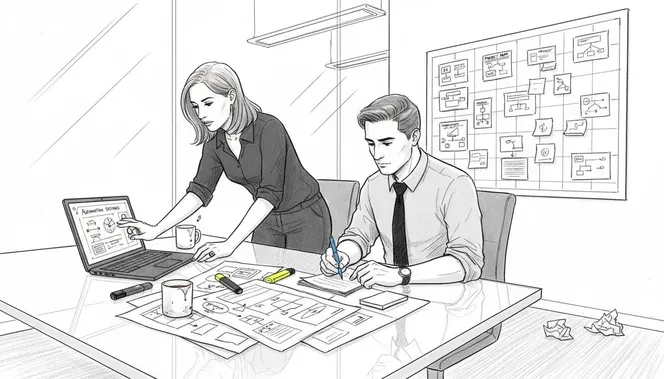
Start by identifying automation opportunities in your daily workflows. Look for tasks that follow predictable patterns: routine status updates, task reassignments based on capacity, recurring reminders, or data transfers between systems. These are prime candidates for AI automation.
Here’s your automation setup process:
- Map your current workflows to understand which tasks consume the most time
- Define trigger conditions that tell AI when to take action
- Set specific outcomes so the system knows exactly what success looks like
- Test with low-risk tasks before automating critical processes
According to research on AI workflow automation in project environments, reducing administrative workload lets your team accelerate task completion and focus on higher-value activities instead of busywork.
Configure your AI agents to handle workflow sequences automatically. Modern AI can manage task creation, assignment logic, approval routing, and even deadline adjustments based on team velocity. Set clear rules so the system operates within guardrails your team establishes.
Start simple. Automate one workflow completely before adding others. Your tech team likely manages multiple concurrent projects, and you want each automation running smoothly before scaling.
Automation without proper testing creates chaos. Test ruthlessly before deploying.
Once live, monitor your automation performance for the first week. Track whether tasks are being created correctly, assigned to the right people, and completed on schedule. Adjust rules based on what you observe.
Pro tip: Build automation around your team’s actual bottlenecks, not what you think should be automated. Talk to your team directly about which tasks drain their time most.
Step 3: Integrate Communication and Collaboration Tools
Integrating communication tools with your project management system eliminates the friction of jumping between apps. In this step, you’ll connect your team’s favorite communication platforms so conversations happen right where work happens.
Start by identifying which tools your team already uses daily. Most Hungarian tech teams rely on Slack, Microsoft Teams, or email for communication. Your goal is connecting these platforms to your project management system so notifications and updates flow naturally.
Here’s how to set up the integrations:
- Connect your messaging platform to receive task notifications and status updates automatically
- Enable mention notifications so team members can tag colleagues directly in tasks
- Set up approval workflows that trigger conversations when decisions are needed
- Create custom alerts for high-priority changes or deadline shifts
When you integrate communication tools properly, your team stops context-switching constantly. Instead of checking email, then Slack, then your project dashboard, everything flows into one place.
Configure notification preferences so people aren’t overwhelmed by alerts. Let each team member control what notifications they receive and when. Someone working on deep focus work doesn’t need every task update interrupting them.
Test integrations with a small group before rolling out organization-wide. Have them use the system for a week and gather feedback on notification frequency and relevance.
Integration without careful notification management creates notification fatigue. Start conservative, then expand based on feedback.
Once live, monitor how your team actually uses these integrations. Are they reading notifications or ignoring them? Adjust trigger conditions and timing based on real behavior.
Pro tip: Create separate notification channels for different urgency levels. Critical blockers need instant alerts, while routine updates can digest in daily digests.
Step 4: Monitor Progress and Optimize Workflows
Monitoring your workflows with AI-driven insights reveals exactly where your team gains time and where bottlenecks hide. In this step, you’ll set up real-time dashboards and analytics that drive continuous improvement.
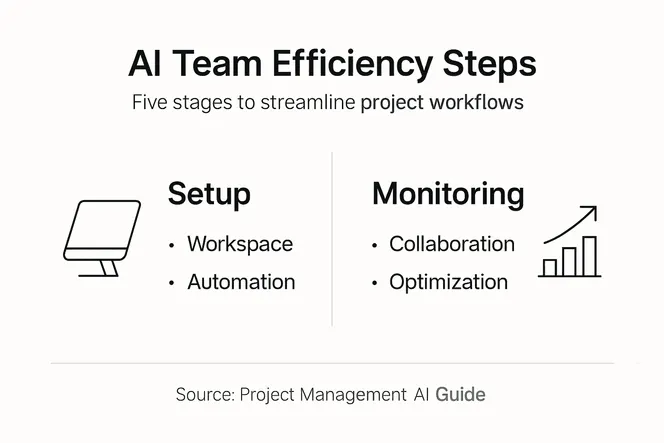
Start by activating your progress tracking dashboards. Most AI-driven platforms offer built-in reporting that shows task completion rates, cycle times, and resource utilization at a glance. These metrics become your feedback loop for optimization.
Here’s what to track first:
- Task completion velocity to understand how much work your team actually handles weekly
- Time spent on automated vs. manual tasks to measure automation impact
- Workflow cycle times for different project types to identify improvement areas
- Resource allocation patterns to see if anyone is consistently overloaded
Research on AI-driven project management optimization demonstrates that continuous monitoring enables teams to enhance responsiveness to changes and streamline resource management significantly. The data reveals which workflows need attention before delays become critical.
Set up predictive alerts that flag risks before they become problems. If a project is trending toward missing its deadline, your AI should notify you immediately with recommended actions.
Review your dashboards weekly with your team. Don’t hoard this data as a manager. Share it openly so everyone sees how their work contributes to overall efficiency.
Data without action creates busy reports instead of better outcomes. Use metrics to make decisions, not just to measure.
Based on what you observe, adjust your workflows incrementally. Maybe task reassignments need different logic. Perhaps automation rules need refinement. Small improvements compound quickly.
Pro tip: Focus on reducing cycle time, not just increasing task volume. A team moving faster through workflows creates more capacity than one simply doing more work.
Step 5: Verify Performance and Improve Outcomes
Verifying your AI-driven project management performance separates hope from reality. In this step, you’ll measure what actually works and refine your approach based on concrete evidence.
Start by establishing baseline metrics before making major changes. Document your current project completion rates, average cycle times, and team satisfaction levels. These numbers become your reference point for measuring improvement.
Here’s your verification process:
- Compare pre-AI and post-AI metrics to quantify actual gains
- Track team satisfaction scores through anonymous surveys quarterly
- Measure cost per project delivery to understand ROI clearly
- Monitor risk identification and resolution speed to verify predictive value
According to research on project management performance and AI utilization, competency-based approaches emphasizing AI tools increase efficiency and ensure effective risk management. Leadership plays a crucial role in leveraging these insights for improved decision-making.
Conduct quarterly performance reviews with your team. Share the data openly and ask what’s working and what feels broken. Your frontline team knows which automation helps and which creates friction.
Adjust your AI configurations based on feedback. Maybe certain automation rules aren’t triggering correctly. Perhaps notification settings still need tuning. Performance verification is continuous, not a one-time event.
What gets measured gets managed. What gets ignored gets worse.
Document your learnings as you go. Create internal guides about which automations work best, which integrations add real value, and which approaches didn’t deliver expected results.
Pro tip: Set specific, measurable targets for the next quarter rather than vague improvement goals. Your team responds better to “reduce cycle time by 15%” than “work more efficiently.”
Use this reference to clarify the role of core AI features in project management:
| AI Feature | What It Does | How It Adds Value |
|---|---|---|
| Task Automation | Creates and assigns tasks | Frees team from busywork |
| Predictive Analytics | Flags delays or risks early | Enables proactive responses |
| Smart Notifications | Filters and prioritizes alerts | Reduces distraction, boosts focus |
| Workflow Integration | Connects project and chat tools | Keeps all updates in one place |
Here is a summary of key benefits from each AI project management step:
| Step | Main Benefit | Business Impact |
|---|---|---|
| AI-Driven Workspaces | Enhanced collaboration | Streamlined team coordination |
| Automated Workflow Management | Reduced manual workload | Increased productivity |
| Integrated Communication Tools | Centralized team notifications | Lower context-switching |
| Progress & Workflow Monitoring | Real-time performance insights | Faster issue detection |
| Performance Verification | Evidence-based improvements | Measurable outcome gains |
Transform Your AI-Driven Project Management with Gammatica
The article highlights common challenges like automating workflows, integrating communication tools, and monitoring performance effectively to boost team efficiency through AI. If you struggle with scattered tasks, notification overload, or unclear workflow insights, Gammatica offers a seamless solution designed to reduce administrative burden and save your team valuable time. Harness AI-powered task automation, smart notifications, and comprehensive collaboration features that align perfectly with your need for AI-driven workspaces and streamlined project management.

Take control of your projects now and experience how Gammatica’s intuitive platform can enhance productivity, improve communication, and provide actionable insights. Visit Gammatica to explore how automation, calendar coordination, and integrated team collaboration tools can free up to 16 hours weekly for your team. Start optimizing with confidence today by learning more on the official landing page and discover AI-driven performance monitoring to stay ahead of bottlenecks and improve outcomes continuously.
Frequently Asked Questions
How can I set up AI-driven project workspaces for my team?
To set up AI-driven project workspaces, access your workspace settings and create a dedicated environment for your team. Begin by defining your workspace structure, configuring team roles and permissions, and enabling AI suggestions within your automation settings.
What types of tasks are suitable for automation in project management?
Suitable tasks for automation include routine status updates, task reassignment based on team capacity, and recurring reminders. Identify repetitive tasks that follow predictable patterns and start automating one workflow at a time to observe the impact.
How do I effectively integrate communication tools with my project management system?
To integrate communication tools, first identify which platforms your team already uses frequently, such as Slack or Microsoft Teams. Connect these tools to your project management system to ensure automatic task notifications and updates flow seamlessly into one place.
What metrics should I track to monitor my AI-driven project management performance?
Track metrics such as task completion velocity, the time spent on automated versus manual tasks, and workflow cycle times. Monitoring these metrics weekly will help you identify inefficiencies and adjust processes for improved outcomes.
How can I verify the effectiveness of my AI-driven project management setup?
To verify effectiveness, establish baseline metrics before implementing AI solutions and compare pre-AI and post-AI performance. Conduct quarterly performance reviews to gather feedback from your team and adjust your approach based on measured results.