Choosing the right tool for managing teams and projects can shape how smoothly your workday goes. Whether you care about automation, collaboration, or keeping everything in one place, the best platforms turn confusion into clarity and free you up to focus on what matters most. Each option brings its own blend of features and quirks that could fit a busy startup or help a growing company take the next step. Wondering which solution could give your team the biggest advantage? The answers might surprise you.
Table of Contents
Gammatica
At a Glance
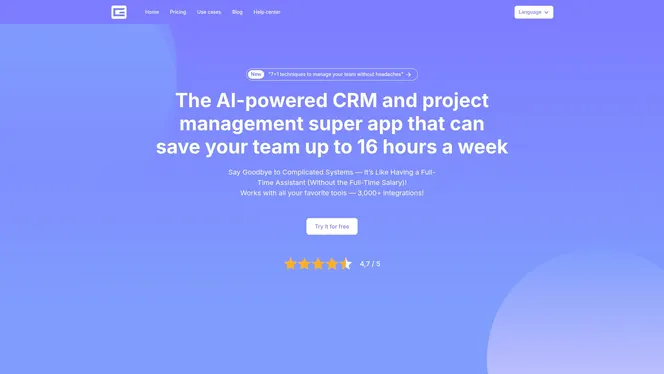
Gammatica is an AI-driven, SaaS project and team management platform built to eliminate chaos and reclaim time. For tech startup project managers in Hungary, it combines CRM, task management, automation, and templates into a single workspace that promises up to 16 hours of weekly time savings. It’s powerful, extensible, and designed for teams that want AI suggestions and deep integrations without building everything from scratch.
Core Features
Gammatica unifies AI-powered task and project management with CRM functionality and customer journey tracking. The platform supports over 3000 integrations (including Make.com), customizable checklists and workflows, calendar links to client tasks and reminders, Kanban boards, time tracking, activity and history logs, and a searchable company wiki via Gammatica Docs. Built-in AI features include an AI coach for time management and in-app automation to handle repetitive workflows. Online meeting integrations with Zoom and Google Meet, plus permission and team management controls, round out a toolset aimed at scalable operational efficiency.
Pros
- Highly integrable with over 3000 apps, which lets you connect existing AI tools and pipelines without heavy engineering work.
- AI features that enhance efficiency and provide actionable suggestions to reduce administrative overhead.
- User-friendly interface with pre-made templates and automation that speed onboarding and repeatable work across teams.
- Comprehensive CRM and project management tools that keep client journeys and internal tasks in one place.
- A 14-day full trial, with no credit card, that lets teams evaluate every feature without commitment.
Who It’s For
Gammatica is ideal for CEOs, project managers, and team leaders at Hungarian tech startups who run AI-driven product development and marketing operations. If you manage distributed squads, juggle client deliveries, or need a single source of truth for product, sales, and support workflows, this platform fits. Freelancers and small agencies will value the free plan and templates; scaling teams will appreciate the automation and permission controls.
Unique Value Proposition
Gammatica’s unique value is the combination of AI-led productivity plus enterprise-grade integrations and templates tailored for real work. Unlike fragmented stacks, it centralizes CRM, project management, time tracking, and a company wiki so your team stops context-switching. The AI coach nudges teams toward smarter scheduling; pre-made templates and in-app automation reduce setup time from weeks to hours; and the 3000+ integrations let you extend workflows with Make.com and other tools you already use. Localization in English and Hungarian means faster adoption across bilingual teams. In short: Gammatica trades complexity for compact power — you get deep capabilities without rebuilding integrations or processes.
Real World Use Case
A Hungarian marketing agency uses Gammatica to run client campaigns: they map customer journeys in CRM, manage tasks on Kanban boards, trigger automations for status updates via Make.com, and host debriefs over Zoom linked to task records. The agency reports faster handoffs, fewer missed deadlines, and improved client satisfaction thanks to automated reminders and consolidated activity logs.
Pricing
Gammatica Pro is $15 per user per month, or $120 per user per year when billed annually. A 14-day full trial is available without a credit card; afterwards the workspace keeps a free daily allowance of AI credits. An Enterprise plan is announced as coming soon.
Website: https://gammatica.com
ClickUp
At a Glance
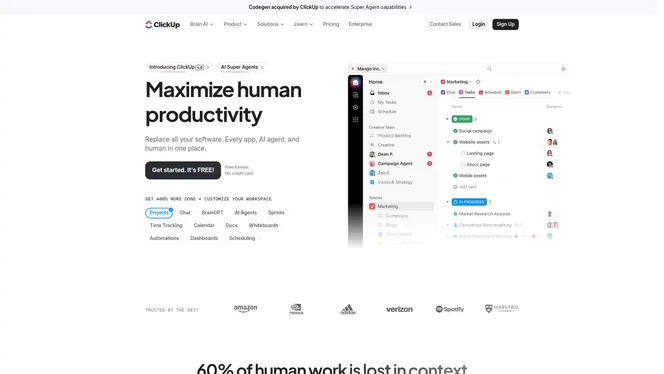
ClickUp is an all-in-one productivity platform that positions itself as a centralized workspace for teams, claiming to replace multiple apps and human effort with AI-driven workflows. It serves over 10 million users and focuses on scaling productivity through AI super agents, automation, and broad integrations. Bottom line: ClickUp is powerful for startups that want to consolidate tools and inject AI into daily work, but it asks for an upfront investment in time and governance to realize those gains.
Core Features
ClickUp bundles project management tools, automation, and AI-powered super and ambient agents inside a single platform. You get customizable workflows and multiple views—Gantt charts, Kanban boards, whiteboards, and digests—plus the ability to connect with over 50 apps. Automation capabilities and AI agents aim to offload repetitive tasks and suggest next steps, while security and scalability are emphasized for teams growing beyond early-stage operations.
Pros
- Consolidates many tools into one workspace: That reduces context switching and centralizes task, documentation, and workflow management for teams that currently juggle multiple apps.
- Strong AI integration to boost productivity: AI-powered super agents and ambient agents are designed to automate routine work and offer suggestions, saving manual effort for higher-value tasks.
- Flexible pricing tiers for different team sizes: Free and tiered paid plans let small teams start without cost and scale into paid plans as needs grow.
- Robust integrations with common apps: Connecting to over 50 apps helps keep legacy tooling in place while moving processes into ClickUp.
- Emphasis on security and compliance: The platform highlights high security standards, which is important as startups mature and handle sensitive data.
Cons
- Noticeable learning curve for new users due to depth: The breadth of features requires onboarding time and governance to prevent inconsistent usage across teams.
- Pricing can become costly for larger teams or enterprise needs: Although lower tiers exist, enterprise-level customization and seats push costs higher and may require custom quotes.
- Cloud dependency requires reliable internet access: Because operations are cloud-based, offline or intermittent connectivity will limit functionality and availability.
Who It’s For
ClickUp suits teams and organizations that want a comprehensive, customizable productivity platform that leverages AI to improve efficiency. If you’re leading an AI-driven startup in Hungary and need one place to manage development, marketing, and ops without stitching together dozens of services, ClickUp aligns with that goal—provided you commit to structured onboarding and governance.
Unique Value Proposition
ClickUp’s unique value lies in combining AI agents, automation, and broad app connectivity inside a single, customizable workspace. That mix aims to reduce manual work and save time by turning routine tasks into automated flows while keeping visibility across projects.
Real World Use Case
A marketing team uses ClickUp to plan campaigns, automate repetitive status updates, and track milestones across channels. Automation reduces manual task handoffs, AI suggests next actions, and integrated views give real-time progress—shortening delivery timelines and freeing team members for strategy.
Pricing
Free plan available; paid plans start at $7 per user per month (billed annually) for basic features, $12 for Business, and enterprise customers receive customized quotes.
Website: https://clickup.com
Asana
At a Glance
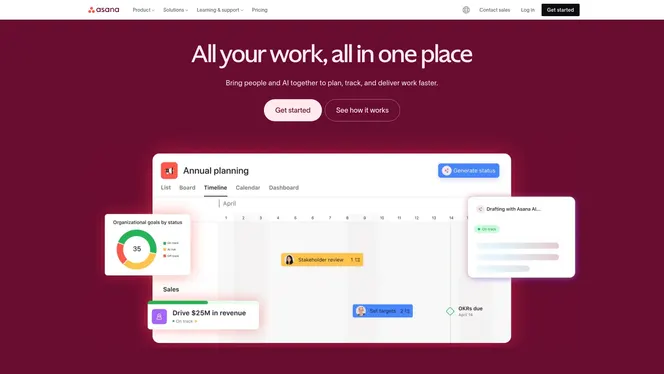
Asana is a robust work management platform that helps teams organize, track, and manage projects with clarity and accountability. It balances flexible task-level controls with portfolio-level views, so you can zoom from a single to-do to a program roadmap. For Hungarian tech startup project managers running AI-driven teams, Asana offers the structure to reduce status meetings and keep dependencies visible. It’s powerful — and that power can feel dense at first.
Core Features
Asana’s core capabilities center on task management and multiple project views, including list, board, and timeline (Gantt), which let you visualize sequence and dependencies. The platform supports automation and customizable workflows to reduce repetitive work and enforce process rules. Goals and reporting give you measurable visibility into progress, while resource management and workload visualization (portfolio management) help balance team capacity across concurrent projects. Integrations extend Asana into your existing toolchain, enabling a single source of truth for work.
Pros
- Comprehensive task and project management features provide granular control over assignments, due dates, and dependencies, enabling predictable delivery.
- Multiple view options (list, board, timeline) let you present the same work in formats that fit engineering sprints, product roadmaps, or launch checklists.
- Robust integration ecosystem connects Asana to other systems, which reduces manual updates and keeps context synchronized across tools.
- Customizable workflows and automation let you codify team practices and eliminate repetitive steps, improving consistency and handoffs.
- Suitable for teams of various sizes and industries, so you can scale from a small AI research pod to a company-wide program without switching platforms.
Cons
- The platform can be overwhelming with extensive features for new users, making onboarding take longer than lightweight task apps.
- Pricing can be high for enterprise features, which may strain early-stage budgets if you need advanced admin, security, or analytics.
- Some advanced features require higher-tier plans, so accessing portfolio-level resource management and certain automations may need a plan upgrade.
Who It’s For
Asana fits teams and organizations of varying sizes that want an organized, collaborative work management solution — from small startups to large enterprises and government agencies. If you lead an AI-driven product team in Hungary and need to coordinate engineers, data scientists, and product managers across sprints and experiments, Asana gives you the visibility and workflow controls to keep everyone aligned.
Unique Value Proposition
Asana’s unique strength is combining task-level rigor with portfolio visibility and automation. That combination turns dispersed work into a coherent system: teams can minimize friction, enforce processes, and measure progress without relying solely on meetings. For startups maturing their delivery practices, this is where Asana adds the most value.
Real World Use Case
A digital marketing team uses Asana to plan and track campaign milestones, automate routine tasks, and collaborate seamlessly across departments, ensuring deadlines are met and transparency is maintained. Translate that to a Hungarian AI startup: use Asana to run model development sprints, track experiment pipelines, and automate notifications when training jobs complete — keeping product and infra teams in sync.
Pricing
Free for basic features; paid plans start at $10.99/user/month for the Starter plan, with custom Enterprise plans available for advanced needs.
Website: https://asana.com
Monday.com
At a Glance
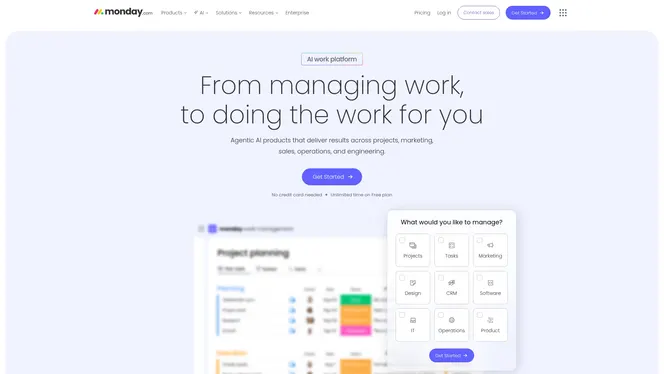
Monday.com is an AI-driven work platform built to centralize work management across tasks, CRM, marketing, development, and service operations. It emphasizes automation, collaboration, and real-time data insights to help teams move faster and reduce manual work. For tech startup project managers in Hungary running AI-driven teams, it offers a flexible, customizable workspace that can scale from a single sprint board to enterprise-grade workflows. Bottom line: powerful and adaptable, but complexity and cost rise with scale.
Core Features
Monday.com provides work management for tasks and projects, a CRM to manage customer lifecycles, tools for marketing campaign planning, development workflow support, and AI-enhanced service operation automation. The platform combines no-code customization with AI assistants that help triage service tickets and suggest objective-based actions. These core features let teams automate repetitive work, visualize progress across Kanban and timeline views, and surface data-driven insights without heavy engineering effort.
Pros
- Comprehensive toolset across functions: Monday.com covers project work, CRM, marketing, development, and service ops in a single platform, reducing the need to stitch multiple apps together.
- AI-powered automation and insights: Built-in AI assistants and automation rules can cut routine tasks and surface priorities, freeing up your team to focus on strategy.
- No-code customization: Customizable workflows and boards let non-technical product managers tailor processes without developer time.
- Enterprise-grade security and features: The platform offers robust security controls and permissions that are necessary as your startup grows and handles sensitive data.
- Flexible plans for different team sizes: From a free tier to enterprise plans, the product can fit solo founders through larger organizations as needs evolve.
Cons
- Steep learning curve for new users: The platform’s breadth means configuration and onboarding can be time-consuming for teams new to heavy customization.
- Cost can escalate with scale: While a free plan exists, pricing can become expensive for larger teams as advanced features and seats add up.
- Advanced features gated by higher tiers: Some AI and automation capabilities require higher-tier plans, which limits access for teams on basic subscriptions.
Who It’s For
Monday.com fits organizations and teams of all sizes that need to centralize work management and automate routine processes. For Hungarian tech startups running cross-functional AI projects, it’s especially useful when you want a single source of truth for sprints, customer data, and campaign planning without building custom tooling.
Unique Value Proposition
The platform’s unique value lies in combining AI-driven automation with highly customizable, no-code workflows across multiple business functions. That blend helps teams reduce admin overhead while keeping flexibility to adapt processes as product and market needs change.
Real World Use Case
A marketing team used Monday.com to plan campaigns, automate repetitive tasks, and visualize timelines; the result was a reported 300% increase in creative output and faster campaign delivery, illustrating how automation and clearer workflows can unlock capacity.
Pricing
Pricing ranges from a free basic tier to custom enterprise plans. Paid plans start at $12 per seat per month billed annually, with more advanced features available in higher tiers.
Website: https://monday.com
Asana
At a Glance
Asana is a comprehensive work management platform that helps teams organize, track, and manage projects and tasks online. Its AI-driven assistance, automation, and flexible views (lists, boards, timelines) make it a strong fit for startups that need clarity and accountability across fast-moving workflows. Pricing and advanced features can be gated behind higher-tier plans, so expect to trade flexibility for cost as your team scales. Bottom line: excellent for structured, collaborative teams that can invest in growth.
Core Features
Asana combines task management and tracking with multiple project organization views—lists, boards, and timelines—so you can switch between high-level planning and day-to-day execution. The platform supports automation of workflows, goals and progress tracking, and resource or workload management checks to prevent overload. Integrations with other tools and enterprise-grade plans offer compliance options for larger organizations, while AI features provide automation suggestions and insights to reduce manual work.
Short. Clear.
Pros
- Asana provides a comprehensive feature set that adapts to teams of many sizes and industries, offering both lightweight task lists and structured program-level tracking.
- The platform’s strong integration capabilities let you connect enterprise tools and centralize work information, which reduces context switching.
- Built-in AI features help automate routine work and surface insights, saving time on repetitive coordination tasks.
- Multiple plan options, including enterprise security and compliance features, make Asana viable for startups that anticipate rapid growth and regulatory needs.
- A user-friendly interface and collaborative tools lower the barrier to adoption, helping distributed teams get productive faster.
Cons
- Pricing can be high for larger teams or when you need advanced features, which can strain startup budgets.
- The platform’s breadth produces complexity that may require formal training for new users to reach full efficiency.
- Some capabilities, such as advanced automation or enterprise controls, are only available in higher-tier plans, limiting access for small teams.
Who It’s For
Asana is ideal for teams and organizations seeking versatile task and work management—especially startup product and engineering teams in Hungary that want to standardize delivery, track goals, and adopt automation. If your team relies on cross-functional collaboration, frequent releases, or stakeholder reporting, Asana gives you the scaffolding to scale processes without inventing them from scratch.
Unique Value Proposition
Asana’s unique value lies in combining clarity (visual project views and goal tracking), accountability (assignments and workload checks), and AI-driven assistance that nudges teams toward more efficient patterns. That mix helps startups reduce administrative overhead while preserving flexibility for rapid iteration.
Real World Use Case
A marketing team uses Asana to coordinate campaign launches: planners create timelines, designers work on boards, automation handles recurring tasks, and stakeholders review progress via goal tracking. The result is fewer status meetings and faster, more predictable launches—important when you have one-shot campaigns and tight deadlines.
Pricing
Free for basic features; paid plans start at $10.99 per user per month for the Starter plan; higher plans are available with additional features and enterprise options.
Website: https://asana.com
ClickUp
At a Glance
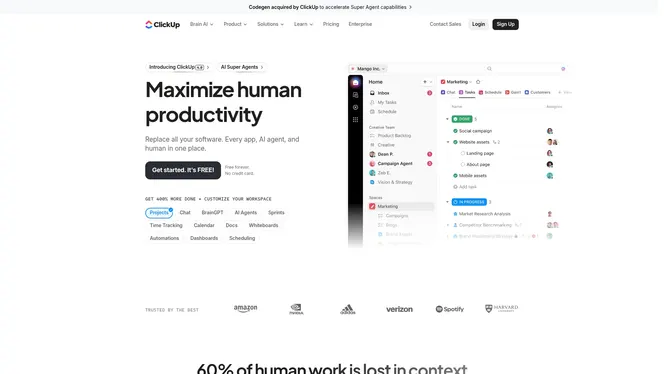
ClickUp is an all-in-one productivity workspace that aims to replace multiple apps by centralizing project management, AI automation, and team collaboration. It combines task tracking, AI super agents, and customizable workflows to help teams reduce context switching and administrative overhead. For tech startup project managers in Hungary focused on AI-driven workflows, ClickUp offers a powerful toolkit—though its breadth can feel overwhelming at first.
Core Features
ClickUp provides project management and task tracking alongside AI super agents that automate repetitive work and assist decision-making. Paid plans unlock unlimited tasks and broad integrations, while built-in time tracking, whiteboards, automations, dashboards, goals, portfolios, and reports give you visibility across initiatives. The feature mix targets both day-to-day task execution and higher-level program oversight, letting you switch between granular boards and portfolio views without leaving the platform.
Pros
- All-in-one platform cuts app sprawl: Replacing multiple tools lowers integration friction and reduces the number of places you hunt for context.
- AI capabilities that boost productivity: AI super agents can automate repetitive workflows and surface suggestions, shortening feedback loops for fast-moving teams.
- Flexible pricing tiers for different team sizes: The range from free to enterprise plans helps startups scale without a complete platform switch.
- Robust uptime and security posture: High availability and enterprise-level controls support sensitive development and customer workflows.
- Widely adopted by teams: Being trusted by over 10 million teams signals a mature ecosystem and plenty of community knowledge to tap into.
Cons
- Complexity might be overwhelming for new users: The platform’s depth creates a learning curve that can slow initial onboarding for lean teams.
- Key capabilities tied to paid plans: Some useful features and limits on integrations or automation require upgrading, which can be a barrier for bootstrapped startups.
- Pricing can escalate with scale or advanced needs: As you add users and require enterprise features, your monthly costs may rise faster than expected.
Who It’s For
ClickUp suits teams and organizations that want to centralize planning, execution, and automation in one workspace. For Hungarian tech startup project managers coordinating AI-driven development and cross-functional squads, ClickUp is useful when you need portfolio-level visibility and automated, repeatable processes without stitching together many point tools.
Unique Value Proposition
ClickUp’s unique value is its ambition to be the single pane of glass for work: project tracking, AI automation, reporting, and integrations bundled into one customizable workspace. That reduces time spent on context switching and offers powerful automation points that can free up developer and product manager hours each week.
Real World Use Case
A marketing team uses ClickUp to plan campaigns, automate content handoffs, and track progress with dashboards. Automations handle routine approvals and status updates, while AI super agents suggest task breakdowns and copy drafts, letting the team focus on strategy rather than process minutiae.
Pricing
Free forever plan available; paid plans start at $7 per user per month for business, $12 per user per month for mid-sized teams, and enterprise pricing is custom.
Website: https://clickup.com
Wrike
At a Glance
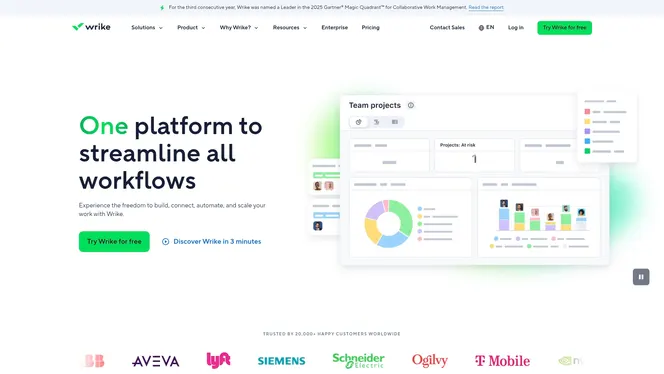
Wrike is an AI-powered enterprise work management platform designed to unify planning, execution, reporting, and learning across teams. It shines when you need visual collaboration—think whiteboards and Kanban boards—combined with automation and AI-driven forecasting to increase visibility. For Hungarian tech startup project managers juggling multiple product tracks, Wrike offers enterprise-grade controls and integrations but comes with complexity that can slow initial adoption. Bottom line: powerful for program-level coordination, but expect a ramp-up period.
Core Features
Wrike centralizes work management and project planning while layering visual collaboration tools like whiteboards and Kanban boards on top. Its AI-driven analytics and forecasting help anticipate bottlenecks and inform prioritization, and workflow automation reduces repetitive tasks. The platform includes resource and capacity planning tools that let you manage staffing and budgets in real time, which is critical when you run concurrent product initiatives or shift engineers between sprints.
Stop. Consider this.
If you lead several interconnected projects (a program) and need to see dependencies, Wrike’s planning and resource features are built to give that cross-project visibility—assuming you invest time to configure them.
Pros
- Leader in Collaborative Work Management: Gartner has recognized Wrike as a leader for multiple consecutive years, which signals maturity and reliability in large-scale deployments.
- Highly Customizable: Teams can tailor workflows and views to industry-specific needs, allowing startup teams to match Wrike to their existing processes rather than forcing a one-size-fits-all approach.
- Extensive Integration Ecosystem: With support for over 400 apps, Wrike can connect your CRM, developer tools, and productivity stack to create a single source of truth for program reporting.
- Strong Security and Compliance Focus: The platform emphasizes enterprise-grade security measures, which matters when you handle customer data or collaborate with external partners.
- AI-Powered Automation and Forecasting: Built-in AI can automate routine tasks and provide forecasting that helps you allocate resources before deadlines slip.
Cons
- Complexity Requires Training: The platform’s robust feature set often requires formal training for teams to use it effectively.
- Pricing May Be Costly for Small Teams: Small or early-stage startups may find the cost of higher-tier plans and paid add-ons burdensome.
- Advanced Features Often Paid Add-Ons: Some integrations and advanced capabilities are only available as extra purchases, adding to total cost and configuration time.
Who It’s For
Wrike suits large to enterprise-sized organizations and startup teams that are scaling rapidly and need a customizable, secure system that connects across functions. If you run multiple projects that form a broader program—marketing, product development, and professional services working in tandem—Wrike gives you the visibility and controls to coordinate them.
Unique Value Proposition
Wrike combines visual collaboration, deep customization, and AI-driven forecasting with a broad integration network. That mix makes it especially valuable for teams that must manage complex, interdependent work streams and need real-time resource planning and automated workflows to reduce manual overhead.
Real World Use Case
A global marketing firm uses Wrike to manage multi-phase campaigns across departments, applying automation to asset handoffs and using resource planning to keep designers and copywriters aligned with sprinted delivery dates—improving on-time launches across regions.
Pricing
Wrike offers multiple plans, starting with a free tier and scaling to enterprise solutions with custom pricing based on features and team size.
Website: https://wrike.com
{“type”:“object”,“properties”:{“text”:{“type”:“string”,“description”:“HTML table markup”}}}
Master Program and Project Management with AI-Driven Efficiency
Managing both program and project complexities requires clarity, automation, and seamless team collaboration. The article highlights the challenge of balancing multiple interconnected projects while maintaining oversight and avoiding chaos. If you are a Hungarian tech startup leader or project manager striving to unify CRM, task tracking, and customer journeys without juggling fragmented tools, Gammatica offers a compelling solution designed exactly for these needs.
With Gammatica, you benefit from AI-powered task management, customizable workflows, and deep integrations with platforms like Make.com that reduce administrative burdens and save up to 16 hours weekly. Its intuitive interface supports Kanban boards, calendar reminders, and real-time collaboration while enabling you to scale workflows from individual tasks to complex programs with permission controls and automation. Experience how AI suggestions and pre-made templates empower your team to move faster and smarter.
Ready to streamline your project and program management workflows today

Discover how Gammatica’s AI-driven project management platform can transform your operations. Take control with our task management, CRM integration, and automation tools now by exploring more on Gammatica and start freeing your time for strategic growth.
Frequently Asked Questions
What is the main difference between programme management and project management?
Programme management focuses on coordinating multiple related projects to achieve strategic objectives, while project management is more concerned with delivering specific project goals within defined parameters. To grasp the distinction, consider that programme management looks at the big picture, often involving long-term outcomes, whereas project management emphasizes meeting deadlines and deliverables on a singular task or initiative.
How can I determine if my organization needs programme management instead of project management?
Evaluate your organization’s goals and complexity of initiatives. If you are overseeing multiple interconnected projects that aim to achieve broader objectives, consider adopting programme management to streamline processes and enhance resource allocation. Begin by mapping out your current projects and identifying any that share common goals or resources.
What are the key skills required for effective programme management?
Key skills include strategic thinking, stakeholder management, and advanced communication abilities, along with risk management and resource optimization. Focus on developing these skills through workshops or training, which can significantly enhance your team’s effectiveness in managing large-scale initiatives.
How do I measure the success of a programme management approach compared to project management?
Success can be measured by evaluating alignment with strategic goals, stakeholder satisfaction, and overall resource efficiency. Establish key performance indicators (KPIs) that reflect these aspects and monitor them regularly to assess effectiveness.
Can I transition from project management to programme management smoothly?
Yes, transitioning from project management to programme management is possible and involves expanding your understanding of broader organizational goals while enhancing your leadership skills. Start by seeking mentorship from experienced programme managers and taking on progressively larger projects that require coordination across teams.
What tools should I consider for implementing programme management?
Look for comprehensive tools that offer features for tracking multiple projects, resource management, and reporting across programs. Consider exploring options that provide integrated views and collaborative capabilities to support your programme management efforts effectively.