Most advice about setting goals leaves American professionals guessing about where to start and how to track real progress. Studies show that only about 8 percent of people actually achieve their New Year’s goals, leaving many frustrated year after year. Understanding the SMART approach can cut through confusion, giving you a formula for reaching your objectives with clarity and focus. This guide reveals how to set, refine, and execute your goals so that your next achievement feels both possible and rewarding.
Table of Contents
- Step 1: Define Your Objective Using The SMART Criteria
- Step 2: Customize The Smart Goal Template For Your Needs
- Step 3: Assign Responsibilities And Set Deadlines
- Step 4: Integrate Tracking And Automation Tools
- Step 5: Review Progress And Adjust The Template
Step 1: Define your objective using the SMART criteria
Let’s get crystal clear on how to transform your goals from vague wishes into powerful, actionable targets. When setting objectives, you need a framework that turns abstract ideas into concrete plans. That’s where the SMART method comes in perfect: a systematic approach that breaks down goal setting into manageable, meaningful steps.
To craft a SMART objective, you’ll want to apply the comprehensive guidelines from academic experts. Each letter in SMART represents a critical component of effective goal planning. Start by making your goal Specific: answer the fundamental questions of who, what, when, where, and why. A specific goal eliminates ambiguity and provides clear direction. Next, ensure your objective is Measurable by establishing concrete criteria that let you track progress. Without measurement, you can’t determine whether you’re moving toward your goal or spinning your wheels.
The remaining letters provide additional structure. Make sure your goal is Achievable by honestly assessing your current resources and capabilities. Realistic means aligning the objective with your broader strategic vision. Time-Bound refers to setting a clear deadline that creates urgency and helps you stay accountable. Pro tip: Write your SMART objective as a precise statement that someone else could read and understand exactly what you intend to accomplish.
Ready to turn this framework into action? Your next step is to draft your initial objective using these SMART guidelines and then refine it until it meets all five criteria.
Step 2: Customize the smart goal template for your needs
Customizing a SMART goal template transforms a generic framework into a powerful personal planning tool that speaks directly to your unique situation. Think of this template like a flexible blueprint you can adjust to match your specific professional or personal objectives.
Start by examining the standard SMART template and identifying areas where you need more flexibility. Some professionals prefer adding extra columns for tracking progress milestones or resource allocation. Others might want space to note potential obstacles or contingency plans. The key is making the template work for you rather than forcing yourself to fit a rigid structure. Consider creating separate sections for each SMART component (Specific, Measurable, Achievable, Realistic, Time-Bound) with guiding questions or prompts that help you dig deeper into your goal setting.
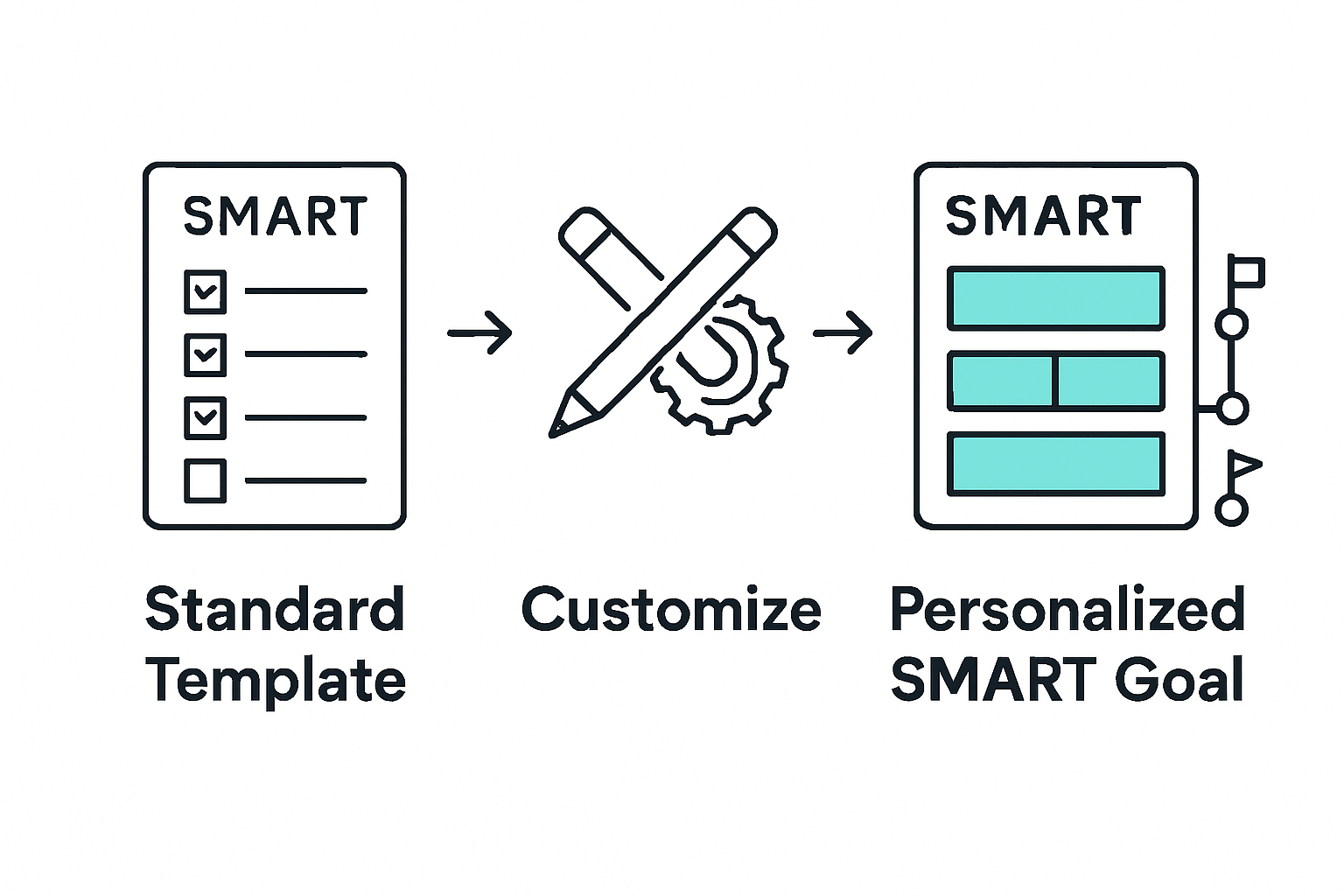
A practical approach involves creating digital or physical templates with built-in flexibility. Use spreadsheet software like Microsoft Excel or Google Sheets to design a customizable goal tracking system. Add conditional formatting that changes color based on progress or include dropdown menus for standardized tracking metrics. Your template should feel intuitive and motivating when you look at it something that energizes you to take action rather than feeling like an administrative burden. Pro tip: Review and refine your template every few months to ensure it continues meeting your evolving needs and goal-setting strategies.
With your personalized template ready, you are now prepared to start mapping out goals with precision and clarity.
Step 3: Assign responsibilities and set deadlines
Assigning clear responsibilities and establishing precise deadlines transforms your SMART goal from a theoretical concept into an actionable plan. This crucial step ensures everyone understands exactly what they need to do and when they need to complete it.

Dive into the details by creating comprehensive guidelines for personal objective management. Start by mapping out each specific task and identifying the team member or individual best suited to handle it. Consider each person’s strengths, current workload, and skills when making assignments. Be explicit about expectations: who is responsible for what, what success looks like, and the specific outcomes you expect. This clarity prevents confusion and reduces the likelihood of tasks falling through the cracks.
When setting deadlines, build in some strategic flexibility. Break larger objectives into smaller milestones with intermediate checkpoints. This approach allows you to track progress, make adjustments, and provide support where needed. Use a shared project management tool or collaborative spreadsheet where team members can update their progress in real time. Pro tip: Always include a buffer of 10-15% extra time for unexpected challenges or complexities that might arise during goal execution.
With responsibilities assigned and deadlines set, you are now ready to launch your SMART goal and begin tracking progress systematically.
Step 4: Integrate tracking and automation tools
Tracking and automation tools transform your SMART goal from a static plan into a dynamic, living strategy that adapts and evolves with your progress. These technological companions help you monitor performance, identify bottlenecks, and maintain momentum without getting bogged down in manual reporting.
Begin by selecting tools that seamlessly integrate with your existing workflow and provide real-time visibility into your goal’s progress. Look for platforms that offer customizable dashboards, automated reporting, and the ability to set up alerts for key milestones. Some project management software allows you to create visual progress trackers that update automatically as team members complete tasks. Consider tools that support multiple views like Gantt charts, kanban boards, or spreadsheet formats so you can analyze your goal from different perspectives.
When implementing these tools, focus on user friendliness and adoption. The most sophisticated system fails if your team finds it complicated or cumbersome. Invest time in training and create clear guidelines about how and when to update the tracking system. Pro tip: Choose tools that offer mobile access, enabling team members to update progress in real time from anywhere. Automation can handle routine updates, sending reminders, generating progress reports, and flagging potential delays before they become critical issues.
With your tracking and automation infrastructure in place, you are now equipped to monitor your SMART goal with precision and agility.
Step 5: Review progress and adjust the template
Periodic review and strategic adjustment are the heartbeats of any successful SMART goal tracking system. Think of this step as your performance maintenance checkup where you diagnose what is working, identify potential improvements, and recalibrate your approach to ensure continued momentum.
Learn from comprehensive strategies for evaluating and refining objective frameworks. Schedule regular review sessions every 30 to 45 days to thoroughly assess your goal’s progress. During these sessions, examine each component of your SMART goal critically. Look beyond surface level metrics and dive deep into the qualitative aspects of your performance. Are your initial assumptions still valid? Have unexpected challenges emerged? Have team capabilities or external circumstances shifted? Analyze your tracking data objectively, comparing actual results against your original benchmarks.
When adjusting your template, maintain flexibility without losing structure. Make incremental modifications rather than wholesale changes that could disrupt ongoing work. Update your tracking tools, revise milestone dates if necessary, and reallocate resources based on your insights. Pro tip: Create a separate document to log your adjustments and rationale this creates a valuable historical record of your goal evolution and decision making process. By treating your SMART goal template as a living document that adapts to changing conditions, you transform it from a static plan into a dynamic strategic tool.
With your template reviewed and refined, you are now prepared to continue pursuing your objectives with enhanced clarity and precision.
Boost Your SMART Goal Success with Gammatica
Setting Specific, Measurable, Achievable, Realistic, and Time-Bound objectives can be challenging without the right tools to organize, track, and automate your progress. This article highlights common pain points such as unclear task assignments, deadline management, and continuous progress tracking. If you find yourself overwhelmed by manual updates or struggling to keep your SMART goals alive and adaptable, it is time for a solution that simplifies these challenges.

Unlock your team’s potential with Gammatica.com, an AI-driven project and team management platform tailored to bring your SMART goals to life. With features like automated task management, easy deadline setting, and real-time progress tracking through Kanban boards and checklists, you can reduce administrative burdens and free up valuable time every week. Start creating precise, actionable plans with reliable responsibility assignments and seamless collaboration. Don’t wait for productivity to improve on its own—take control now by exploring how Gammatica’s intelligent automation and user-friendly interface can elevate your goal-setting process today. Visit Gammatica.com to start your journey toward smarter, faster results.
Frequently Asked Questions
How can I ensure my SMART goals are specific?
To make your SMART goals specific, clearly define who is involved, what you want to achieve, when and where it will happen, and why it is important. Start by answering these questions to eliminate ambiguity in your goal statement and ensure a focused direction.
What steps should I take to make my SMART goal measurable?
To make your SMART goal measurable, establish clear criteria that allow you to track your progress. Consider metrics such as completion percentage or deadlines, and ensure you can quantify your success with specific numbers, like aiming to complete 75% of your goal by a set date.
How do I customize a SMART goal template for my own needs?
You can customize a SMART goal template by adding sections that address your unique objectives, such as progress milestones or potential obstacles. Tailor the template to include guiding questions for each SMART component, making it applicable to your specific situation.
What is the best way to assign responsibilities for my SMART goals?
When assigning responsibilities, clearly define each task and match it to the individual best suited for the job based on their strengths and current workload. Use a simple chart or list to outline who is responsible for what, and share it with the team to ensure everyone is on the same page.
How frequently should I review my SMART goal progress?
You should review your SMART goal progress every 30 to 45 days to assess achievements and challenges. Set up regular check-in meetings to discuss progress, evaluate any changes needed, and keep the momentum going toward your objectives.
What tools can help me track my SMART goals effectively?
To track your SMART goals effectively, consider using project management software that offers customizable dashboards and automated reporting. Choose tools that are user-friendly and allow for real-time updates to keep all team members informed and engaged.