Every tech project manager knows the pressure of preparing reports that matter to the executive team. When your CEO in San Francisco, your board in London, and your investors in Berlin expect answers quickly, clarity cannot be optional. The right executive report offers a way to deliver focused, actionable insights in seconds, not hours, saving strategic leaders from sifting through endless details. This guide walks you through the essential elements, sharp structure, and automation tips that turn executive reporting from a time sink into a decision-making asset for global tech teams.
Table of Contents
- Defining An Executive Report’s Purpose And Scope
- Types Of Executive Reports For Project Managers
- Essential Elements And Automation Opportunities
- Integrating Data Visualization And Action Steps
- Common Reporting Mistakes And How To Avoid Them
- Sample Executive Report Layout For Tech Teams
Defining an Executive Report’s Purpose and Scope
An executive report serves a single, critical function: help busy decision makers understand what matters most in seconds, not hours. Unlike traditional reports that attempt comprehensiveness, an executive report is built on ruthless prioritization. Your job is to answer three questions your readers are silently asking: What’s the problem? Why should I care? What happens next?
Think of it this way. Your CEO has 47 emails waiting, a board meeting in 15 minutes, and a flight to catch. They cannot read a 40-page document. An executive summary functions as an “elevator pitch” that guides decision-makers efficiently through the main messages without requiring them to read the entire report. The goal isn’t to be complete; it’s to be useful. You’re not trying to impress with volume. You’re trying to move action forward.
The scope of an executive report is typically narrow and intentional. It identifies the problem, presents high-level findings, and delivers practical recommendations directly tied to those findings. Here’s what belongs in an executive report and what doesn’t:
- Include: The specific problem being addressed, key data points that support your conclusion, clear recommendations, and a call to action showing how these recommendations connect to business goals
- Exclude: Deep methodologies, exhaustive background research, tangential findings, lengthy disclaimers, or anything that doesn’t directly impact the decision at hand
For project managers in tech startups, this scope distinction matters enormously. You’re not writing for academics or compliance teams. You’re writing for people who will decide whether to allocate resources, adjust timelines, or change direction based on your report. That means every single element must earn its place. A single paragraph about your team’s sprint velocity might matter. A 12-page explanation of agile methodology doesn’t.
Start by defining what decision your report will influence. Are you asking for budget approval? Informing the team about project health? Recommending a process change? Once you know that decision, you can work backward to determine what information the decision-maker actually needs. You might discover that you initially planned to include 8 sections when 3 focused sections would drive action faster. That’s the kind of clarity that creates impact.
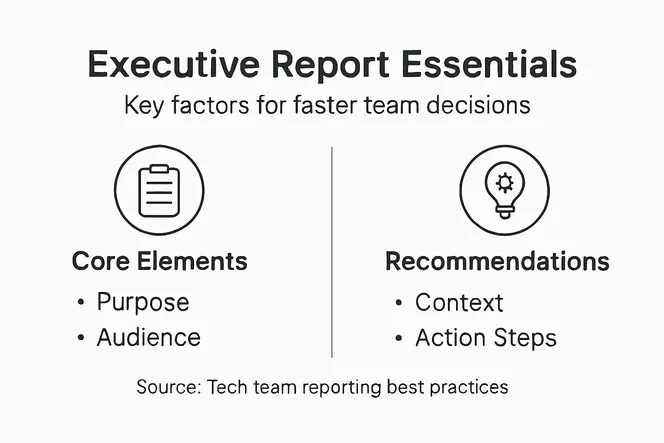
The real power of an executive report comes from understanding your context and crafting recommendations tied to client goals, then closing with a clear call to action. Don’t just tell your stakeholders what’s happening. Tell them what to do about it. That’s the difference between a report someone reads and a report that changes behavior.
Pro tip: Before writing a single word, write down the one decision your report must influence and the one outcome you want. Everything else in your report should ladder up to those two things. If it doesn’t, cut it.
Types of Executive Reports for Project Managers
You don’t write the same report for every situation. A status update for your CEO requires completely different information than a financial review for the CFO or a risk assessment for your steering committee. Smart project managers match the report type to the actual need, which saves time on writing and ensures stakeholders get exactly what they’re looking for. The key is understanding which report types exist and when each one actually drives value.
Status reports form the backbone of executive communication. These capture where your project stands right now, typically covering timeline progress, budget status, resource allocation, and any blockers that might derail delivery. A status report answers the question executives ask most: “Are we on track?” For a tech startup shipping a mobile app, your status report might highlight that backend integration is 87% complete, frontend testing begins next week, and you’ve identified a third-party API dependency that could slip the launch by two weeks. That’s actionable information. Status reports work best on a regular cadence (weekly, biweekly) so stakeholders get consistent visibility without drowning in documentation.

Beyond status reports, you’ll encounter several specialized report types that serve different purposes. Essential project reports include progress reports, risk analysis, financial tracking, resource allocation, and final reports, each designed to address specific stakeholder concerns. Progress reports track cumulative movement over longer timeframes (month to date, quarter to date), letting executives see momentum rather than just today’s snapshot. Risk and problem analysis reports dig into “what could go wrong” or “what is going wrong right now,” complete with mitigation strategies. Financial reports break down spend versus budget. Resource reports show team capacity and allocation constraints. Ad hoc reports respond to specific questions that pop up mid-project. Final reports, delivered at project closure, capture lessons learned and outcomes delivered.
The report type that matters most for your startup context is the executive dashboard. Dashboards distill complex project data into visual summaries: charts showing timeline health, budget burn, team velocity, risk status, and deliverables completed. Unlike narrative reports, dashboards let executives scan critical metrics in 30 seconds. Key executive report types include status reports, summary reports, analysis reports, and dashboards designed to inform strategic decisions, each targeting specific needs from ongoing project health to real-time monitoring. If your platform automates dashboard generation (pulling live data from your project management system), you remove the manual work of report creation and ensure accuracy. Your team updates tasks in your project management tool, and the executive dashboard updates automatically. That’s the efficiency gain that frees up 16 hours weekly across your team.
Here’s the practical breakdown for choosing which report to use:
- Weekly stakeholder calls? Deploy a status report covering this week’s progress, next week’s deliverables, and any risks that surfaced
- Monthly leadership review? Use a progress report showing cumulative achievement against plan plus a risk analysis if issues emerged
- Budget reviews or funding discussions? Lead with a financial report showing spend to date, forecast, and any cost impacts from scope or timeline changes
- Ongoing visibility for the executive team? Implement a dashboard they can check anytime without asking you for updates
- Specific problem that just arose? Deploy an ad hoc report addressing that specific question with data and recommendation
The mistake most project managers make is treating all reports the same. You write one long narrative report and send it to everyone. Instead, match your report format and content to what each audience actually needs. Your CEO doesn’t care about sprint burndown charts. Your tech lead doesn’t care about budget variance. Your CFO doesn’t care about feature priorities. Know your audience, pick your report type, and deliver exactly what they need to make their next decision.
Here’s a comparison of common executive report types and their main uses in tech startups:
| Report Type | Primary Audience | Typical Use Case | Key Benefit |
|---|---|---|---|
| Status Report | Executives, Leads | Weekly project progress and risks | Ongoing visibility |
| Progress Report | Leadership, Team | Monthly/quarterly milestones and results | Tracks momentum |
| Financial Report | CFO, Investors | Spend, forecasts, and budget discussions | Controls financial risk |
| Executive Dashboard | Exec Team, Board | Real-time health metrics and trends | Fast, visual decision making |
Pro tip: Use a simple template or automation tool to generate your most common report type (usually status reports) so you spend zero time on formatting and maximum time on the analysis that matters.
Essential Elements and Automation Opportunities
Every executive report needs the same core components, regardless of whether it’s a status update or a quarterly review. Get these elements right, and your report becomes credible and actionable. Miss them, and even perfectly accurate data gets ignored. The good news is that once you nail the structure, automation handles most of the heavy lifting. You stop manually copying numbers from spreadsheets and focus on what actually matters: the interpretation and recommendations that drive decisions.
Let’s start with what belongs in every executive report. Clear context sets the stage by explaining what project or situation you’re reporting on and why it matters to the business. Key metrics are the numbers that tell your story (budget spent, timeline progress, risk count, velocity, quality scores). Trend analysis shows whether those metrics are improving or degrading, which matters far more than any single data point. Recommendations tell stakeholders what action you want them to take based on the data. Finally, visual aids like charts and graphs make patterns instantly visible. Essential elements include clear context, key metrics, trend analysis, recommendations, and visual aids such as charts and graphs that distill complex business data into concise insights. Without visuals, executives spend mental energy decoding numbers. With them, patterns jump off the page.
Here’s a practical breakdown of what each element looks like in context. If you’re reporting on a mobile app launch, your context might be: “Backend integration for the payment system is our critical path. Delays here cascade to frontend testing and launch readiness.” Your key metrics include days remaining in the integration phase, percentage complete, and number of blocking bugs. Your trend analysis reveals whether the blocking bug count is growing (bad) or shrinking (good). Your recommendation might be: “Allocate one additional senior engineer to payment integration for the next two weeks to reduce blocking bugs and maintain launch timeline.” Your visual? A simple line chart showing bugs over time with a dotted line showing your target trajectory.
Now here’s where most project managers waste 5 hours weekly: manual data gathering and report assembly. You log into four different tools (your project management platform, time tracking system, budget spreadsheet, risk register), copy numbers into a presentation, format charts, send emails. This is where automation transforms your process. Automation tools consolidate data from multiple sources into clear, actionable insights while accelerating report generation, data integration, and visualization, freeing analysts from manual data preparation. If your platform integrates with your project management system, automation can pull live task data, calculate percentage complete, aggregate risk items, and generate charts automatically. Every time you update a task status, the report updates. No manual work. No version control headaches. No stale data.
Where Automation Saves Real Time
Think about these automation opportunities for your tech startup:
- Data aggregation: Automated pulls from your project management tool, time tracking system, and budget platform consolidate into one report. Instead of copying and pasting, automation handles it.
- Metric calculation: Instead of manually summing task hours or counting open risks, automation calculates these metrics from live data.
- Chart generation: Automated visualizations update whenever underlying data changes. Your trend lines refresh without intervention.
- Distribution: Scheduled reports auto-generate and email to stakeholders on a fixed cadence (Monday morning, end of month, etc.) without you lifting a finger.
- Consistency: Automated reports follow the exact same format every time, eliminating formatting inconsistencies that confuse stakeholders.
The kicker is that when you eliminate manual report assembly, you gain capacity to do the work that actually moves needles: interpreting data, identifying emerging risks before they explode, and crafting recommendations that prevent problems. That’s the strategic work executives pay you for. That’s also why freeing 16 hours weekly across your team isn’t hyperbole. It’s the difference between spending Friday afternoon building PowerPoint and spending Friday afternoon analyzing what your team’s velocity trends mean for delivery risk.
Pro tip: Start by automating your single most common report (usually the weekly status report), then layer in automation for other reports once the first one is stable and trusted.
Integrating Data Visualization and Action Steps
A table full of numbers tells a story nobody wants to read. A single well-designed chart tells that story in three seconds. The difference between a report that gets ignored and a report that drives action often comes down to how you present your data. But visualization alone isn’t enough. You need to couple every visual insight with a clear action step that tells stakeholders exactly what you want them to do based on what they’re looking at. That’s where reports transform from informative documents into decision-making tools.
Think about how your brain processes information. When you see a line chart showing velocity declining week over week, your brain immediately grasps the trend. You see the problem visually before reading a single word. When you see that same data in a table (Team A: 45 points week one, 42 points week two, 38 points week three), your brain has to work to extract the pattern. Data visualization enhances decision-making by transforming complex data sets into accessible and meaningful representations, which promotes data-driven action when coupled with clear recommendations and context. The visualization isn’t decorative. It’s functional. It speeds comprehension and reduces decision-making friction.
But here’s the critical part that separates effective executive reports from pretty presentations: every visual must connect directly to an action step. You show the declining velocity chart, then immediately follow it with your interpretation and recommendation. Something like: “Velocity has declined 16% over three weeks, indicating team capacity constraints or emerging technical blockers. Recommend: Allocate two days next sprint for technical debt paydown to clear blockers, and assess whether current workload matches team capacity.” That’s not just analysis. That’s a decision you’re asking your stakeholders to make. The visual makes the problem visible. The action step tells them what to do about it.
Matching Visuals to Your Story
Data visualization integration involves tailoring graphical representations to audience needs and report objectives, selecting appropriate chart types and balancing detail with simplicity to drive actionable conclusions. Different situations demand different chart types, and choosing the wrong one buries your insight. Here’s what works:
- Line charts: Show trends over time. Perfect for velocity, budget burn, or bug counts. Use when you want to show whether something is improving or degrading.
- Bar charts: Compare values across categories. Great for showing which project phase is consuming budget, or comparing velocity across sprints.
- Progress bars: Show completion status. Ideal for timeline progress or deliverable completion percentage. Executives scan these instantly.
- Heat maps: Show intensity of issues across dimensions. Useful for risk by phase (red means high risk), or resource allocation intensity.
- Gauge charts: Show current status against a target. Perfect for showing whether you’re on budget (needle pointing to target) or over budget (needle past target).
The mistake most project managers make is creating elaborate visualizations that require explanation. Your chart shouldn’t need a legend that takes 30 seconds to decode. If stakeholders need to ask “what am I looking at,” your chart failed. The best executive report visualizations are so clear that meaning jumps out instantly.
After every visual, embed a brief action step that connects the insight to a decision. Your structure should follow this pattern:
- The visual: A chart or graph showing data
- The insight: One sentence explaining what the visual shows (“Timeline health is at 73%, down from 85% two weeks ago”)
- The interpretation: Why it matters (“The decline reflects delays in backend integration, our critical path”)
- The action: What you need stakeholders to do (“Recommend accelerating backend integration by reallocating frontend resources temporarily”)
That sequence takes six seconds to read but gives executives everything they need to decide. They see the problem visually, understand why it matters, and know exactly what action you’re recommending. No confusion. No interpretation delays. No follow-up meetings asking “what does this mean?”
Here’s a practical example. Your budget report shows spending is 67% through month two of a four-month project, but your budget burn line is trending toward 85% spend by month four. The visual is a line chart. The insight is “We’re on pace to overspend by 12%.” The interpretation is “This reflects three unbudgeted contractor days and two additional cloud infrastructure costs we didn’t anticipate.” The action is “Recommend reviewing whether remaining scope can accommodate these cost overruns, or whether we need to adjust timeline or resource plans.” That’s a complete, actionable report section.
Pro tip: Create a simple visual template showing which chart types work best for which insights (velocity trends, budget variance, timeline health, risk distribution), then reuse that template across all your reports for consistency.
Common Reporting Mistakes and How to Avoid Them
Most project managers make the same reporting mistakes repeatedly, and they don’t realize it until they watch their CEO skim a report for 10 seconds and move on. That’s the moment you understand that effort doesn’t equal impact. You spent three hours building that report, but your stakeholders didn’t get the value you intended. The good news is that these mistakes follow predictable patterns. Once you identify them, they become easy to avoid. And your reports transform from ignored documents into decision-making tools.
The number one mistake is unclear purpose. You start writing a report without defining why it exists. Is this report asking for a decision, informing stakeholders about status, warning about emerging risks, or celebrating a milestone? If you can’t answer that in one sentence, your reader won’t know it either. Common mistakes in report writing include unclear language, poor structure, insufficient research, and information overload, which reduce readability and engagement. Before you write a single word, write down your report’s single purpose. “This report requests budget approval for infrastructure scaling” is clear. “This report updates leadership on project status” is clear. “This report is an overview of our current situation” is vague. That vagueness transfers to your entire report.
The second massive mistake is information overload. You include everything you know because you’re afraid of leaving out something important. You add background research, methodology explanations, historical context, alternative analyses you rejected, and seven different visualizations when three would suffice. The result is a report that overwhelms instead of informs. Executive reports should follow a ruthless inclusion principle: if it doesn’t directly support your conclusion or recommendation, it doesn’t belong. Your CEO doesn’t care about your research process. They care about your findings and what you recommend they do. Trim ruthlessly. If you’re uncertain whether to include something, leave it out. You can always add it back if someone asks.
Another critical mistake is ignoring your audience. You write a technical report for your engineering team when your audience is the C-suite. You use jargon (“our velocity trend indicates sprint capacity constraints”) instead of plain language (“we can’t fit the current workload into our sprints”). You include implementation details when executives care about business impact. Prevention involves understanding the audience’s knowledge level, using plain language, and tailoring reports to reader needs so stakeholders grasp your message immediately. Before writing, ask yourself: What does this audience know? What do they care about? What decision are they making? Then write specifically for those answers. Your CFO needs to understand budget impact and financial risk. Your CTO needs to understand technical risk and resource implications. Your CEO needs to understand business impact and strategic alignment. Same project, three completely different reports.
The Mistakes That Kill Credibility
Beyond unclear purpose and information overload, watch out for these credibility killers:
- Stale data: Your report uses numbers from two weeks ago when current numbers are available. Executives notice. They wonder what else is outdated.
- Unsupported claims: You say “the team is working at full capacity” without showing metrics that prove it. You need the data.
- Missing context: You report that timeline health is 73% without explaining what that means or why the reader should care. Context transforms numbers into insights.
- No recommendations: You identify a problem, describe it thoroughly, and then stop. You didn’t tell stakeholders what to do about it. You made their job harder.
- Inconsistent format: Your first section uses one chart style, your second uses another. Your first section has recommendations in bold, your second section buries them in paragraph text. Inconsistency makes reading harder.
Here’s a simple check before you hit send on any report: Read it as if you’re your intended audience with zero context. Can you answer these questions in under one minute: What’s the purpose of this report? What’s the key finding? What decision is being requested? If you can’t answer all three, rewrite the opening until you can. That’s your quality gate.
One final mistake worth highlighting: reports with no clear next steps. You’ve done all the work, built the analysis, created beautiful visuals, but then you close with something vague like “We’ll continue monitoring this situation.” What does that mean? Who does what? By when? Instead, end every executive report with a specific action step. “We recommend approving the infrastructure budget by Friday so implementation can begin Monday,” not “We should probably think about our infrastructure.” Specificity signals confidence and moves action forward.
Pro tip: Before circulating any executive report, test it on one trusted colleague outside your project who knows nothing about it: can they explain your key finding and recommendation to someone else in under two minutes?
The table below summarizes typical reporting mistakes and smarter alternatives for greater executive impact:
| Common Mistake | Impact on Decision Makers | Smarter Approach |
|---|---|---|
| Unclear report purpose | Causes confusion | State purpose at the top |
| Information overload | Overwhelms stakeholders | Include only what drives decisions |
| Ignoring the audience | Reduces engagement | Tailor content for each stakeholder |
| Stale or missing data | Erodes credibility | Use live, up-to-date information |
| No clear next steps | Delays action | End with specific recommendations |
Sample Executive Report Layout for Tech Teams
Having a template removes the friction of creating reports from scratch. Every time you sit down to write, you’re not starting with a blank page debating structure. You’re filling in a proven format that stakeholders already know and expect. This consistency saves time and builds credibility. Your team stops wondering “how do I organize this?” and starts asking “what data should I include?” That shift in focus from structure to substance is where quality reporting happens.
A solid executive report for tech teams follows a predictable structure that works whether you’re reporting on product development, infrastructure projects, or platform performance. A typical executive report includes a title page, executive summary, introduction, body with key findings and analysis, recommendations, conclusion, and appendices with visual aids to clarify complex technical data and ensure concise communication. But let’s be practical. For most tech startups operating at speed, you don’t need all seven sections. You need a lean version that respects executive time while delivering every critical piece of information. Here’s what actually works:
The Lean Executive Report Structure
1. Header (who, what, when)
Start with three pieces of metadata: Report title, report date, and intended audience. Examples: “Mobile App Launch: Weekly Status Report” (January 17, 2025, Leadership Team). This takes two seconds and prevents confusion about which report version you’re reading.
2. Executive Summary (30 seconds total)
Three sentences. That’s it. First sentence states the current status or main finding. Second sentence explains why it matters. Third sentence states your recommendation or next step. Example: “Backend integration is 87% complete but testing revealed three critical bugs blocking frontend integration. These bugs delay testing by approximately five days. We recommend allocating two senior engineers to bug fixes this week to maintain our launch timeline.” Done. Your CEO knows what they need to know.
3. Key Metrics (visual)
Show your most critical numbers in a visual format. For a product launch, this might be: Timeline Health (85%), Budget Status (On Track), Risk Count (3 Critical, 7 Medium). Use progress bars, gauges, or simple number displays. No complex charts here. Just the essential vital signs.
4. Detailed Analysis (one to two sections)
Dig into the metrics that need explanation. If timeline health is 85%, explain why it’s not 95%. If you have three critical risks, describe each one and why it matters. Use one chart per section showing the specific data you’re explaining. A line chart showing bug count over time supports your backend integration discussion. A bar chart comparing estimated hours to actual hours supports your timeline discussion. Match the visualization to the insight.
5. Risks and Mitigation (bullet points)
List your top three to five risks with mitigation strategies. Format: Risk statement, likelihood, impact, mitigation action. Example: “Risk: Third-party payment API endpoint changes could require re-integration (likelihood: Medium, impact: High). Mitigation: Begin integration testing with API sandbox this week and establish weekly sync with vendor.” This shows you’re thinking ahead, not just reacting.
6. Recommendations and Next Steps (numbered list)
Be specific. Not “continue progress on backend development.” Instead: “1. Allocate two engineers to bug fixes (days 1-3 this week). 2. Conduct integration testing with payment API sandbox (days 4-5). 3. Schedule vendor sync call for Friday to confirm no endpoint changes are planned.” Each item should answer: What? Who? By when?
7. Appendix (optional)
If you have detailed supporting data (velocity trends, resource allocation details, historical comparisons), put it here. It’s available if someone asks but doesn’t clutter your main report.
That’s seven sections, but realistically, sections 1, 2, 3, 5, and 6 drive 95% of the value. Sections 4 and 7 are conditional. If you have space and it adds clarity, include detailed analysis. If not, move on. The appendix exists only if you have substantive supporting material.
Making It a Repeatable Template
The real power comes from templatizing this structure. Create a document (Google Doc, Word template, whatever your team uses) with these sections as placeholders. Fill in the same information week after week. Your team spends 45 minutes gathering data and writing content, not two hours learning new structure each time. Your stakeholders scan the same layout each week, finding what they need faster. After three weeks, they can read your report in 90 seconds because they know where everything lives.
If you’re using Gammatica or similar project management platforms, automation can pre-populate sections 1, 2, and 3 automatically by pulling live data from your project. Your metrics update without manual entry. Your timeline health, budget status, and risk count pull directly from your project management system. You then spend time only on sections 4, 5, and 6 (the analysis and recommendations that require human judgment). That’s where the 16-hour-per-week time savings becomes real.
Pro tip: Create two templates: a weekly status report (one page) and a monthly review (two pages), then use these exclusively so your team develops a rhythm and stakeholders know what to expect.
Accelerate Your Executive Reporting with Gammatica
Struggling to create executive reports that truly drive faster decisions? This article highlights common challenges like information overload, unclear purpose, and manual report assembly that steal precious time and reduce impact. If you want to deliver clear, action-oriented, and visually compelling reports while saving hours every week, Gammatica’s AI-driven platform is built exactly for that need.

With Gammatica, you get seamless automation of data aggregation, real-time dashboards, and pre-made executive report templates that help your team prioritize insights and recommendations effortlessly. Say goodbye to manual updates and hello to more strategic focus. Discover how Gammatica combines task management, calendar coordination, and AI-powered suggestions to free up to 16 hours weekly for project leaders across industries. Start turning your executive reports into powerful decision tools today by exploring Gammatica’s platform and learn more about streamlining your workflows here. Don’t wait let Gammatica transform how your team communicates success and drives business results now.
Frequently Asked Questions
What is the main purpose of an executive report?
An executive report is designed to help busy decision-makers quickly understand critical information without having to read lengthy documents, focusing on key problems, implications, and actionable recommendations.
How do I determine the scope of my executive report?
The scope of an executive report should be narrow and intentional. Identify the specific problem being addressed, present high-level findings, and include clear recommendations tied to those findings.
What are common mistakes to avoid when writing an executive report?
Common mistakes include unclear purpose, information overload, ignoring the audience, using stale data, and failing to provide clear next steps. Each report should be focused, concise, and tailored to the decision-makers’ needs.
What elements should I include in every executive report?
Every executive report should include clear context, key metrics, trend analysis, actionable recommendations, and visual aids such as charts and graphs to enhance clarity and facilitate quick decision-making.