AI-driven help desks can resolve up to 80% of support requests and cut resolution times to under 3 minutes. That’s not a chatbot answering FAQs. That’s intelligent automation handling real customer issues, escalating complex cases, and freeing your team to focus on high-value interactions. If you still think AI support means rudimentary bots, you’re missing the revolution happening in help desk solutions right now. This article will clarify the key features, compare leading platforms, expose common pitfalls, and give you a framework for selecting the solution that fits your mid-sized business.
Key Takeaways
| Point | Details |
|---|---|
| AI enables rapid resolution | Modern help desk solutions use AI to resolve most tickets faster and at lower costs than human teams. |
| Feature selection is critical | Choosing the right platform means prioritizing automation, context integrity, and compliance controls. |
| Not all help desks are equal | Platform strengths and pricing models vary widely—match solutions to your operations and scale. |
| Guard against implementation pitfalls | Audit for escalation breakdowns and AI risks to maintain quality and compliance. |
| Measure real business impact | Focus on cost per resolution and true ticket deflection, not just volume, to understand ROI. |
What is a help desk solution and why does it matter?
A help desk solution is a centralized platform that manages customer support requests through ticketing, automation, escalation, and omnichannel communication. It’s evolved from simple email inboxes into sophisticated systems that route inquiries, track SLAs, and use AI to resolve issues without human intervention. For mid-sized businesses, a dedicated help desk isn’t optional anymore. It’s the difference between sustainable growth and support chaos.
Core mechanics include ticketing via email, SLA management, omnichannel support, and AI tools for auto-resolution. When you rely on ad hoc tools like shared inboxes or spreadsheets, you lose visibility, accountability, and speed. A proper help desk gives you:
- Automated ticket creation from email, chat, social media, and phone
- Skills-based routing that matches requests to the right agent
- Escalation workflows that preserve context and prevent dropped issues
- Real-time dashboards showing queue depth, response times, and resolution rates
The immediate benefits are measurable. You reduce manual handling, improve first-contact resolution, and gain transparency into support performance. One study found that companies using modern help desk solutions saw customer satisfaction scores jump by 25% within six months.
“A dedicated help desk transforms support from reactive firefighting into proactive service delivery.”
Core features of modern help desk solutions
Not all help desk platforms are created equal. The best ones share a set of essential features that separate them from basic ticketing tools. Here’s what you should expect:
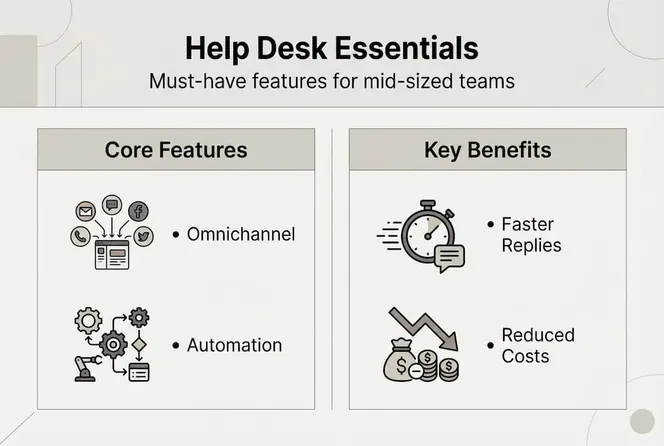
| Feature | Description | Impact |
|---|---|---|
| Omnichannel support | Unified inbox for email, chat, social, phone | Seamless customer experience |
| AI-driven triage | Automatic categorization and routing | Faster resolution, reduced agent workload |
| SLA management | Automated alerts and escalation rules | Prevents missed deadlines |
| Knowledge base | Self-service articles and FAQs | Deflects routine inquiries |
| Collision detection | Prevents multiple agents from working the same ticket | Eliminates duplicate effort |
| Reporting and analytics | Real-time dashboards and historical trends | Data-driven optimization |
Modern solutions use email-to-ticket conversion, skills-based routing, AI triage, and knowledge bases for automation. The omnichannel capability is particularly important. Customers don’t care whether they started a conversation on Twitter and finished it via email. They expect continuity. Your help desk should track the entire thread regardless of channel.
AI-driven triage goes beyond simple keyword matching. It analyzes sentiment, urgency, and historical patterns to route tickets intelligently. If a VIP customer emails about a billing issue, the system can flag it as high priority and assign it to your most experienced agent. If a new user asks a common question, the system can suggest a knowledge base article or trigger an automated response.
Success metrics tied to these features include:
- Ticket deflection rate: Percentage of inquiries resolved without agent involvement
- First-contact resolution (FCR): Issues solved in the first interaction
- Average handle time (AHT): Time from ticket creation to closure
When these metrics improve, your support costs drop and customer satisfaction rises. That’s the power of a well-designed help desk.

AI-driven tools: Beyond chatbots and into workflow automation
Let’s clear up the confusion. Basic chatbots answer FAQs by matching keywords to canned responses. True agentic AI takes action, preserves context across interactions, and integrates with backend systems to solve problems autonomously.
Advanced platforms like Freshdesk Freddy AI, Zendesk Copilot, and Intercom Fin offer unified workspaces, backend integrations, and intelligent automation that goes far beyond simple bots. Here’s what they actually do:
- Triage and categorization: Analyze incoming tickets and assign priority, category, and routing rules automatically
- Contextual escalation: When AI can’t resolve an issue, it hands off to a human agent with full conversation history and suggested next steps
- Summarization: Generate concise summaries of long ticket threads so agents can get up to speed instantly
- Backend-triggered actions: Update CRM records, trigger refunds, reset passwords, or provision accounts without human intervention
Industry benchmarks show AI agents can resolve 55-80% of incoming tickets, far surpassing FAQ-only bots. That’s a massive efficiency gain. If your team handles 1,000 tickets per month and AI resolves 700 of them, you’ve freed up hundreds of hours for complex problem-solving and relationship-building.
Pro Tip: Always test deflection and cost savings with your real ticket data. Run a pilot with a subset of your support volume and measure actual resolution rates, escalation quality, and customer satisfaction. Don’t rely on vendor promises alone.
The key differentiator is context preservation. When AI escalates a ticket, does the agent see the full conversation history, customer data, and AI’s attempted solutions? Or do they start from scratch? The best platforms maintain a unified timeline that includes every interaction, whether handled by AI or humans.
Comparing top help desk solutions for mid-sized businesses
Let’s ground this in practicalities. Here’s how leading platforms stack up for mid-sized businesses:
| Platform | Best For | AI Capabilities | Ease of Use | Cost per Agent | Support Quality |
|---|---|---|---|---|---|
| Freshdesk | Mid-market teams seeking affordability | Strong (Freddy AI) | Intuitive | $29/mo (Growth) | Excellent |
| Zendesk | Enterprise features at scale | Advanced (Copilot) | Moderate learning curve | $19/mo (Support), $100+/mo (AI) | Premium |
| Help Scout | Email-centric support teams | Basic | Very intuitive | $20/mo (Standard) | Strong |
Zendesk is robust but pricey; Freshdesk is intuitive and affordable; Help Scout works best for email-centric teams. Each platform excels in different scenarios:
- Zendesk offers the deepest feature set and best integrations for complex enterprise workflows. If you need advanced reporting, multi-brand support, and extensive customization, Zendesk delivers. The downside? Pricing for mid-size teams starts at $19/agent/mo for basic support, but full AI features often cost $100+/agent/mo.
- Freshdesk balances power and simplicity. Freddy AI handles triage, auto-responses, and sentiment analysis at a fraction of Zendesk’s cost. The Growth plan at $29/agent/mo includes automation, SLA management, and collision detection. It’s ideal for mid-sized businesses that want enterprise features without enterprise complexity.
- Help Scout focuses on email support with a clean, intuitive interface. It’s perfect for teams that prioritize human touch over heavy automation. The Standard plan at $20/agent/mo includes shared inboxes, collision detection, and basic reporting.
Pro Tip: Don’t underestimate the impact of transparent pricing and hidden costs on scale. Some platforms charge extra for AI features, advanced reporting, or API access. Calculate your total cost of ownership, including add-ons, integrations, and training time.
Pitfalls, edge cases, and common implementation mistakes
No solution is perfect. Even the best help desk platforms have documented failure modes. Here’s where things go wrong and how to guard against it:
Edge cases include context loss on escalation, AI hallucinations, weak multi-step handling, ambiguities, and compliance failures. Let’s break these down:
- Context loss on escalation: When AI hands off to a human, field mismatches or workflow disconnects can erase conversation history. The agent sees a bare ticket with no background, forcing them to ask the customer to repeat everything.
- AI hallucinations: Language models sometimes generate plausible-sounding but incorrect information. If your AI tells a customer their refund was processed when it wasn’t, you’ve created a bigger problem.
- Weak multi-step handling: Complex issues requiring multiple actions (check account, verify identity, process refund, send confirmation) often trip up AI. The system may complete step one but fail to trigger step two.
- Ambiguity and edge cases: Unusual requests, sarcasm, or vague language can confuse AI. A customer saying “This is great” might be sincere or sarcastic depending on context.
- Compliance failures: In finance, healthcare, or PCI-sensitive environments, AI must follow strict protocols. Logging, audit trails, and data handling become critical.
To bulletproof your implementation:
- Test state sync: Verify that escalated tickets include full conversation history, customer data, and AI actions
- Apply guardrails: Set confidence thresholds for AI responses. If the system isn’t 80% confident, escalate to a human
- Review AI responses: Regularly audit AI-generated replies for accuracy, tone, and compliance
- Measure true ROI: Track cost per resolution, not just ticket volume. A system that closes 1,000 tickets but creates 200 escalations isn’t efficient
“Always measure true ROI in cost per resolution, not just ticket numbers. Volume metrics can hide quality problems.”
Choosing the right help desk solution for your team
You’ve seen the features, compared platforms, and learned the pitfalls. Now let’s synthesize this into a selection framework:
- Define your requirements: List must-have features (omnichannel, AI triage, SLA management) and nice-to-haves (advanced reporting, custom workflows). Prioritize based on your support strategy.
- Evaluate vendor fit: Request demos and ask specific questions about context preservation, escalation workflows, and compliance controls. Don’t accept generic answers.
- Pilot with real data: Mid-sized firms should prioritize strong AI triage/escalation, and always audit with real ticket data for deflection efficacy. Run a 30-day pilot with a subset of your support volume.
- Measure outcomes: Track ticket deflection, FCR, AHT, and customer satisfaction before and after implementation. Calculate cost per resolution to determine true ROI.
- Audit for context and compliance: Verify that escalated tickets preserve full conversation history. Ensure logging and audit trails meet your industry requirements.
Matching solution strengths to your support strategy is critical. If your team values human touch and relationship-building, choose a platform like Help Scout that enhances email workflows without over-automating. If you handle high ticket volumes and need maximum deflection, Freshdesk or Zendesk with full AI capabilities makes sense.
| Quick Takeaway | Action |
|---|---|
| Test with real tickets | Run a pilot before committing |
| Audit escalation quality | Verify context preservation |
| Calculate cost per resolution | Measure true ROI, not just volume |
| Set AI confidence thresholds | Prevent hallucinations and errors |
| Review compliance controls | Ensure audit trails and data handling |
Streamline support with Gammatica’s intelligent solutions
Smart help desk solutions are just one piece of operational excellence. To turn strategy into measurable gains, you need platforms that connect support, project management, and team collaboration seamlessly. That’s where Gammatica comes in.

Gammatica VEX AI helps you automatically reply to customer support inquiries, reducing manual workload and improving response times. By integrating Gammatica VEX automation with your help desk, you create a unified system that handles routine requests, escalates complex issues, and preserves context across every interaction. Whether you’re managing support tickets, tracking sales pipelines, or coordinating team workflows, Gammatica’s AI-driven tools save you time and boost efficiency.
For leaders seeking comprehensive operational platforms, explore Gammatica Sales for pipeline management and resources for founders and leaders to streamline decision-making. When your help desk, CRM, and project management work together, you free up to 16 hours weekly and focus on growth instead of administration.
Frequently asked questions
What is the difference between a help desk and a service desk?
A help desk provides end-user support for immediate issues, while a service desk covers broader IT service delivery and management.
How do I measure ROI for a help desk solution?
Track cost per resolution, ticket deflection rates, and average handle time using before-and-after data. Industry benchmarks prove AI-enabled solutions reduce cost per resolution dramatically.
Is AI in help desk solutions risky for compliance-sensitive industries?
AI brings efficiency but requires strict controls and audit trails to ensure compliance, especially for financial or healthcare firms.
What types of tickets are best handled by AI vs humans?
AI resolves 55-80% of tickets; edge cases and ambiguity still require human oversight. Routine, repeatable requests suit AI, while complex or sensitive issues need human agents.
How long does it take to implement a help desk solution?
Implementation varies but most mid-sized teams can deploy a modern help desk within 2 to 6 weeks.