Most project managers treat release notes as an afterthought, a tedious checkbox on the deployment list. Yet these humble documents hold untapped power to transform how your team adopts AI-driven project management tools. When crafted strategically, release notes become productivity accelerators that reduce support tickets, speed onboarding, and ensure your enterprise extracts maximum value from every platform update. This guide reveals how to create, structure, and leverage release notes that turn feature launches into seamless team wins.
Key Takeaways
| Point | Details |
|---|---|
| Structured release notes | Structured release notes clarify updates and speed team adoption of AI driven project management features. |
| Semantic versioning clarity | Semantic versioning signals update significance and helps teams prioritize changes. |
| User focused language | Replace technical jargon with benefit oriented explanations so users understand what changed and what to do. |
| Automated note drafting | AI assisted drafting reduces administrative workload while requiring validation from product teams. |
The role of release notes in AI-driven project management
Release notes serve as the communication bridge between platform updates and team productivity. When your organization invests in AI project management tools, you expect measurable returns. AI project management tools reduce task completion time by up to 32% and increase sprint velocity by 19%, but these gains only materialize when teams understand and adopt new features quickly.
Consider how Enji’s project wizard transformed onboarding for mid-sized agencies. By documenting the wizard’s AI-powered setup flow in clear, benefit-focused release notes, they shortened client onboarding from three weeks to five days. Teams immediately grasped how the wizard automated project templates, resource allocation, and timeline forecasting. Without those notes, users would have stumbled through trial and error, negating the productivity boost.
Pro Tip: Structure your release notes around the question “What can I do now that I couldn’t before?” rather than listing technical changes. This reframes updates as capability expansions.
Release notes also function as preemptive support documentation. Release notes help lower support loads by proactively informing users about new features and fixes. When your support team fields fewer “How do I use this?” tickets, they redirect energy toward strategic initiatives. One enterprise client reported a 40% reduction in feature-related support requests after implementing comprehensive release notes with embedded video walkthroughs.
The strategic value compounds in AI-enhanced environments where features evolve rapidly. Your team needs constant updates about:
- New automation workflows that eliminate manual tasks
- Enhanced AI suggestions that improve decision accuracy
- Integration expansions that connect more tools
- Performance optimizations that accelerate workflows
Without systematic release notes, these improvements remain invisible, and your productivity investment stalls.
“Release notes transform platform updates from disruptive surprises into anticipated productivity gains. They’re the difference between teams resisting change and embracing it.”
Mechanics and best practices for writing effective release notes
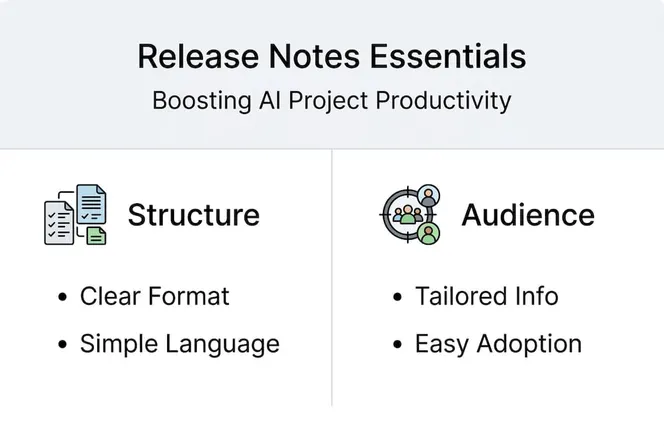
Effective release notes follow a predictable structure that respects how busy professionals consume information. Start by categorizing every update into four buckets: New features, Improvements, Fixes, and Breaking changes. This taxonomy helps readers quickly locate relevant information without scanning entire documents.

Best practices include categorizing changes, using semantic versioning, and employing scannable formats with headlines and bullet points. Semantic versioning (Major.Minor.Patch) signals update significance at a glance. A jump from 2.1.4 to 3.0.0 immediately communicates substantial changes requiring attention, while 2.1.5 suggests minor fixes.
Your language choices determine whether notes educate or confuse. Replace technical jargon with user-focused explanations:
- Instead of: “Implemented WebSocket protocol for real-time data synchronization”
- Write: “Task updates now appear instantly across all devices without refreshing”
The second version explains the benefit and required action (none, in this case) without demanding technical knowledge.
Pro Tip: Draft release notes before development completes. This forces product teams to articulate user value early, often revealing feature gaps that would otherwise ship.
Structure each entry with a clear headline, concise description, and action items:
- Headline: Summarize the change in 5-8 words
- Description: Explain what changed and why it matters (2-3 sentences)
- Action required: Specify if users must do anything (update settings, migrate data, learn new workflows)
- Resources: Link to detailed documentation, tutorials, or migration guides
Automation accelerates this process significantly. Integrate release note generation into your CI/CD pipeline by pulling commit messages, pull request descriptions, and issue tracker updates. Tools like Jira AI can draft initial notes from these sources, which your team then refines for clarity and completeness.
Tailoring release notes for different audiences such as executives and developers enhances understanding and adoption. Create two versions: an executive summary highlighting business impact (time saved, costs reduced, capabilities added) and a technical deep dive for implementation teams. This dual approach ensures stakeholders at every level grasp relevant implications without information overload.
Handling complexities and edge cases in enterprise release notes
Breaking changes demand special attention because they disrupt established workflows. Always position breaking changes at the top of your release notes with clear visual indicators like warning icons or colored backgrounds. Follow this structure:
- What’s breaking: Describe the deprecated feature or changed behavior
- Why we changed it: Explain the business or technical rationale
- Migration path: Provide step-by-step instructions for adapting
- Timeline: Specify when the old method stops working
- Support: Offer contact information for migration assistance
One common enterprise pitfall involves auto-save failures in configuration wizards. If your platform includes complex setup flows, ensure the wizard persists partial progress. Document this capability in release notes so users confidently experiment without fear of lost work.
Jargon overload kills comprehension. When technical terms are unavoidable, define them inline or link to a glossary. Consider this comparison:
| Technical Version | User-Friendly Version |
|---|---|
| “Enhanced REST API rate limiting via token bucket algorithm” | “API requests now handle traffic spikes more reliably, preventing slowdowns during peak usage” |
| “Migrated to microservices architecture” | “Platform stability improved through independent service scaling” |
Pro Tip: Run release notes through a readability checker targeting 8th-grade comprehension. If scores exceed this level, simplify language without sacrificing accuracy.
Consistency builds trust. Establish a release note template and stick to it. Users should instantly recognize your format, knowing exactly where to find breaking changes, new features, or security updates. This predictability reduces cognitive load and accelerates information processing.
Nearly half of release artifacts lack traceability, and 12% are broken, affecting enterprise adoption. Combat this by linking every release note entry to its source: the feature request, bug report, or strategic initiative that drove the change. This traceability reassures enterprises that updates align with their feedback and business needs.
Compliance and security updates require explicit documentation. Enterprise buyers scrutinize how platforms handle data protection, access controls, and regulatory requirements. When you patch a security vulnerability or add GDPR-compliant data export features, highlight these changes prominently. Include:
- CVE identifiers for security patches
- Compliance frameworks addressed (SOC 2, HIPAA, GDPR)
- Data handling changes that affect privacy policies
- Recommended actions for security teams
Leveraging AI to automate and optimize release note generation
AI technologies streamline release note creation while maintaining quality through strategic human oversight. LLMs excel in fluent note writing, while agent-based systems provide superior traceability and validation. LLMs analyze commit messages, pull requests, and issue descriptions to generate coherent, user-friendly narratives. They excel at transforming technical developer language into benefit-oriented explanations.
Agent-based systems complement LLMs by ensuring every generated statement traces back to verifiable sources. These systems cross-reference claims against actual code changes, preventing hallucinations where AI invents features that don’t exist. The combination delivers speed without sacrificing accuracy.
Your implementation workflow should look like this:
- Data collection: Aggregate commits, PRs, and issues since the last release
- AI generation: Feed data to LLMs with prompts emphasizing user benefits and clarity
- Agent validation: Run agent systems to verify claims against actual changes
- Human review: Product managers refine tone, add context, and ensure strategic alignment
- Stakeholder approval: Security and compliance teams verify sensitive updates
Pro Tip: Train your LLM on past release notes that received positive user feedback. This fine-tuning helps the model match your brand voice and preferred structure.
Hybrid human-AI collaboration yields the best results, balancing automation with nuanced leadership decisions. AI handles the tedious work of drafting and formatting, while humans inject strategic context that machines miss. For example, AI might describe a new automation feature technically, but a human adds the insight that this feature addresses the top customer pain point from last quarter’s feedback.
Track these KPIs to measure your release note effectiveness:
- Adoption rate: Percentage of users activating new features within two weeks
- Support ticket reduction: Decrease in feature-related support requests post-release
- Time to productivity: How quickly teams achieve proficiency with new capabilities
- Engagement metrics: Open rates, read time, and click-throughs on documentation links
- Feedback sentiment: User satisfaction scores specific to update communications
Integrate AI tools directly into your CI/CD pipeline. Platforms like Jira AI connect to your development workflow, automatically triggering note generation when releases tag. This integration eliminates manual handoffs and ensures notes ship simultaneously with features.
| Approach | Strengths | Limitations |
|---|---|---|
| Pure LLM | Fast generation, fluent writing, handles volume | May hallucinate features, lacks source verification |
| Agent-based | Superior traceability, validates claims, prevents errors | Slower processing, requires structured data |
| Hybrid (LLM + Agent + Human) | Combines speed, accuracy, and strategic context | Requires workflow coordination, human time investment |
Optimize your project management with Gammatica AI solutions
Transforming release notes from administrative tasks into strategic assets requires the right platform foundation. Gammatica VEX automates project workflows using AI, reducing the manual overhead that typically bogs down release management. The platform’s intelligent automation handles routine documentation tasks, freeing your team to focus on strategic communication and stakeholder engagement.

Gamematica Sales complements project management by streamlining client engagement and deal closure, ensuring your release updates reach customers effectively. Together, these tools create a hybrid human-AI environment where administrative tasks shrink and productivity soars. Explore Gammatica VEX automation to see how AI-driven workflows transform release management, or discover how Gammatica sales solutions enhance client communication around platform updates. When your tools handle the mechanics, your team elevates release notes from necessary documentation to competitive advantage.
Frequently asked questions
What are release notes in project management?
Release notes are structured documents that communicate updates, improvements, and fixes in project management tools to users. They explain what changed, why it matters, and what actions users should take. Effective notes reduce support requests by proactively educating teams about new capabilities and necessary workflow adjustments.
How do release notes improve team productivity?
Release notes reduce support loads by proactively informing teams about updates, thus saving time. Clear instructions speed user onboarding and adoption, allowing teams to leverage new features immediately rather than discovering them through trial and error. This proactive communication prevents productivity dips that occur when teams struggle with undocumented changes.
What are the challenges of automating release note creation?
AI-generated notes require validation because LLMs may miss complex nuances compared to hybrid human-AI teams. AI may lack emotional intelligence and contextual judgment about which updates matter most to specific user segments. Human review remains necessary to ensure clarity, relevance, and strategic alignment with business priorities.
How should enterprises distribute release notes for maximum impact?
In-app release notes achieve the highest engagement, supported by email and blog distribution with segmentation tools like AnnounceKit. Prioritize in-app notifications for immediate visibility when users log in, ensuring they see critical updates before encountering changes. Use email and blog updates for broader reach and detailed explanations, segmenting messages by user role so executives receive business impact summaries while developers get technical details.