
TL;DR:
- Cloud-based team management uses cloud tools and structured rhythms to improve collaboration regardless of location. Focusing on outcome-based accountability, asynchronous communication, and a clear operating schedule helps remote teams stay productive and focused. Managing remote teams effectively requires intentional design of communication, task ownership, and boundaries, not just adopting tools.
Cloud-based team management is the practice of using cloud technologies and structured workflows to coordinate, track, and optimize team collaboration and productivity regardless of location. The industry term for this discipline is distributed workforce management, and it goes far beyond picking the right apps. The real work is designing communication rhythms, assigning clear ownership, and measuring outcomes instead of hours. This guide gives you a practical framework built on 2026 remote management research, so you can lead your team with confidence whether they sit across the hall or across the globe.
What is cloud-based team management, and why does it matter now?
Cloud-based team management combines two things: the right cloud tools and a deliberate operating rhythm. Tools without rhythm produce chaos. Rhythm without tools produces friction. The combination is what separates high-performing distributed teams from ones that feel perpetually behind.

The core principles are visibility, accountability, and communication design. Every team member should know what they own, what success looks like, and how to surface blockers without waiting for the next meeting. When those three elements are in place, location becomes irrelevant to performance.
Managers who treat remote work as a temporary inconvenience tend to replicate office habits online. That means too many video calls, too many chat pings, and too little deep work. The better approach treats distance as a design constraint that, when addressed properly, actually produces clearer goals and documentation than most in-person teams ever achieve.
How does async vs. sync communication shape remote team productivity?
High-performing teams split communication into two distinct channels: asynchronous for routine updates and deep work, synchronous reserved for complex decisions and relationship building. This separation is not a preference. It is a structural choice that determines whether your team gets real work done.
Asynchronous communication covers the majority of daily interaction:
- Status updates posted in a shared channel or task board
- Written documentation of decisions, processes, and project context
- Feedback on deliverables via comments or recorded video walkthroughs
- Questions that do not require an immediate answer
Synchronous communication is reserved for situations where real-time dialogue adds clear value:
- Complex problem-solving that benefits from back-and-forth debate
- Weekly team check-ins and one-on-one meetings
- Onboarding sessions and relationship-building conversations
- Urgent issues that cannot wait for an async response
GitLab is the most cited example of async-first documentation done well. Their public handbook captures decisions, processes, and context in searchable written form, which means fewer meetings and faster onboarding. The principle scales to any team size.
The practical payoff is significant. Teams that adopt this rhythm reduce fragmentation and cut unnecessary check-in meetings, freeing up hours every week for focused work. That time compounds quickly across a team of ten or twenty people.
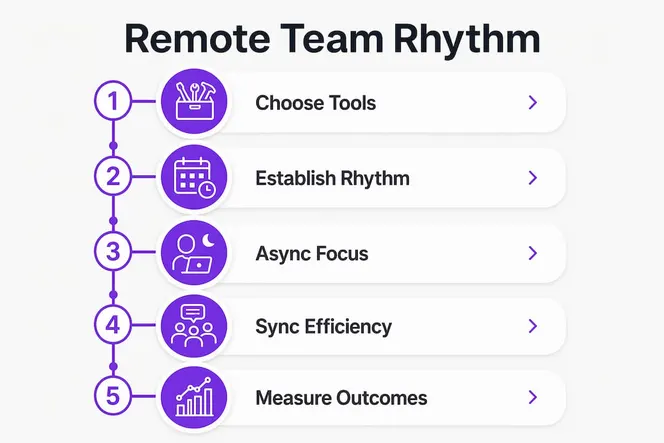
Pro Tip: Block two or three “no-meeting” days per week on your team calendar. Batch all synchronous calls into the remaining days. Your team’s output quality will improve within the first two weeks.
Why task ownership and outcome accountability replace micromanagement
The single most common failure in remote management is measuring the wrong thing. Tracking hours logged tells you when people are at their desks. It tells you nothing about whether they are delivering value.
Defining one owner per task, tracked against outcome metrics rather than time spent, solves this problem directly. When every assignment has exactly one accountable person and a clear definition of done, status meetings become optional. The work speaks for itself.
Here is a practical framework for building outcome accountability into your team’s daily workflow:
- Assign a single owner. Every task, project, or deliverable has one name attached to it. Not a team. Not two co-leads. One person who is responsible for the result.
- Define the success metric upfront. Before work begins, agree on what “done” looks like. A completed landing page, a signed contract, a resolved support ticket with a satisfaction score above a set threshold.
- Use end-of-day reports. Short EOD reports, readable in under two minutes, replace intrusive check-ins. Each team member posts their progress, current blockers, and next priorities at the close of their workday.
- Review outputs weekly, not daily. Daily output reviews signal distrust. Weekly reviews give people room to work while keeping you informed before small problems become large ones.
- Separate performance from presence. A team member who delivers results in six focused hours is more valuable than one who logs ten hours of fragmented activity. Your metrics should reflect that.
Pro Tip: Create a simple EOD report template with three fields: “What I completed today,” “What is blocking me,” and “What I will do tomorrow.” Pin it in your team’s main channel. Completion rates will be high because the format respects people’s time.
How to choose cloud collaboration tools without creating tool sprawl
Choosing fewer, well-integrated tools is one of the highest-leverage decisions you make as a manager. Every tool you add creates a new place where information can get lost and a new login your team has to remember.
The goal is one tool per core function. Here is how the main categories break down:
| Tool category | Core function | Best used for |
|---|---|---|
| Task boards | Assign, track, and prioritize work | Daily task ownership and project progress |
| Communication platforms | Real-time and async messaging | Team updates, quick questions, announcements |
| Video meeting apps | Synchronous face-to-face calls | Weekly syncs, one-on-ones, complex discussions |
| Documentation tools | Searchable written knowledge base | Processes, decisions, onboarding guides |
| Screen recording tools | Async video walkthroughs | Feedback, demos, training without live calls |
Clear communication norms about which tool to use for which purpose reduce chaos significantly. Without those norms, people default to whatever feels fastest in the moment, which usually means a flood of chat messages that fragment everyone’s attention.
Practical integration tips that actually work:
- Connect your task board to your communication platform so task updates post automatically to the relevant channel.
- Use your documentation tool as the single source of truth. If a decision is not written there, it does not officially exist.
- Limit video calls to your calendar app so meeting time is visible and bounded.
- For teams managing flexible or shift-based workers, digital team management tools that handle scheduling alongside communication reduce the number of separate platforms you need.
Gammatica addresses tool sprawl directly by combining task management, Kanban boards, a company wiki, CRM, and calendar coordination in one platform. Teams using Gammatica report freeing up to 16 hours weekly by reducing the administrative overhead of switching between disconnected apps.
What does a strong remote operating rhythm look like?
A remote operating rhythm is a recurring schedule of communication and review events that keeps your team aligned without constant interruption. Think of it as the heartbeat of your distributed team. When the rhythm is consistent, people know what to expect and trust builds naturally.
A well-designed cadence looks like this:
- Daily: Each team member posts an async update covering progress, blockers, and next priorities. This takes two minutes to write and two minutes to read. No meeting required.
- Weekly: A live team sync of 30–45 minutes covers wins, priorities for the coming week, and any cross-team dependencies. Separate weekly one-on-ones with a fixed agenda cover individual wins, blockers, priorities, and feedback.
- Monthly: A longer review session examines team performance against goals, surfaces patterns in blockers, and resets priorities for the next month.
Weekly one-on-one meetings with a fixed agenda are particularly important for relationship building and early problem detection. They keep remote team relationships human and surface issues before they escalate into something harder to fix.
Time zone differences are manageable when you agree on 2–4 overlapping work hours per day. Reserve synchronous calls for that window. Async updates handle everything else, and workflow handoffs become smooth because the written record fills the gap between time zones.
Preventing burnout is part of the rhythm too. Remote workers often struggle to disconnect because the office never physically closes. Build explicit boundaries into your team norms: no messages after a set hour, no expectation of immediate responses outside core overlap hours, and regular acknowledgment of wins in public channels. Culture does not happen by accident on a distributed team. You have to design it.
What I have learned about making remote management actually work
The most common mistake I see managers make is treating cloud-based team management as an IT problem. They buy the tools, set up the channels, and then wonder why the team still feels disconnected. The tools are not the product. Communication is the product.
Successful remote management requires treating your communication system the way a product manager treats a product: with intentional design, clear documentation, and regular iteration. What channels do you use for what? What is the expected response time? What gets a video call versus a written comment? These decisions need to be explicit, not assumed.
The second thing I would tell any manager is to stop trying to recreate the office online. Constant video calls and always-on chat are not remote work done well. They are office culture with worse ergonomics. Replicating office environments with constant video and chat leads to burnout. The better path is planned async communication with live interaction reserved for genuine collaboration.
Finally, trust your outcomes. If your team is hitting their goals, the hours they logged are irrelevant. If they are missing goals, that is a conversation about resources, clarity, or skill, not about whether someone was online at 9:00 AM. The managers who thrive with distributed teams are the ones who measure what actually matters.
— Viktor
How Gammatica supports your team’s daily management needs
Managing a distributed team gets easier when your tools are built around the same principles covered here: visibility, accountability, and structured communication.
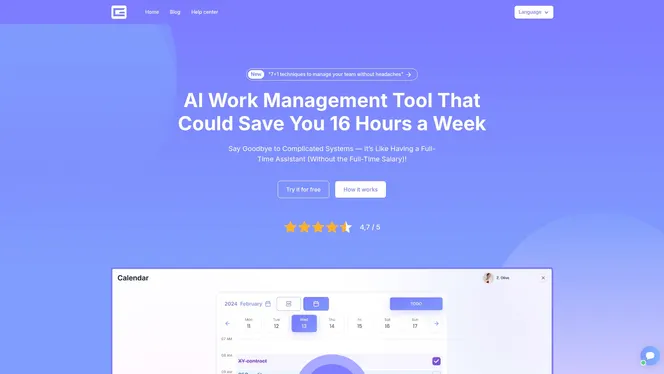
Gammatica brings task boards, a company wiki, CRM, calendar coordination, and team collaboration into one platform. You get Kanban-style task tracking with single-owner assignment, automated status updates via Make.com integration, and meeting coordination through Zoom or Google Meet, all without switching between five separate apps. The platform’s AI suggestions and pre-made templates reduce setup time so your team can focus on work, not administration. If you lead a distributed team and want to put the frameworks in this guide into practice, see what Gammatica offers for founders and business leaders managing remote teams.
FAQ
What is cloud-based team management?
Cloud-based team management is the practice of coordinating, tracking, and optimizing team collaboration using cloud tools and structured communication rhythms. It combines task ownership, async and sync communication, and outcome-based accountability to keep distributed teams productive.
How do I manage a remote team without micromanaging?
Assign one owner per task with a clear success metric, use short end-of-day reports for visibility, and measure outputs rather than hours logged. This approach gives your team autonomy while keeping you informed.
What tools do remote teams need for effective collaboration?
Effective remote teams use one tool per core function: a task board, a communication platform, a video meeting app, and a documentation tool. Keeping the toolset small improves adoption and reduces the risk of information getting lost across platforms.
How do you handle time zone differences in a distributed team?
Agree on 2–4 overlapping work hours per day and reserve synchronous calls for that window. Use async updates for everything else so workflow handoffs are smooth and no one is blocked waiting for a response from a different time zone.
What is an end-of-day report and why does it matter?
An end-of-day report is a short written update covering what a team member completed, what is blocking them, and what they plan to do next. It replaces status meetings, builds accountability, and gives managers real-time visibility without interrupting anyone’s focus time.