
TL;DR:
- An AI CRM for agencies automates outreach, manages multi-client pipelines, and provides real-time insights. It embeds AI directly into workflows, improving adoption and reducing manual effort. Proper selection and implementation of these systems can significantly boost agency efficiency and client management.
An AI CRM for agencies is a client relationship management system that uses artificial intelligence to automate outreach, manage multi-client pipelines, and surface real-time insights across every account you handle. Unlike generic CRM platforms, agency-specific AI CRM tools are built around the reality that you are managing dozens of clients simultaneously, each with their own contracts, renewal dates, and communication histories. The difference in daily output is significant. Agencies that embed AI directly into their CRM workflows report higher team adoption and fewer dropped follow-ups than those using separate AI tools bolted onto a standard CRM. Gammatica is one platform that takes this embedded approach seriously, combining task management, CRM, and AI automation in a single workspace.
What core AI features should agencies look for in a CRM?
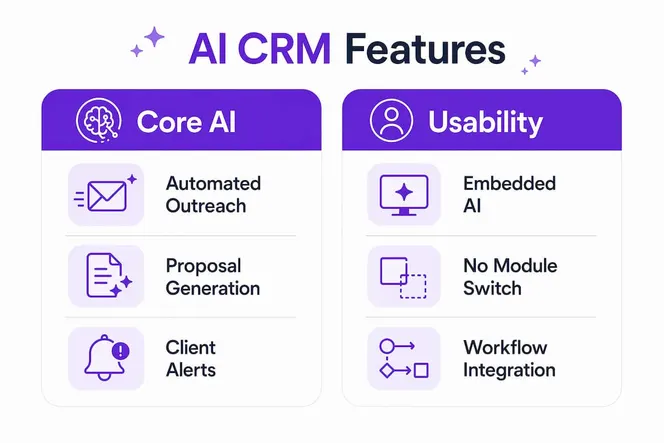
The best AI CRM for marketing agencies does one thing above all else: it puts AI where your team already works, not in a separate tab they will ignore. Embedding AI features directly in workflows, like writing assistants and activity capture, produces better use rates than standalone AI dashboards. That finding alone should shape how you evaluate every platform on your shortlist.
Here are the core AI features worth prioritizing:
- Automated client outreach and follow-up sequences. AI agents draft renewal emails, follow-up messages, and proposal templates without manual input from your team.
- Multi-pipeline and multi-client workspace support. You need separate pipelines for new business, retainer renewals, and upsell motions. Multi-pipeline support prevents duplicated records and keeps each client motion clean.
- Unified dashboards with real-time analytics. A single view showing win rates, revenue forecasts, and team utilization across all clients is not a luxury. It is the only way to manage ten or more accounts without losing visibility.
- Role-based access and data visibility controls. Granular permission controls stop junior staff from seeing sensitive client revenue data or competitor-adjacent account details.
- Embedded AI agents for writing and proposals. AI that generates first drafts of proposals, client reports, and email sequences inside the CRM saves hours per week per account manager.
Pro Tip: Avoid any platform that requires your team to switch to a separate AI module. If the AI is not visible inside the deal record or task card, your team will not use it consistently.
How does AI CRM improve agency client management and reporting?
Client management at an agency is not just about tracking leads. It is about knowing which retainer renews in 30 days, which client has gone quiet for two weeks, and which account is at risk of churning before your account manager even notices. AI CRM tools handle all three automatically.
The most direct improvements show up in these areas:
- Automated retainer and renewal tracking. The system flags upcoming contract milestones and triggers reminder sequences without anyone setting a manual calendar alert.
- White-label reporting for client deliverables. AI generates formatted reports your clients receive under your brand, not the platform’s.
- AI-powered activity logging. Every email, call, and meeting gets logged and summarized automatically. Your team stops spending time on data entry.
- Deal risk detection. AI-generated dashboards surface engagement dips and stalled deals before they become lost clients. The system reads inactivity patterns and alerts the right person.
- Personalized email and proposal generation. AI agents write client-specific proposals using account history, past project data, and deal stage context.
Gammatica automates this entire layer. Automatic emails go out on schedule, AI agents generate proposals and client reports, and the platform logs every client interaction without manual effort from your team.
Pro Tip: Set up AI-triggered alerts for any client that has had zero activity for 14 days. That single automation catches more at-risk accounts than weekly pipeline review meetings.

What are the pricing models and cost considerations for AI CRM tools?
Pricing is where many agencies get caught off guard. The monthly rate looks reasonable until you add your full team, your contractors, and your client-facing collaborators. Then the per-seat model becomes expensive fast.
| Pricing model | Typical cost range | Best for |
|---|---|---|
| Free tier | $0/month | Early-stage agencies, 1–3 users |
| Entry-level paid | $8.60–$25/user/month | Small teams, basic AI features |
| Mid-market | $25–$60/user/month | Growing agencies, fuller AI access |
| Enterprise | Custom pricing | Large agencies, advanced AI and permissions |
| Flat-fee unlimited | Fixed monthly rate | Agencies with many contractors |
CRM pricing in 2026 ranges from free for early-stage agencies to paid plans starting near $8.60–$25 per user per month, with enterprise tiers priced on request. That range matters because the AI features you actually need are rarely in the base plan.
Many AI capabilities sit behind higher-priced tiers. Before committing to any plan, confirm exactly which AI features are included at each level. A platform that charges $12/user/month but locks proposal generation and automated reporting behind a $45/user/month tier is not the deal it appears to be.
The seat tax problem is real for agencies. Per-seat pricing burdens scaling agencies that work with freelancers and contractors. Flat-fee or unlimited-user plans offer a clear cost advantage when your headcount fluctuates by project. If your agency regularly brings in contractors, a flat monthly rate protects your margins better than paying per head.
How to select the best AI CRM for your agency’s specific workflows?
Choosing the right CRM solution for your agency comes down to matching the platform’s architecture to how your team actually works, not how a sales demo suggests you should work. Here is a practical selection framework:
- Evaluate multi-client and multi-pipeline support first. If the platform cannot separate your new business pipeline from your renewal pipeline without duplicating contact records, it will create operational confusion at scale.
- Prioritize embedded AI over add-on AI. Platforms that build AI into the deal record, task card, and email composer produce higher adoption than those offering AI as a separate module or integration.
- Check granular permission settings. Your account managers should not see each other’s client revenue data. Your contractors should not see your internal pricing. Data isolation per client with unified agency-level analytics is the right architecture.
- Audit integration capabilities. Your CRM needs to connect with the tools your agency already uses. Gammatica integrates with Make.com, Zoom, and Google Meet, which covers most agency communication and automation stacks.
- Test AI output quality before committing. Ask the platform to generate a sample proposal and a client report during your trial. The quality of that output tells you more than any feature checklist.
- Assess scalability for AI expansion. Your agency will grow. The platform you choose should support more clients, more pipelines, and more AI automation without requiring a full migration in 18 months.
The productivity gains from AI adoption for agencies are well documented. Agencies that select platforms with embedded AI and clear permission structures see the fastest returns on their CRM investment.
What practical steps can agencies take to implement AI CRM effectively?
Implementation is where most agencies lose the gains they expected. The platform is capable. The team does not use it consistently. Here is how to avoid that outcome:
- Set specific automation goals before you configure anything. Decide which tasks AI will handle: follow-up emails, proposal drafts, renewal alerts, or all three. Vague goals produce vague results.
- Train your team on AI tools as part of daily workflow, not as a separate training event. Walk account managers through generating a proposal inside the CRM on their first real client record, not in a sandbox.
- Implement role-based visibility from day one. Do not add permissions as an afterthought. Configure who sees what before your team starts entering client data.
- Use AI agents for routine communication immediately. Gammatica’s AI agents can handle automatic emails and proposal generation from the start. The sooner your team sees AI doing real work, the faster adoption follows.
- Review analytics weekly for the first 90 days. Pipeline health, email open rates, and deal velocity tell you whether your automation setup is working or needs adjustment.
Gammatica claims users can free up to 16 hours weekly through AI suggestions, pre-made templates, and workflow automation. That number reflects consistent use of the platform’s AI features across the full team, not occasional use by one power user.
What I have learned about AI CRM after working with agencies
Most agency owners I talk to make the same mistake. They evaluate CRM platforms on feature lists and pricing pages, then buy the one with the longest list at the lowest price. Six months later, the team has reverted to spreadsheets and email threads because the AI was buried three clicks deep in a settings menu nobody visits.
The agencies that get real value from AI CRM do something different. They choose platforms where AI is unavoidable. The writing assistant appears when you open a deal. The follow-up sequence triggers automatically when a proposal goes out. The renewal alert lands in the account manager’s task list without anyone configuring a reminder. That is the difference between AI as a feature and AI as infrastructure.
The feature most agencies overlook is role-based data visibility. I have seen account managers accidentally share client revenue data with contractors because the default settings were too open. That single oversight damages client trust in ways that take months to repair. Get your permission structure right before you go live.
My honest advice: do not wait until your agency hits a growth wall to adopt AI CRM. The agencies using white-label AI tools and embedded automation right now are building client management systems that are genuinely hard to replicate manually. Start with one pipeline, automate one workflow, and measure the result. The ROI becomes obvious within 30 days.
— Viktor
How Gammatica handles AI CRM automation for agencies
Gammatica is built for agency owners who want AI doing real work, not sitting in a feature list. The platform automates client emails, generates proposals with AI agents, and produces client reports without manual formatting from your team.
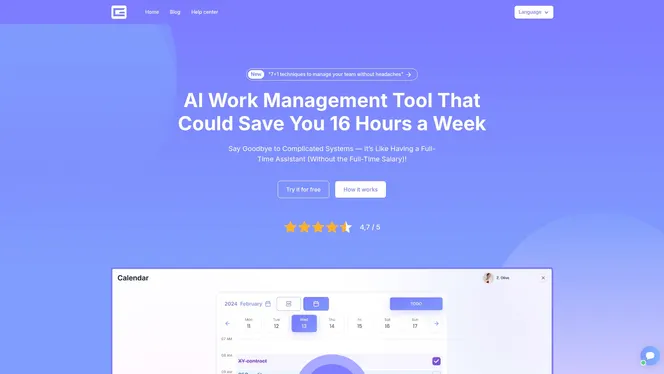
Gammatica’s CRM combines Kanban boards, customer journey tracking, and multi-pipeline management in one workspace. AI agents handle routine communication so your account managers focus on client relationships, not administrative tasks. Permission controls protect sensitive client data at every access level. If you are ready to see what an AI-first agency management system looks like in practice, Gammatica’s sales platform shows exactly how the automation works. Agency founders can also explore the founder-focused dashboard to see team activity and pipeline health in one view.
FAQ
What is an AI CRM for agencies?
An AI CRM for agencies is a client relationship management platform that uses artificial intelligence to automate follow-ups, generate proposals, manage multi-client pipelines, and surface real-time analytics. It replaces manual data entry and routine communication tasks with automated workflows.
How does AI CRM differ from a standard CRM?
A standard CRM stores client data and tracks deals manually. An AI CRM actively automates outreach, drafts proposals, detects deal risks, and generates reports without requiring manual input from your team at each step.
What pricing should agencies expect for AI CRM tools?
Paid plans typically start near $8.60–$25 per user per month, with AI features often locked behind higher tiers. Agencies with contractors benefit most from flat-fee or unlimited-user pricing models.
How do I avoid the seat tax problem with CRM pricing?
Choose platforms that offer flat-fee or unlimited-user plans rather than strict per-seat pricing. Per-seat models become expensive quickly when agencies scale with freelancers and project-based contractors.
Which AI CRM feature delivers the fastest ROI for agencies?
Automated follow-up sequences and renewal alerts deliver the fastest measurable return. These automations prevent client churn and keep deals moving without adding workload to your account management team.