TL;DR:
- Vibe coding allows users to create software by describing goals in plain language, with AI generating functional code. It offers rapid development for prototypes, dashboards, and simple apps, especially for non-technical teams. However, it also introduces risks like security vulnerabilities and opaque code that require careful review before deployment.
Vibe coding is the practice of building software by describing what you want in plain language, letting AI translate those descriptions into working code. Coined by AI researcher Andrej Karpathy, the term captures a real shift in how apps get built. Google Cloud defines vibe coding as a conversational AI approach that replaces line-by-line coding entirely, enabling single-click production deployment without traditional DevOps bottlenecks. You no longer need to know Python, JavaScript, or any other language. You just need to know what you want to build.
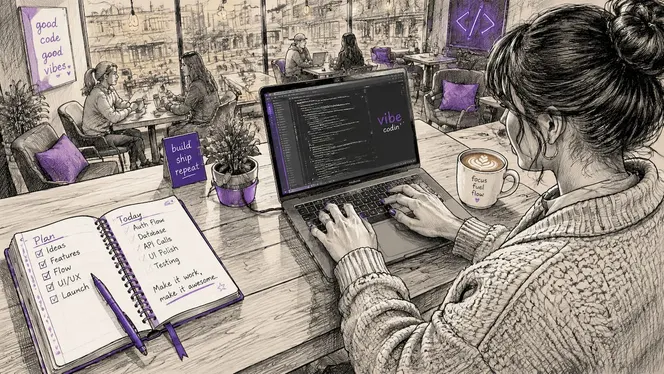
What is vibe coding and how does it actually work?
Vibe coding works by replacing manual syntax with natural language conversation. Instead of writing code line by line, you describe your goal to an AI tool, and the AI generates a working application in response. Google Cloud confirms that this shift moves software development from technical syntax mastery to conversational mission directing, freeing creators to focus on outcomes rather than implementation details.
The process follows a clear pattern:
- Describe your goal. Write a plain-language prompt explaining what you want to build. For example: “Build a dashboard that shows weekly sales by region with a bar chart and a filter by date.”
- Review the AI output. The AI generates code and often a live preview. You read through it, test it, and note what works and what does not.
- Iterate with follow-up prompts. Refine the output by asking the AI to adjust colors, fix a broken button, or add a new feature. Each prompt builds on the last.
- Deploy with one click. Tools like Google AI Studio connect directly to production environments like Cloud Run, removing the need for a separate DevOps process.
GitHub Copilot, Google AI Studio, and similar AI coding assistants all support this workflow. They generate, refine, and debug code iteratively based on your descriptions. The result is a working application built through conversation, not through memorized syntax.
Pro Tip: Write your prompts as if you are explaining the feature to a new employee, not a computer. Specific, goal-oriented language produces far better AI output than vague requests like “make it look nice.”
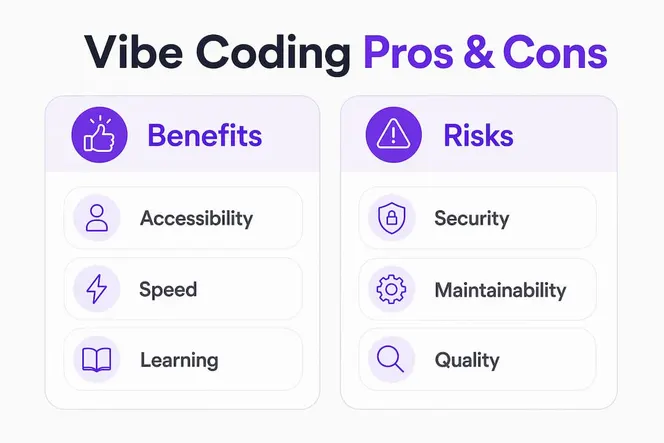
What are the real benefits of vibe coding for teams?
The speed gains from this approach are significant. A 2026 study published in Nature found that functional tools like data dashboards can be built in under 10 minutes, with fewer than 4 prompts and less than $2 in AI model fees. That same work might take a developer days or weeks using traditional methods. For non-technical teams, that gap is the entire point.
Here is where vibe-centric software development delivers the most value:
- Rapid prototyping. You can test a product idea in an afternoon instead of waiting weeks for a developer to build a proof of concept.
- Scientific and research dashboards. Researchers with no coding background now build their own data visualization tools, as documented in the Nature study above.
- Simple web apps and internal tools. Forms, calculators, booking pages, and status trackers are all within reach using conversational prompting.
- Learning by doing. Building to learn through iterative generation, breaking, and fixing code is more effective and more motivating than traditional programming courses.
- Lower cost of experimentation. When a prototype costs less than $2 and two hours of your time, you can afford to test five ideas instead of committing to one.
The accessibility benefit matters most for small teams and founders. You no longer need to hire a developer to validate an idea or build an internal tool. You can do it yourself, today, with a clear description and a good AI tool.
What are the risks and limitations you need to know?
Vibe coding is not a free pass to ship anything. The risks are real, and ignoring them leads to broken, insecure, or unmaintainable applications.
“Vibe coding instructions become obsolete the moment code is generated. The specification, not the code, must remain the source of truth.” — Red Hat Developer
The core problem is code opacity. When AI writes the code, you often do not understand what it did or why. That becomes a serious problem when something breaks. You cannot fix what you cannot read, and asking the AI to fix it can introduce new bugs while solving the original one.
Security and maintainability issues are the most cited concerns from experienced developers. AI-generated code can contain vulnerabilities that are invisible to non-technical users. For any application handling payments, personal data, or legal information, expert review is not optional.
Complex projects risk losing feature intent as they grow. Each new prompt adds layers the AI was not originally designed for, and the codebase becomes opaque and hard to debug. Vibe coding works best for disposable prototypes and small, isolated tools. It struggles with large, interconnected systems.
There is also a quality problem. Generic AI outputs produce what designers call “slop”: functional but forgettable interfaces that look like every other AI-generated app. Without design fundamentals like visual hierarchy and user psychology, the output blends into the noise.
Pro Tip: Treat AI-generated code for production apps the way you would treat a contractor’s first draft. Review it, test it, and get a second opinion before you ship it to real users.
How to get started with vibe coding: techniques and best practices
Getting good results from creative coding ideas requires more than typing a vague request into an AI tool. The teams that succeed treat the process with the same discipline they would apply to any project.
Plan your system before you prompt
Experienced vibe coders design rough system maps before writing a single prompt. Identify your core components, how they connect, and what data flows between them. A five-minute sketch on paper prevents hours of chaotic, contradictory AI output later.
Use theme variables from the start
Enforcing theme variables in your initial prompts prevents scattered, hardcoded styles across your app. Tell the AI to use consistent color tokens, spacing values, and typography settings from the beginning. This makes later updates like adding dark mode a single change rather than a search-and-replace nightmare.
Know which tools fit which jobs
| Tool type | Best for | Limitation |
|---|---|---|
| AI coding assistants (e.g., GitHub Copilot) | Adding features to existing codebases | Requires some coding context |
| Full-stack AI builders (e.g., Google AI Studio) | Building new apps from scratch | Less control over architecture |
| No-code AI platforms | Landing pages, forms, simple web apps | Limited custom logic |
Build to learn, not just to ship
Iterating, breaking, and fixing AI output teaches you more about programming than any structured course. Read the code the AI generates. Ask it to explain sections you do not understand. Over time, you build enough knowledge to catch errors before they become problems.
The numbered steps for a first vibe coding project look like this:
- Write a one-paragraph description of your app, including its purpose, main features, and intended users.
- Sketch a rough component map: header, main content area, sidebar, footer, and any interactive elements.
- Open your chosen AI tool and paste your description as the first prompt.
- Review the output, test it in a browser, and write a follow-up prompt for each thing that needs fixing.
- Before deploying, check for hardcoded values and replace them with theme variables.
- Decide clearly: is this a prototype you will throw away, or a production app that needs security review?
Why I think vibe coding is bigger than most people realize
The conversation around vibe coding tends to split into two camps. One side says it is the future of software. The other says it produces garbage that no serious developer would ship. Both camps are missing the point.
Vibe coding is not a replacement for programming knowledge. It is a multiplier for people who have a clear idea and the discipline to specify it well. The teams I have seen succeed with this approach treat their specification document as sacred. They refine the spec, not the code. That single habit separates the teams who build something useful from the ones who spend three days chasing AI-generated bugs.
The quality concern is real, but it is also solvable. Design craft and user experience expertise will be the differentiator as AI generation gets faster and cheaper. Anyone can ship a functional app. Not everyone can ship one that people actually want to use. If you invest in understanding visual hierarchy, user flow, and clear copy, your vibe-coded apps will stand out from the flood of generic outputs.
My honest recommendation: start with a disposable prototype. Build something you are willing to throw away. Study the code it generates. Break it on purpose and fix it with a prompt. That process teaches you more about how to direct AI effectively than any tutorial. Once you understand the rhythm of prompting, refining, and specifying, you will build faster and with far more confidence.
Vibe coding is reshaping who gets to build software. That is genuinely exciting. The barrier is not gone, but it is lower than it has ever been.
— Viktor
How Gammatica brings vibe coding to your web presence
Vibe coding means you describe what you want and the AI builds it. No syntax, no boilerplate, no fighting a template. Gammatica AI brings that same principle to your web presence.

Tell Gammatica what you need, and it ships a working landing page or website without a single line of code touched. The difference shows up after the page goes live. Gammatica’s AI keeps improving your pages with ongoing suggestions, tracks user engagement, and surfaces insights that help you act fast. Founders and teams can see exactly what is working without waiting on a developer. If you want to see it in action for your own business, book a demo call and walk through a live build together.
FAQ
What is vibe coding in simple terms?
Vibe coding is building software by describing what you want in plain language, with AI generating the working code for you. Andrej Karpathy coined the term to describe this conversational approach to app development.
Is vibe coding suitable for non-technical teams?
Yes. Vibe coding is designed for users without programming knowledge, enabling them to build dashboards, web apps, and prototypes using natural language prompts alone.
How fast can you build something with vibe coding?
A 2026 Nature study found that functional data dashboards can be built in under 10 minutes with fewer than 4 prompts and less than $2 in AI model fees.
What are the biggest risks of vibe coding?
Security vulnerabilities and maintainability issues are the top risks. AI-generated code can contain hidden flaws, so any app handling sensitive data needs expert review before going live.
What is the difference between vibe coding and no-code tools?
No-code tools use visual drag-and-drop interfaces with fixed templates. Vibe coding uses natural language prompts to generate custom code, giving you more flexibility but also more responsibility for reviewing the output.