
TL;DR:
- Effective time tracking reveals actual work habits and identifies gaps between perceived and real productivity.
- Regular reviews and low-friction tools enable continuous improvement by eliminating low-value tasks and optimizing workflows.
Effective time tracking is defined as the systematic process of recording, categorizing, and analyzing how you spend your work hours to close the gap between perceived and actual productivity. Most professionals believe they know where their time goes. They are wrong. Research shows that real-time logging over 2–3 weeks consistently reveals major gaps between what people think they do and what they actually do. The effective time tracking steps covered here follow a practitioner-tested sequence: diagnose, categorize, clean up, choose tools, implement, and review. Each step builds on the last, and skipping one undermines the whole system.
What are the foundational prerequisites for effective time tracking?
Before you track a single minute, you need a baseline. The diagnostic phase is the most overlooked step in effective time management, and it is also the most important. You cannot fix what you cannot measure, and you cannot measure accurately without first understanding your real work patterns.
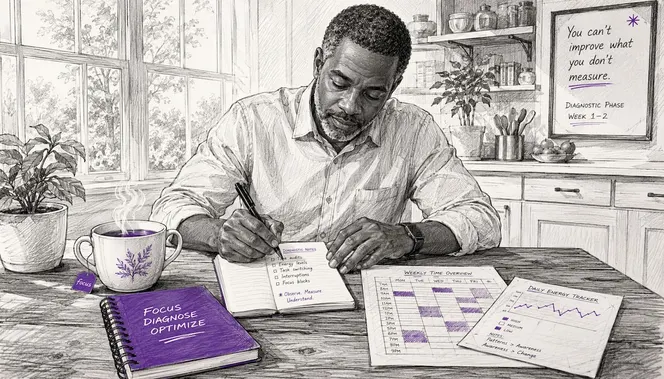
The core problem is memory distortion. People forget interruptions and micro-tasks when they reconstruct their day from memory. A quick Slack reply that took four minutes, a hallway conversation that ran twelve minutes, a browser detour that cost twenty: none of these show up in end-of-day recollections. They add up to hours every week.
The fix is a 2–3 week diagnostic phase of real-time manual logging. You record every task as you start it, not after. This phase is not about judging yourself. It is about collecting honest data before you make any changes.
During this phase, organize your work into three categories:
- Deep work: High-focus tasks that create direct value, such as writing proposals, coding, or strategic planning.
- Shallow work: Routine, low-cognitive tasks like scheduling, formatting, or routine email replies.
- Interruptions: Unplanned breaks in focus, including meetings that ran over, urgent requests, and notification-driven detours.
When choosing a tool for this phase, prioritize minimal friction above all else. A tool you will actually use beats a feature-rich platform you abandon after three days.
Pro Tip: Start your diagnostic phase on a Tuesday. Monday behavior is often atypical due to planning rituals and catch-up emails, which skews your baseline data.
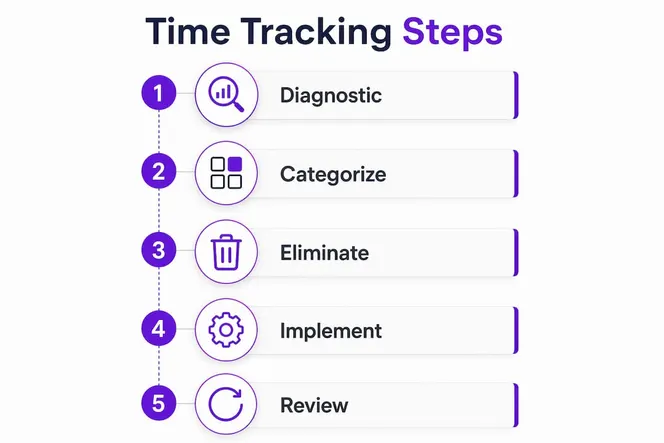
How to systematically track and categorize your tasks and time?
Once your diagnostic phase is complete, you move into active, structured tracking. This is where the real system takes shape. The goal is to capture every task with a start time, a stop time, and a category label.
Follow this sequence for each workday:
- Open your tracker before you start any task. The moment you sit down, log what you are about to do. Do not start working and then try to remember later.
- Break projects into measurable subtasks. “Work on client proposal” is too vague. “Write executive summary for Smith proposal” is trackable and specific.
- Log interruptions as separate entries. Tracking interruptions separately gives you an honest picture of workflow fragmentation. Most professionals are shocked by how many interruptions they absorb per day.
- Assign a category to every entry. Use your three buckets: deep work, shallow work, and interruptions. Add subcategories like “client meetings” or “internal admin” if your role requires more granularity.
- Stop the timer the moment you switch tasks. Even a two-minute detour counts. Precision here is what makes the data useful.
The table below shows how the same work block looks with and without proper categorization:
| Time block | Without categorization | With categorization |
|---|---|---|
| 9:00–9:45 AM | “Morning work” | Deep work: strategy doc |
| 9:45–10:00 AM | “Morning work” | Interruption: urgent Slack thread |
| 10:00–10:30 AM | “Morning work” | Shallow work: email replies |
| 10:30–11:30 AM | “Morning work” | Deep work: client proposal draft |
The difference is striking. The uncategorized version tells you nothing. The categorized version tells you exactly where your focus went and where it was stolen.
How to clean up your workflow by eliminating low-value tasks?
Tracking data is only useful if you act on it. After two to three weeks of structured logging, you will see patterns. Some of those patterns will be uncomfortable. A significant portion of your week likely goes to tasks that produce little or no value.
The most effective move at this stage is building a “to-stop” list. This is the opposite of a to-do list. You identify tasks that do not align with your skills, your goals, or your team’s priorities, and you stop doing them. Eliminating non-value tasks can recover 20–30% of wasted work time. That is not a small number. For a 40-hour week, that is 8–12 hours returned to you.
Ask these questions about each recurring task in your log:
- Does this task directly produce value for a client, a project, or a team goal?
- Am I the right person to do this, or could someone else handle it more efficiently?
- Would anything break if I stopped doing this entirely?
- Is this task driven by habit or by actual necessity?
Common time wasters that show up in almost every professional’s log include status update meetings that could be a written summary, manual data entry that a tool could automate, and email threads that should be a two-minute phone call.
Pro Tip: When reviewing your log, highlight every task that took more than 20 minutes but produced no direct output. Those are your first candidates for the to-stop list.
How to select and implement the right time tracking tools?
Tool selection is where most teams make their biggest mistake. They choose the most feature-rich option available, then abandon it within a month because it requires too much manual effort. The principle from James Clear’s Atomic Habits applies directly here: low-friction tools build lasting habits, and high-friction tools get skipped.
The best tools for sustainable tracking share a few key traits:
- One-click or automated start/stop. If logging a task takes more than five seconds, people stop doing it.
- Background capture. Automated software running silently in the background removes reliance on memory entirely and cuts administrative burden for teams.
- Simple category assignment. Tagging a task should take one click, not a dropdown menu with 40 options.
- Team-level visibility. Managers need aggregate data, not surveillance feeds. The tool should show patterns, not police individuals.
The last point matters more than most managers realize. Positioning tracking as optimization, not surveillance, is the difference between team buy-in and team sabotage. When people feel monitored, they game the data. When they understand that the data helps the whole team work better, they contribute honestly.
For team implementation, roll out tracking in phases. Start with managers and team leads for the first two weeks. Let them share their own data openly in team meetings. This signals that tracking is a shared practice, not a top-down control mechanism. Then expand to the full team with a clear explanation of how the data will and will not be used.
How to analyze your tracked data for continuous improvement?
Collecting data without reviewing it is the same as not collecting it at all. Regular weekly reviews convert raw time logs into decisions that actually change how you work. This is where the system pays off.
A practical weekly review follows four steps:
- Tally your time by category. How many hours went to deep work versus shallow work versus interruptions? Compare this week to last week.
- Identify your biggest time sink. One category will almost always be larger than it should be. Name it specifically.
- Spot the bottlenecks. Review and analysis of tracking data reveals where projects stall and where timelines were misestimated. These are your improvement targets.
- Adjust your schedule using time blocking. Blocking 90+ minute sessions for complex tasks protects deep work time and prevents shallow tasks from colonizing your most productive hours.
This review process mirrors the GTD (Getting Things Done) weekly review framework developed by David Allen, which emphasizes clearing mental clutter and resetting priorities based on current reality rather than past assumptions. The difference is that time tracking data gives you objective evidence, not just gut feeling.
The goal of each review is not to judge the previous week. It is to make one or two concrete adjustments for the next week. Small, consistent changes compound into major productivity gains over months.
What I have learned from years of tracking time
Here is the uncomfortable truth about time tracking: most people quit not because the system is too hard, but because the data is too honest. Seeing that you spent 11 hours in meetings last week, or that your “focused work” blocks were interrupted every 18 minutes, is genuinely uncomfortable. That discomfort is the point.
The biggest mistake I see professionals make is treating time tracking as a one-method practice. They pick time blocking, or the Pomodoro Technique, or manual logging, and they stick with it rigidly until they burn out on it. Rotating between different techniques like time blocking and micro-deadlines prevents fatigue and keeps the system fresh. Think of it as a menu, not a prescription.
Automation matters, but it cannot replace intentional reflection. A tool that silently logs everything is useful. A human who never looks at the data is not. The weekly review is non-negotiable. Without it, you are just collecting numbers that sit in a dashboard and do nothing.
The most productive professionals I have worked with share one habit: they treat their time log the way a serious athlete treats training data. They look at it without ego, find the weak spots, and make one adjustment at a time. Patience and incremental habit building beat any single productivity hack every time.
— Viktor
Gammatica makes time tracking work for your whole team
Knowing the steps is one thing. Having a platform that makes them frictionless is another. Gammatica is built for exactly this: giving managers, project leads, and team members a single place to track time, manage tasks, and review productivity data without switching between five different tools.
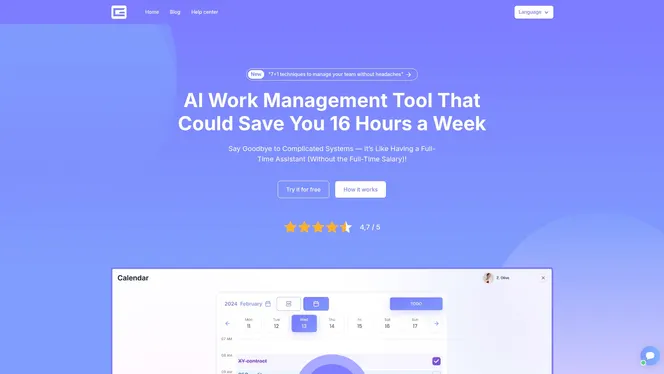
Gammatica’s AI-powered automation handles the administrative side of tracking so your team focuses on actual work. Features like Kanban boards, automated task logging, and calendar coordination mean your data is always current. Gammatica claims users can free up to 16 hours weekly by cutting manual overhead. If you want to see how that works for your specific team, the Gammatica founders page shows exactly what visibility looks like at the leadership level. You can also book a demo call to walk through the platform with a real person.
FAQ
What are the first steps to track time effectively?
Start with a 2–3 week diagnostic phase of real-time logging before making any changes. This reveals the gap between how you think you spend your time and how you actually do.
Why does memory-based time tracking fail?
Memory distortion causes people to forget interruptions and micro-tasks, which leads to significant underestimation of how fragmented their workday actually is. Real-time logging is the only reliable alternative.
How much time can I save by eliminating low-value tasks?
Eliminating non-essential tasks from your workflow can recover 20–30% of wasted work time, based on time tracking research. For a standard 40-hour week, that equals 8–12 hours returned to higher-value work.
What makes a time tracking tool sustainable for teams?
Tools with one-click or automated background tracking see the highest long-term adoption. Low friction is the single most important factor in building a lasting tracking habit across a team.
How often should I review my time tracking data?
A weekly review is the minimum effective frequency. Regular reviews convert raw data into concrete schedule adjustments and reveal productivity bottlenecks that would otherwise stay invisible.